STARTING THE GAME
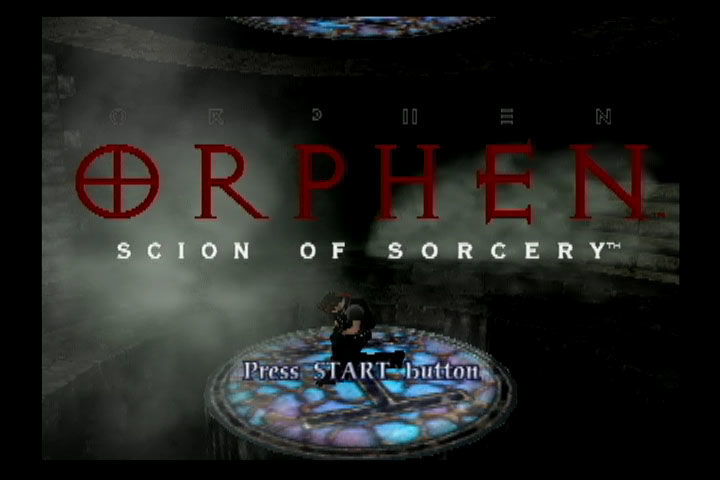
From the Title Screen, press the START button to advance to the Main menu.
NEW GAME
Start a new game from the beginning.
CONTINUE FROM PREVIOUS GAME
Continue playing from a previously saved position.
After loading the saved game data, you can review what has happened to this point by looking at Magnus' and Cleo's diaries, study the monsters you have defeated in the picture book, and watch movies from the story.
SAVING GAME DATA
At certain points in the game, you will be asked if you want to save game data. You must have a Memory Card (8MB) (for PlayStation®2) with at least 30KB of free space available to save game data.
You can save up to 12 different game positions on one Memory Card (8MB) (for PlayStation®2). A Memory Card (8MB) (for PlayStation®2) is required to save game data. Insert the Memory Card (8MB) (for PlayStation®2) into MEMORY CARD Slot 1 before trying to save your game position.
SCREEN RATIO
Adjust the screen ratio to accommodate either a normal or wide-screen television. You can also change the screen ratio during game play.
ANALOG CONTROLLER VIBRATION
Turn the vibration function ON/OFF when using DUALSHOCK™ 2 analog controllers. This setting can also be changed from the In-Game menu.
BATTLE TRAINING
Seven short tutorials detailing the combat system used in this game. Learn how to attack, defend and use sorcery.
A few minutes spent learning the basic skills will be well rewarded later on when you find yourself facing an evil monster that seems impervious to damage.
STORY MODE
THE GAME SCREEN
The "HP icon" shown in the upper left corner of the screen measures how many Hit Points (HP) your character has. When the icon is full, your character has full health.
The level in the HP Icon will decrease as you lose hit points when taking damage from monster attacks, traps, etc.
CHANGING VIEWS
This game provides a flexible viewing system. Use the viewing features provided to see what's going on around you, check your footing on precarious cliffs, and examine objects and structures near and far.
•
Press the R1 or L1 buttons to rotate your view around 360°.
•
Push the R3 button (right analog stick) to enter first person viewing mode.
•
In first person mode, use the right analog stick to look up, down, and around you.
•
Push the R3 button again to return to the normal viewing mode.
TALK/ACTION
•
Press the X button to talk to other characters and open treasure chests.
•
The X button can also be used to investigate suspicious objects and manipulate switches.
JUMP
•
Press the button to jump over gaps in the path, leap to higher locations, etc.
•
Be careful when jumping near cliffs and other places where there is a danger of falling.
PROJECTILE ATTACK
From time to time during your travels, you will run into lurking monsters that you must defeat without the benefit of Battle Mode. Press the △ button to attack monsters from afar with a Projectile Attack.
You can also use Projectile Attacks to clear away objects blocking your path.
USE SWORD
A fight in Story Mode is different from a fight in Battle Mode because you are not locked in one place. In Story Mode, you can run around behind monsters and attack them from behind if you wish.
You cannot, however, build up the sword's power in Story Mode.
USING ITEMS
•
Press the Up or Down directional button to activate the In-Game Menu, then select Item.
•
After selecting an item from your inventory, press the X button to use the selected item.
•
The name and description of each item is shown in the top right corner of the screen.
MAP MODE
Press the Left directional button to enter Map Mode. Map Mode is especially useful for finding your way out of mazes and labyrinths. The red arrow indicates your current location.
•
Use the left analog stick to scroll the map.
•
Moving the right analog stick to the left and right will zoom in and out.
•
Moving the right analog stick up and down will change the angle from which you view the map.
•
To exit Map Mode, press the X button or the left directional button.
PROJECTILE ATTACKS
Press the △ button to launch a Projectile Attack. You must have a clear shot at the target for a Projectile Attack to hit.
You can increase the number of projectiles fired by holding down the △ button to build up power. However, if you are hit while building up power, your attack will be neutralized.
ELEMENTAL ATTACKS
Press the O button to execute an Elemental Attack. Elemental Attacks are also effective in the area around the target monster.
Hold down the O button to build up power and widen the area the spell will affect. If you hold down the O button long enough, you will summon an Elemental Spirit.
An attack supplemented by an Elemental Spirit will cause greater damage than a standard one. However, if a monster attacks you during the power-building phase, your attack will be neutralized. The type of Elemental Spirit summoned depends on the attributes of the spell you are using.
CHOOSING SPELLS
You are free to set up your spells in any way you choose, with the exception of the Defensive Shield, which is always the same. You can even put together unbalanced combinations featuring two
.png)

.png)
.png)
.png)



_1.png)

_1.png)





.png)