PlayStation®2 System Components
Getting Started
Set up your PlayStation®2 computer entertainment system according to the instructions supplied with your system. Check that the system is turned on (the on/standby indicator is green).
Insert the SONIC RIDERS: ZERO GRAVITY™ disc in the system with the label side facing up. Attach game controllers and other peripherals as appropriate. Follow on-screen instructions and refer to this manual for information on using the software.
Memory Card (8MB) (for PlayStation®2)
To save game settings and progress, insert a memory card (8MB) (for PlayStation®2) into MEMORY CARD slot 1 of your PlayStation®2 system.
You can load saved Game Data from the same memory card, or any memory card (8MB) (for PlayStation®2) containing previously saved games.
Managing Game Data
The Game Data screen at start-up allows you to create, load and delete Game Data on a memory card (8MB) (for PlayStation®2). For each previously saved Game Data, details of your current progress will be displayed for reference.
Select and press the button to enter, then select Yes to load, No to cancel, or Delete File to erase the Game Data. If there is no Game Data on the memory card (8MB) (for PlayStation®2), or you wish to create new Game Data, select an empty slot and enter a name for it via the software keyboard.
Up to three Game Data can be created, and a minimum of 68KB free space is required to create each. You can also load or create new Game Data while the game is in progress via Game Data in Options (p.7).
Warning
This title uses an autosave feature as the only method of saving your Game Data. Insertion of a memory card (8MB) (for PlayStation®2) after boot up may result in data being overwritten.
Progressive Scan
When playing with a progressive scan compatible television connected via the component AV cable (for PlayStation®2), hold down the and buttons during startup to display the progressive scan menu.
Select Yes to test and select progressive scan display, or No to continue in standard display mode.
Starting the Game
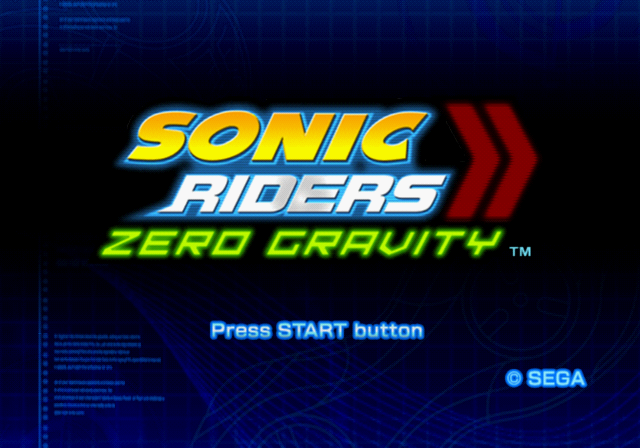
Press the START button at the Title Screen to access the Main Menu. The first time of each start-up you will be prompted to load or create Game Data. See "Managing Game Data" on p.2 for details.
From the Main Menu, please select from the following:
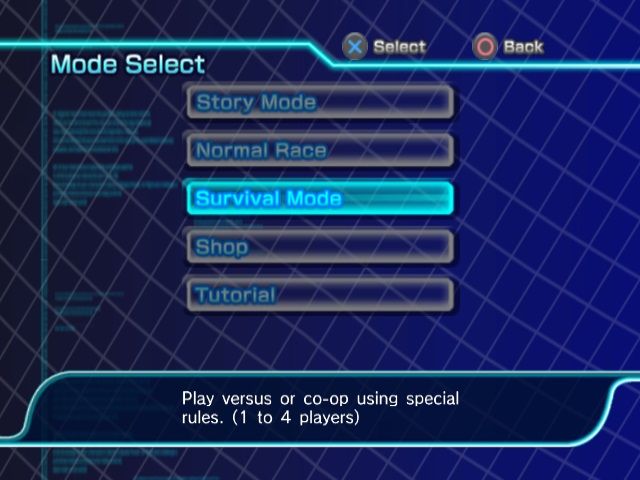
Open the Mode Select menu and choose a game to play. Game Modes are detailed on p.8.
Play unlocked movies and audio clips, or browse the Gear Gallery.
Make changes to game settings.
Extra
Browse and enjoy a variety of unlockable features.
Select a movie from the list and press the button to play. Press the button or the START button during playback to stop and return to the menu.
Select a music category from the left panel and a track from the right panel to play. Press the button during playback to stop and return to the menu.
Use the left analog stick or directional buttons to browse the Extreme Gear you have obtained. Press the button to see the technical details of the selected Gear.
Options
Make changes to the following settings:
Set sound output to Mono, Stereo, Dolby Pro Logic® II or Dolby Digital Pro Logic® II.
Set the vibration function ON/OFF.
Set the language settings for Voice and Subtitles.
Manage your Game Data, as detailed on p.2.
Game Modes
SONIC RIDERS: ZERO GRAVITY™ features a variety of gameplay modes as detailed below. Use the left analog stick or directional buttons to select a game mode and press the button to confirm the selection.
Story Mode (1P Only)
Enter races to progress the story. The story can be started from the beginning, or re-started from any previously-accessed stage.
For each stage cleared, you also have the choice of selecting Missions, in which you are given specific conditions to clear. Available Missions will increase as you progress through the story and Mission stages.
The first time you play, you will be given the option to play through a tutorial which explains the controls in detail. This will then appear in the Mode Select menu to help you hone your skills.
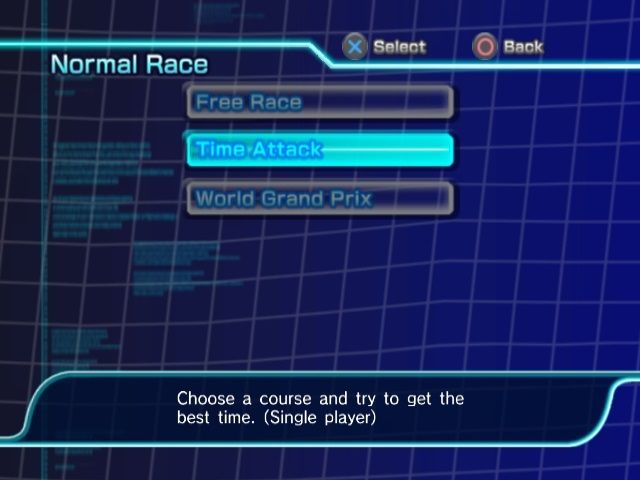
Normal Race
Compete in one of the following race styles:
Compete against other players and non-player characters on a selected track.
Select a track and race against the clock.
Survival Mode (p.14)
A series of games with special rules:
Run a relay using Gear as the batons.
Use gravity control to shoot the ball and score.
Slam foes with objects using gravity action.
Shop
Purchase additional
.png)

.png)