Setting Up
PlayStation®2 Console Setup
Set up your PlayStation®2 computer entertainment system according to its Instruction Manual. Ensure the MAIN POWER switch (located on the back of the console) is turned ON.
Press the RESET button. When the power indicator lights up, press the OPEN button to open the disc tray.
Place the Spartan: Total Warrior™ disc on the disc tray with the label side facing up. Press the OPEN button again to close the disc tray.
Attach game controllers and other peripherals as appropriate. Follow on-screen instructions and refer to this manual for information on using the software.
*Note: Illustration may not match all PlayStation®2 console types. For owners of SCPH-70000 series PlayStation®2 systems, refer to the setup instructions supplied with your system.*
Memory Card (8MB) (for PlayStation®2)
To save a game, insert a Memory Card (8MB) (for PlayStation®2) into Memory Card Slot 1 of your console. Load saved game data from the same Memory Card (8MB) (for PlayStation®2), or from any Memory Card (8MB) (for PlayStation®2) containing a saved Spartan: Total Warrior™ game.
You need at least 175kb available on your Memory Card (8MB) (for PlayStation®2) to save game data. If less than this exists, erase any unwanted data using the console's internal browser to create the required amount of free space.
Do not remove the Memory Card (8MB) (for PlayStation®2) or turn off the power on the console while the game is being saved or loaded. Your game data may be lost!
Any previously saved game settings are auto-loaded upon boot-up.
Playing the Game
Main Menu
New Game
Select this to start a new game of Spartan: Total Warrior™ in story mode. Take control of the Spartan and fight alongside hundreds of allies in an epic journey across many lands. Can you stop the Roman assault?
Difficulty
Spartan: Total Warrior™ offers three distinct difficulty levels. Choose from:
Checkpoints
During the story mode, the game will indicate when you pass a checkpoint. If you die or fail your current mission, you will be returned to the last checkpoint.
During the Game
Pressing the Start button pauses the game and brings up the in-game menu with the choices Command List, Options, or Exit Game.
If you select Exit Game, you will be taken back to the main menu. If you have crossed any checkpoints, you will be given the opportunity to save from the last checkpoint.
If you select Options, you will be presented with the in-game options where you can customize your preferences.
Load Game
Load a previously saved story mode game.
Arena Challenge
The Arena Challenge is an additional game mode that casts the Spartan into an arena with various enemies. Each round is progressively more difficult than the last.
Select the arena location and which enemies are to be faced there, then choose which unlocked power-ups you want enabled in the arena.
During the Story Mode or level replays, you can find arena power-ups, which you can then enable in the arenas. Look out for all sorts of cool things including bombs, weapons, squads of allies, and even a friendly giant.
As you progress through the Story Mode, more arenas will be unlocked. The top arena survivors can enter their highest scores in the High Score table. How long can you stand up to the challenge?
Single Mission Replay
Here you can select any level completed in the game to play as a stand-alone mission. As you complete each level in Story Mode, it will be unlocked here.
Options
The options screen allows you to customize various aspects of the game to suit your preferences. These include audio settings, screen position, and camera inversion.
You can also turn on or off in-game settings, such as subtitles, tutorial, and the controller's vibration function.
Extras
Discover the secrets hidden in the game to unlock extras and bonuses.
Saving & Loading
Whilst playing the story mode, you pass checkpoints, which become your restart points if you die or otherwise fail a mission. If you exit the game, you will be offered the chance to save from the last checkpoint.
You may restart the game at that checkpoint later by selecting Load Game from the main menu.
Battle Tactics
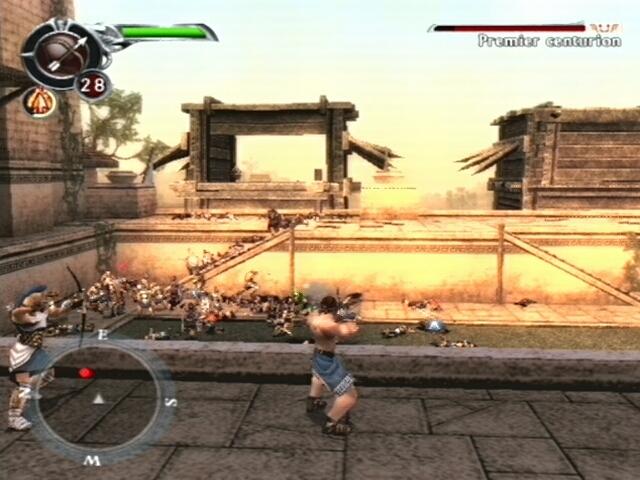
It is essential to master all of the controls in Spartan: Total Warrior™. One of the most important aspects of the combat is the shield - this cannot be overstated.
As well as protecting the Spartan from attack, the shield can be used offensively to knock back attackers. This can be done either by using the raise shield and single attack buttons (L2) to hit a single enemy, or the raise shield and radial attack buttons (L2) to clear a space in the crowd. This allows the Spartan to take control of the battle and steer it his way.
The Spartan also has a range of weapons and attacks that must be deployed strategically throughout the game. Keep an eye on the enemies' tactics and help allies in trouble, because keeping them alive may just win you the battle. The outcome of the war, however
.png)

.png)
.png)
.png)




_1.png)

_1.png)











_1.jpg)






.png)