GETTING STARTED
Set up your PlayStation®2 computer entertainment system according to its instruction manual. Ensure the MAIN POWER switch (on the back of the console) is turned on.
Press the standby/RESET button. When the power indicator lights up, press the OPEN button to open the disc tray. Place the Super Bust-A-Move™ 2 disc on the disc tray with the label side facing up. Press the OPEN button again to close the disc tray.
Attach game controllers and other peripherals as appropriate. Follow on-screen instructions and refer to this manual for software usage information.
DUALSHOCK®2 ANALOG CONTROLLER
•
left analog stick (L3 button when pushed down)
•
right analog stick (R3 button when pushed down)
PlayStation®2 Console
MAIN MENU
Highlight menu selections using the directional button and press the X button to confirm your selection.
GAME MENU
STORY MODE
You must clear puzzles to reveal the storyline behind each Master Player character. After clearing all puzzles, you will be ranked on your performance.
BATTLE MODE
Play against a CPU-controlled character or a Human opponent.
1P MODE
If you clear all the bubbles on-screen, you will continue to the next round.
EDIT MODE
Create your own Bust-A-Move puzzles.
OPTION
Adjust various game options here.
CPU BATTLE
2P BATTLE
LONG PUZZLE
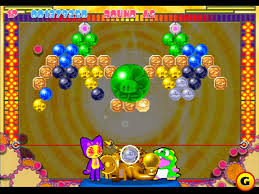
Long Puzzle is a special puzzle screen that appears during Story and 1P Puzzle Modes. Bubbles continuously push down from the ceiling. You must burst all bubbles on screen to clear the level. This graph displays how many bubbles are left. Every time bubbles appear, the gauge fills up a little. When the gauge reaches the goal line, it means all bubbles have been pushed down.
HOW TO PLAY
BURST A BUBBLE
Shoot a bubble. If it connects with more than 2 of the same color, those bubbles will burst. Continue this until all bubbles on the screen have burst.
ADVANCED LEVEL
The more unconnected bubbles you drop, the higher your score.
GAME OVER
If you shoot a certain number of bubbles, the bubble level is pushed down by new bubbles. If any bubbles cross the deadline at the bottom of the screen, the game is over!
Bubbles that do not burst when shot will remain and increase the total number of bubbles on screen. In VS mode, dropped bubbles will appear on your opponent's screen.
THE BUBBLES
Normal bubble
These are the basic bubbles. More than three connected bubbles of the same color will burst.
Mini-Bubble
These can be shot through narrow arrows that normal bubbles can't get through. When they stick to other bubbles, they grow in size to become normal bubbles.
Star bubble
When you hit this with a colored bubble, all normal bubbles on screen of the same color will burst.
Giant bubble
This is 7 times as big as a normal bubble. If you hit it with a bubble of the same color, it will burst and paint all the normal bubbles on screen in that color.
Rainbow bubble
If bubbles burst next to it, it will become a normal bubble of that color.
Metal bubble
These don't stick anywhere, but any bubbles they come in contact with will burst. If it hits a fulcrum, it disappears.
Paint bubble
Any bubbles hit by this will change color randomly.
Bomb bubble
Any bubble hit by this will burst.
THE BLOCKS
Reflection block
Like a wall, bubbles will bounce off this block. It will disappear if it is pushed down to the deadline.
Nuisance block
These can only be dropped by bursting the bubbles connecting it.
Fulcrum block
These disappear if you burst all bubbles that connect to it. If you shoot this block with a bubble, the launcher will move in the direction the arrow is pointing.
GAME MODES
STORY MODE
Choose Story mode in the main menu. The character selection screen will appear. Here you can choose the character you wish to play as.
1. After you choose the character, the story's opening starts. After the opening, stage 1 starts.
2. After every cleared level, another part of the story is revealed. When you clear all 5 stages, you will have cleared Story Mode for that character and will be rated on your performance.
After you clear the game, a secret code is displayed. If you enter this code on the title screen, you can play with secret hidden characters.
1P PUZZLE MODE
Training mode
This is a practice mode which displays the guide line. This mode lasts for five rounds.
**Normal mode
.png)

.png)
