Getting Started
Set up your PlayStation®2 computer entertainment system according to the instructions supplied with your system. Check that the system is turned on (the on/standby indicator is green).
Press the OPEN button to open the disc cover. Place the Tokobot Plus: Mysteries of the Karakuri disc with the label side facing up in the disc holder, and then close the disc cover. Attach game controllers and other peripherals as appropriate.
Follow the on-screen instructions and refer to this manual for information on using the software.
Memory Card (8MB) (for PlayStation®2)
To save game settings and progress, insert a memory card (8MB) (for PlayStation®2) into MEMORY CARD slot 1 of your PlayStation®2 system.
You can load saved game data from the same memory card or any memory card (8MB) (for PlayStation®2) containing previously saved games.
Start the Game
After setting the game disc in the PlayStation®2 console, the Title Screen will appear after a short time.
Pressing the START button at the Title Screen will display the menu. Use the left analog stick (or the directional buttons) to choose a selection, then decide with the button.
New Game
Begin the game from the beginning. Please choose this when playing the game for the first time.
Load Game
You can choose to continue a previously saved game if there is game data saved on the memory card (8MB) (for PlayStation®2). For a more detailed explanation of game data, please see "Saving and Quitting" (P. 21).
How to Play
Basic Controls
Movement
You will move in the same direction that you press on the left analog stick.
Jump
You will jump by pressing the button. You can move slightly in midair while jumping by pressing the left analog stick.
Tokobot's Compliance
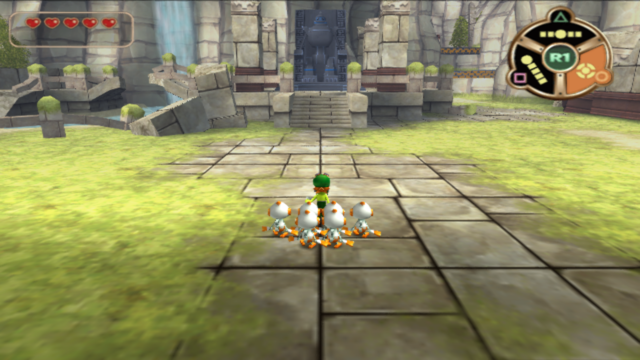
The Tokobots will follow the Player on their own, but they will also lag behind the player slightly. If you use the different formations well, you can skillfully guide the Tokobots.
Joint
The Tokobots will Joint in that formation state. (A state where Bolt and the Tokobots are connected) You will Joint as long as you hold down the R1 button, and Disassemble upon letting the R1 button go.
Tokobot Assembly
•
Hold down the R1 button for a set time
Holding down the R1 button for an extended length of time while in any formation will call any stray Tokobots together. Tokobot Assembly takes a small amount of time to perform.
Toko-Stomp
•
Jump and press the O button while Jointed in the Circle Formation
This move will let you stomp on enemies and press large buttons found inside ruins.
Toko-Jump
•
Joint in Circle Formation and press the O button
Installing a new ability in the Tokobots will allow you to use the Toko-Jump as an add-on to the Circle Formation. Use the Toko-Jump to move Bolt to passages and entrances found in high places.
Push & Pull/Lift
•
Approach certain objects, press the L1 button and move the left analog stick
Inside ruins there are obstacles and traps that can be pushed, pulled, and lifted by pressing the L1 button next to them.
Others
You can open doors, use elevators and handle other equipment by pressing the L1 button. If an Input Guide appears on the screen try pressing the L1 button.
OverDrive
Acquiring Prehistoric microchips known as Super Chips inside ruins will let the Tokobots use new transformation abilities called OverDrives.
Battle Type
An OverDrive used to attack. Pressing the R2 button will activate the OverDrive that is currently equipped (P. 20). However, Battle Type OverDrives require Energy when they are used.
Battle Type OverDrives can be powered up. (P. 23: "Analysis Room" under "Laboratory")
Energy
The Energy required for using OverDrives is mainly acquired by inflicting damage on enemies as well as defeating them.
OverDrive Gauge / Energy Gauge, Energy Stock
A single Stock will be added once the Gauge is filled. One Stock will allow you to use an OverDrive one time.
•
You will be able to hold as many as 3 Stocks as the game progresses.
Assist Type
Primarily used for exploring ruins. They can only be used on top of mysterious Energy Plates where Energy gathers.
Plates
Mysterious Plates found on the ground. Checking them will allow you to use an OverDrive on top of them. They are hidden in all kinds of places so be sure to Check them should you find one.
Endurance
Assist Types are limited by Endurance. Should Endurance drop to 0 when using one, the OverDrive will Disassemble. There are several different factors that will lower Endurance. The main ones are as follows.
•
Number of times controlled
Menu
Press the START button during the game to open the Menu.
Over Drive
Allows you to change the equipped Battle Type OverDrive.
Super Chip
Lets you
.png)

.png)
.png)
.png)
