GETTING STARTED
Set up your PlayStation®2 computer entertainment system according to its Instruction Manual. Ensure the MAIN POWER switch (on the back of the console) is turned on.
Press the RESET button. When the power indicator lights up, press the OPEN button to open the disc tray. Place the Trivial Pursuit Unhinged™ disc with the label side facing up. Press the OPEN button again to close the disc tray.
Attach game controllers and other peripherals as appropriate. Follow on-screen instructions and refer to this manual for information on using the software.
Memory Card
Insert a memory card (8MB) (for PlayStation®2) with 133 KB of free space in MEMORY CARD slot 1 if you wish to load or save a game.
DUALSHOCK®2 Support
The game supports DUALSHOCK®2 analog controllers.
MULTITAP
•
Multitap (for PlayStation®2)
•
multitap connector (for PlayStation®2)
To connect more than two controllers, a multitap (for PlayStation®2) must be connected to controller port 1. For more than five controllers, a second multitap must be connected to controller port 2. Refer to your multitap's instructions.
A controller must be connected to port 1-A of the 1st multitap. Your memory card must be inserted in MEMORY CARD slot 1-A of the multitap when used.
Trivial Pursuit Unhinged does not support "daisy-chained" multitaps. Connecting a multitap to another multitap may cause undesirable or unpredictable results, and possible data loss.
SETTING UP YOUR PLAYSTATION®2 CONSOLE FOR NETWORK/ONLINE PLAY
Trivial Pursuit Unhinged is compatible with network configuration files from other PlayStation®2 online games. To play online, you need a network configuration file saved on your memory card.
You can use the Network Adaptor Start-Up Disc that came with your network adaptor (Ethernet/modem) (for PlayStation®2) or the Network Configuration GUI in this game to create a network configuration.
You will need your Internet Service Provider (ISP) setup information, such as your user ID and password if applicable. Have your ISP documentation handy.
Network Settings Menu
To set up your Network/Internet connection, select Network Settings from the Options Menu (under the Main Menu). This will open the Network Settings Main Menu.
•
Press the up/down directional buttons to highlight an option or change a setting.
•
Press the button to select an option or confirm an entry.
•
Press the left/right directional buttons to advance to the next screen.
•
When changing numbers, press the directional buttons to highlight the field where you want to change a number and press the button. Then press the up/down directional buttons to change a number.
Select Add Setting to create a new network configuration. Follow the instructions and enter the requested information.
Once done, you will be able to connect your PlayStation®2 console to the Trivial Pursuit Unhinged game servers and play with other players over the Network/Internet. Your ISP information will be saved on your memory card.
For more information, see "Online Play" on pages 13 through 16.
WELCOME TO THE TRIVIAL PURSUIT® UNHINGED™ GAME!
It's the trivia game that started it all! Listen to questions read by an all-star cast, put your random knowledge to good use, and get ready for an all-new Trivial Pursuit game experience.
Game Modes
•
Classic mode: Features either Shout-Out or Multiple-Choice question formats.
•
Flash mode: For a quick fix.
•
Unhinged mode: Includes multimedia clips, new board features, and a chance to beat your friends.
Celebrity Hosts
An all-star celebrity cast presents multiple-choice questions in all three gameplay modes.
•
Whoopi Goldberg asks Arts & Entertainment questions.
•
Terry Bradshaw presents Sports & Leisure.
•
John Ratzenberger handles Wild Card questions.
•
Brooke Burke challenges you with People & Places.
•
Bill Nye is your guy for Science & Nature.
•
John Cleese covers the History category.
Color Scheme
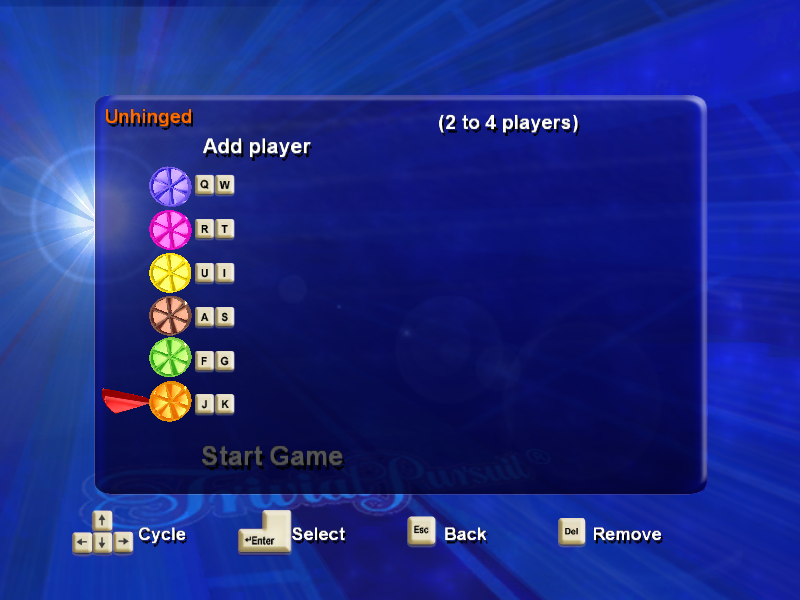
The Trivial Pursuit Unhinged game uses the following color scheme:
•
Pink - Arts & Entertainment
•
Brown - Science & Nature
•
Green - Sports & Leisure
Traditional Rules
Trivial Pursuit Unhinged Classic and Unhinged modes both play using the traditional Trivial Pursuit rules of play.
Object
Move along the circular playing path and spokes, answering questions. Collect colored scoring wedges for correctly answered questions in each of the six "category headquarters" spaces.
To win, collect all wedges, land on the center hub on a subsequent roll, and correctly answer the final hub question (from a category chosen by other players).
Gameplay
After you roll, category indicators appear on the board in all spaces the roll allows you to move. The token moves as many spaces as indicated on the die. For example, a roll of four means the token must move four spaces away from its current location.
Any number of tokens may occupy the same space at the same time. However, in Unhinged mode, you could get
.png)

.png)
.png)
.png)

.png)
_1.png)
_1.png)







.png)
.png)



.png)
.png)
