BEFORE YOU HIT THE GRIDIRON
LOADING
•
Set up the GENESIS 32X™ as described in its instruction manual.
•
Plug a Sega™ controller into control port 1 on the Sega™ Genesis™.
•
If you wish to play a three, four, or five-player game, plug in a Team Player™ Multi-Player Adapter (sold separately) as described in its instruction manual.
•
Make sure the power switch is OFF.
•
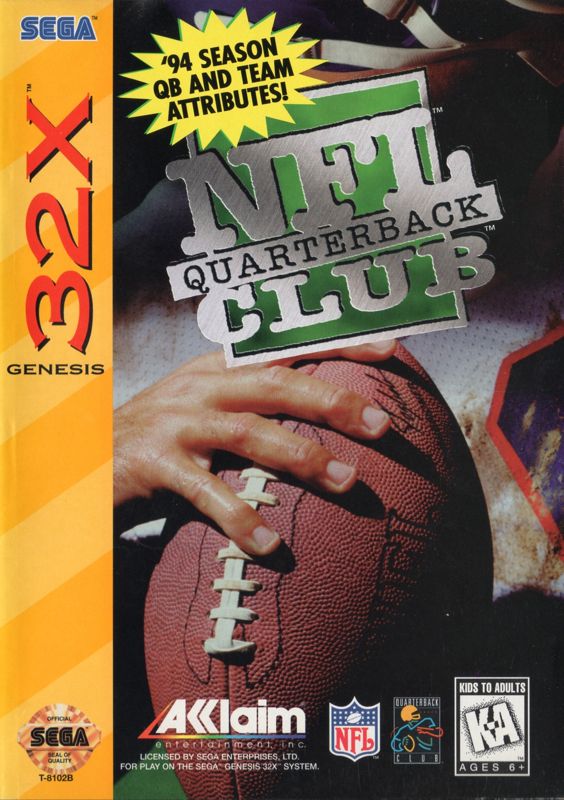
Insert your Genesis 32X™ NFL™ QUARTERBACK CLUB™ Game Cartridge into the cartridge slot and press down firmly.
•
Turn the power switch ON.
When the game mode screen appears, you will be given two unique and challenging game play options: NFL™ Play (see page 11), and Simulation (see page 26). Press LEFT or RIGHT on the D-BUTTON to highlight the option you want, then press the START BUTTON.
CONTROLS
If you'd like to hit the field right away, turn to pages 27-28 for Offensive and Defensive Controls.
For details on each individual game play option from this point on, turn to the appropriate page noted above.
NFL™ PLAY
Are you ready for the most realistic NFL™ game action ever? Then you've come to the right place!
The NFL™ Play option of NFL™ QUARTERBACK CLUB™ gives you more plays, more strategies, and more helmet-crunching action than you've ever seen before!
SIX GAME MODES
NFL™ Play provides you with six modes of play:
•
PRESEASON: Use this mode to compete in Preseason competition. Preseason mode allows you to import NFL™ QUARTERBACK CLUB™ member quarterbacks to any of the 28 NFL™ teams.
•
NOTE: To access an imported quarterback, you must use the Substitute Quarterback option on the Pause Options menu.
•
NEW SEASON: Use this mode to begin a new season of action, from opening day to the Super Bowl itself!
•
RESUME SEASON: Use this mode to pick up seasonal play where you left off last time. You may choose from four saved teams.
•
ENTER PLAYOFFS: Use this mode to set up a playoff bracket on the way to the Superbowl using one of the eight teams that advanced to the 1995 wild card playoff round. A win in the Super Bowl will take that team into the 1995-96 season.
•
RESUME PLAYOFFS: Use this mode to pick up playoff action where you left off last time. You may choose from four saved teams.
•
PRO BOWL: Use this mode to set up an AFC vs. NFC Pro Bowl game!
No matter which mode of play you choose, you can compete at three levels of difficulty: ROOKIE, PRO, or ALL-PRO.
SAVING/RESUMING GAMES
The player may save his position (up to four positions can be saved) in both Season and Playoff modes prior to or following each game. At both these times the player will be presented with the "Save Position" option.
Use the D-BUTTON to highlight this option, then press the START BUTTON. You will then see four boxes which can each hold a position. Highlight the box you wish to save to with the D-BUTTON. Press the START BUTTON to save your current position in that box. To exit this option without saving a game, press the C BUTTON.
NOTE: After pressing the START BUTTON to save a particular position, DO NOT press the RESET BUTTON or turn the power OFF on your Sega™ Genesis™ until the next option screen is locked in place. Doing so will ERASE ALL SAVED POSITIONS and make it necessary to turn the power OFF on your Sega™ Genesis™ and restart to begin play again.
CHOOSING YOUR TEAMS
Once you've chosen your mode of play, it's time to choose the team you want. This screen allows you to choose which of the 28 NFL™ teams you want to be on.
Press UP or DOWN on the D-BUTTON to scroll through all 28 NFL™ teams. Note that attribute levels are provided in seven important categories: passing, running, blocking, tackling, blitzing, coverage, and special teams.
Once you've scrolled through to the team you want, press the START BUTTON.
NOTE: When you choose New Season or Enter Playoffs, only the team on the left of the screen may be selected. The team on the right will automatically modify to display which team your selected team will face in the upcoming game.
CUSTOMIZING WEATHER, PLAYING SURFACE, AND OTHER GAME OPTIONS
Once the teams are chosen, NFL™ QUARTERBACK CLUB™ provides you with several other options to choose from:
•
Choose a home or away game.
•
Choose from six weather options: fair, rain, snow, hot, cold, or auto--which allows the computer to randomly choose for you.
•
Choose between grass and artificial turf playing surfaces.
•
Choose one of five quarter lengths: 1, 2, 5, 10, or 15 minutes per quarter.
NOTE: At any time prior to selecting quarter length, you can return to a previous screen by pressing the C BUTTON.
GAME TIME
PLAYER SELECT
After selecting your teams and setting your custom options, it's time to select which team to play on. Five players appear in a semi-circle.
For each plugged in controller, a corresponding number appears below a player. Each controller has a color assigned to it. An arrow with this color on

.png)
