Introduction
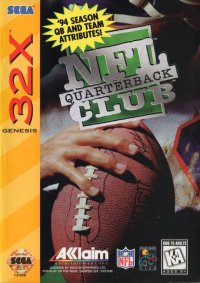
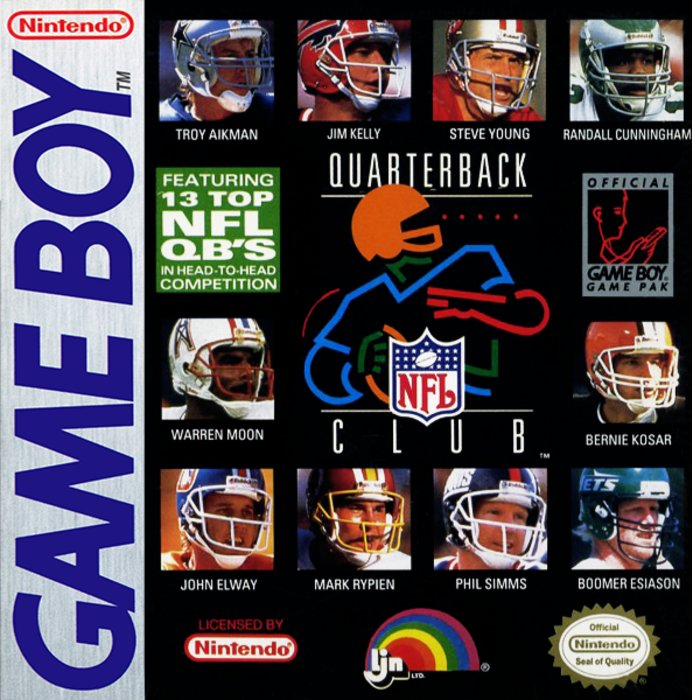
The top talents in pro football are back with the very best in pigskin pandemonium. It's a whole new game as NFL™ QUARTERBACK CLUB™ '96 takes a giant step into the future of football gaming with all new expansion teams, bold new plays and mind blowing graphics!
All the tools and toys are here: 30 teams, over 40 plays, and plenty of action, backed up by impressive, meaningful stats.
Loading the Game
•
Make sure the power switch is OFF.
•
Insert the NFL™ QUARTERBACK CLUB™ Game Pak as described in your NINTENDO® Game Boy® instruction booklet.
•
Turn the power switch ON.
Game Modes
When the game mode screen appears, you will have these challenging game play options: Preseason, New Season, Resume Season and Playoff modes.
•
Use the CONTROL PAD to highlight the desired options, then press the A BUTTON.
Playoffs
•
Use this mode to enter the playoffs, where the competition for champion is brutal.
•
Use the CONTROL PAD to highlight your selection, then press the START BUTTON to select.
Entering a Password
When you select Resume Season, a password screen will appear. To resume gameplay where you left off, you must enter the valid 12-character password associated with that week in your schedule.
•
Use the CONTROL PAD to select the desired character, then press the A BUTTON to enter it.
•
Press the B BUTTON to clear an unwanted character.
•
Continue until all 12 characters have been entered correctly.
Once a correct password has been entered, you will be brought to the season schedule/results screen, where play resumes with the next game on your schedule. An invalid password will return you to the Mode Select screen.
Game Options
In Preseason Mode:
•
Choose a Home or Away game.
•
Choose between grass and artificial turf playing surfaces.
In All Modes:
•
Choose Rookie or Pro skill level.
•
Choose one of five quarter lengths: 1, 2, 5, 10, or 15 minutes per quarter.
Making Selections:
•
Use the CONTROL PAD to highlight your selection.
•
Press LEFT or RIGHT on the CONTROL PAD to modify a particular option.
•
When you've finished setting options, press the A BUTTON to return to the Mode select screen.
Choosing a Team
This screen allows you to choose which of the 30 NFL™ teams you want to be on.
•
Use the UP and DOWN CONTROL PAD to scroll through all 30 NFL™ teams.
•
Once you've scrolled through to the teams you want, press the A BUTTON.
Team Attributes:
Team Selection Notes:
In Preseason mode, the player chooses both teams. In New Season and for the 1st game of Playoff play, only the team on the left of the screen may be selected. The team on the right will automatically modify to display which team your selected team will face in the first week.
Coin Toss
The coin toss determines who will kickoff and who will receive. The visiting team calls the toss.
•
Use the CONTROL PAD to move indicator between Head or Tails.
•
Press the A BUTTON to select.
Coin Toss Results:
If you win the toss, you may elect to either kickoff or receive.
•
Use the CONTROL PAD to highlight your choice and the A BUTTON to select it.
If you lose the toss, you get to choose which goal you wish to defend.
•
Highlight your choice with the D-PAD, then press the A BUTTON to select it.
After selecting, a kickoff and kick return follow. You will then see the offensive or defensive play select screen.
The Playbook
This is your playbook, your guide to the strategies and circumstances that pro quarterbacks must master to succeed in the NFL™.
Play Plaques
Each play in NFL™ QUARTERBACK CLUB™ is diagrammed on a play plaque. A brief legend appears below to help you understand the diagrams.
On Offensive Plaques:
•
A CIRCLE denotes a player. The circle represents where the player is positioned at the start of a play.
•
A SQUARE denotes the center.
•
A LINE denotes the direction/position the player should move in/to.
•
A DOTTED LINE denotes a Pitch out or Hand off.
•
A LINE CROSSED WITH A T junction denotes both the position and direction of a Block.
•
A LINE WITH AN ARROW indicates that the player should continue in the direction of the arrow for the maximum distance the play allows.
On Defensive Plaques:
•
An X denotes a defensive player.
•
A DOTTED LINE indicates that a player should go to this area and either set a Zone or Read (assess the situation, then act).
•
A LINE WITH AN ARROW denotes a player should continue in that direction/penetrate the offensive backfield.
Offensive Playbook
The Offensive Playbook in NFL™ QUARTERBACK CLUB™ features 24 plays, four in each of six different offensive categories.
•
Use the CONTROL PAD to highlight a category, then press the A BUTTON to select it.
•
Follow the same procedure to choose a particular play.
•
To change your selection, press the B BUTTON to return to the category screen.
Offensive Categories:
•
INSIDE RUN: The Inside Run features four running plays to the interior or inside of the field. They are run from different formations.
.png)

_2.png)
.png)
.png)
.png)
.png)