GETTING STARTED
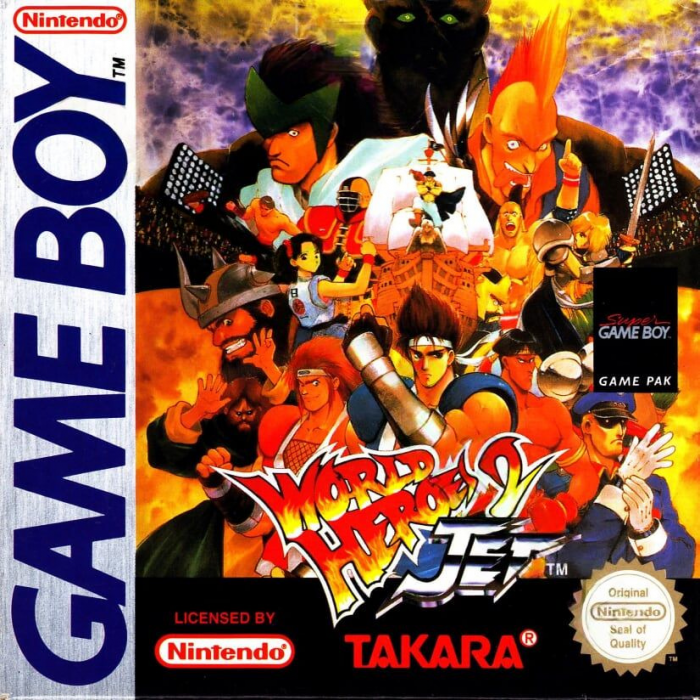
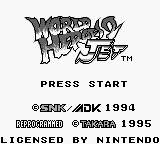
Insert the WORLD HEROES 2 JET Game Pak into the Game Boy, and turn the power ON. The Title screen will then appear.
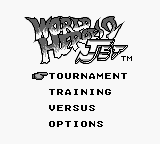
Press the Start button during the Title or Demo screens to move to the Game Mode Selection screen. Choose a mode with the Control Pad, and press Start to begin playing.
USING THE CONTROLLER
Basic Controls
•
Select button: Not used.
•
Start button: Pause. Press again to resume play.
When character is facing right
The longer you hold down an attack button, the stronger the attack.
Attacks for which you repeatedly press a button do not change in strength.
Throws
Move in close to your opponent, then press the Control Pad left or right and the B button.
Some characters can also use the A button.
Dashing
Quickly press the Control Pad forwards twice. You can use this to speed in close to your opponent when attacking.
Dash retreat
Quickly press the Control Pad backwards twice. This is useful when you want to put some distance between yourself and your opponent, and when dodging attacks.
Trick KO
Press the Control Pad down and briefly press both the A and B buttons at the same time to trick your opponent into thinking you've been knocked out. This is great for getting some breathing space after being repeatedly attacked by your opponent.
Returning flying weapons
Get into a guard position just before your enemy's flying weapon hits you. This will send the weapon flying straight back where it came from.
Taunting
Briefly press both the A and B buttons at the same time to taunt your opponent (when not pressing the Control Pad). Use this to lure your opponent in towards you during battle!
In this game, you can't return opponents' throws back against them.
GAME MODES/GAME RULES
2. Training Mode
This mode is a three-round battle against the computer. Select your opponent and start searching for their weaknesses!
Select your character with the + Control Pad, and press the A button to set. Then select the character you'll fight against.
3. Versus Mode
You can take on a friend by joining up two Game Boy units with the special connection cable. Check page 24 for details on how to connect two units.
There are three rounds in Versus Mode. The first player to win two rounds wins the match. If the third round ends in a draw, a special fourth round will be fought. If this also ends in a tie, the match will be declared a draw.
Each player selects a character with the + Control Pad, and presses the A button to set. You can choose END at this point if you decide you want to switch to a different mode.
When both players have selected a character, the Status Select screen will appear. Choose the fighting style for your character out of the four styles shown below and press the A button to set. •
Normal style This fighting style is a balanced mix of average attack strength, defensive power, and speed. •
Attacking style An aggressive fighting style with stronger than average attack power. Characters with this style can sometimes turn the match in their favor with a single blow. •
Defensive style This fighting style features strong defensive power. Characters with this style fight less aggressively, but in a persistent and determined way. •
Speed style A speedy fighting style. Characters with this style like to tease and taunt their opponents when attacking. Super Game Boy
You can play this game on your Super NES if you have a Super Game Boy unit.
Insert the WORLD HEROES 2 JET Game Pak into the Super Game Boy. Next, insert the Super Game Boy into the Super NES and turn the power ON.
Use the 1P controller to move to the Game Mode Selection screen and choose Versus Mode. Player 1 plays using the 1P controller, and Player 2 plays using the 2P controller. Check out the section on Versus Mode for details on how to play in this mode.
Choose END at the Character Select screen if you decide you want to exit Versus Mode and switch to a different mode. If you choose to play in another mode, only one player will be able to play the game. Select Versus Mode when you want to take on a friend using the Super Game Boy.
4. Option Mode
Press the + Control Pad up/down to choose an option, and left/right to change it.
•
Level Changes the difficulty level of the game in Tournament Mode and Training Mode. Choose from Easy, Normal, and Hard levels.
•
Time Changes the length of time a round lasts. Choose from 45 seconds, 60 seconds, 99 seconds or no time limit.
•
B.G.M. Lets you listen to the background music used in the game.
•
S.E. Lets you listen to the sound effects used in the game.
5. Continue
If your opponent beats you, the Continue screen will appear. Press the Start button before the countdown reaches zero, and you can start playing again from the stage you were defeated.
CONNECTING TWO GAME BOYS
In Versus Mode, you can take on a friend by connecting another Game Boy. To do so, you need the
.png)

_2.png)
 (SGB Enhanced).png)
