SAVE THE UNIVERSE WITH BLENDER AND FRIENDS!
Bizarre mutant animals are battling for the universe! Look into the future as Blender, leader of the Cosmic Keepers, and his new best friend learn to grab items, fight and fly.
Use multiple items on different worlds, collect Mike Boxes, use their special powers and defeat the Zodiac!
GETTING STARTED
1. Turn OFF the POWER switch on the Nintendo Game Boy Advance system. Never insert or remove a Game Pak while the power is ON.
2. Insert the Blender Bros. Game Pak into the slot on the Game Boy Advance. To lock the Game Pak in place, press down.
3. Turn ON the POWER switch. The title screen will appear. If you don't see a single game title shown, do the following.
4. When the title screen appears, press START to proceed to the Main Menu.
BASIC CONTROLS
MENU NAVIGATION
•
+ Control Pad: Highlight menu selections
•
A Button: Confirm selection
•
B Button: Return to previous menu
GAME CONTROLS
•
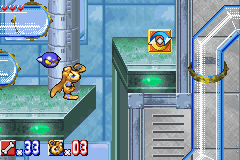
+ Control Pad: Control Character
•
A Button: Advance text, Jump
•
B Button: Attack, Pick up, Throw
•
R Button: Use Mini Maps, Ability
•
START: Display Start/Pause Menu, Skip messages
ADVANCED CONTROLS
ATTACK ACTIONS
•
Spin Attack: Press the B Button.
•
Spin Wave: Press the B Button for 3 to 5 seconds (until Blender starts blinking on and off), then release. Note: Blender will be defenseless!
•
Downward Attack: After you press the A Button to jump, press + Control Pad ▼ and then the B Button.
SPECIAL ACTIONS
•
Ear Jump: After you press the A Button to jump, press + Control Pad ▼ to make a higher jump.
•
Ear Grip: Blender can grab the rope with his ears automatically. If you want to move Blender down, press the A Button and the + Control Pad ▼ at the same time.
•
Ear Glide: While you are in the air, press the B Button repeatedly to make Blender have a soft landing.
•
Ear Listen: Press the L Button to make Blender's ears search for the hidden Mini Bros. The red arrow indicates where a Mini Bros. is hidden. The blue arrow indicates the direction of the level's goal.
•
Use Mini Bros.: If Blender carries a Mini Bros. (and its special ability isn't engaged automatically or when Blender spins), press the R Button to use its ability.
•
Fly: If Blender picks up the wing icon, make him fly by repeatedly pressing the A Button. The action works only for a few seconds, but if Blender hits an obstacle the flying ability will disappear altogether.
MAIN MENU
NEW GAME
Starts a new game.
LOAD GAME
Loads a saved file. Select Load from the Load Game Menu. Next, select the file within either of the file folders to play.
MULTIPLAYER
See the Multiplayer section for details.
ZOOLIGANS VS. COSMO KEEPERS
A few hundred years have passed since human beings settled their lives in the Universe. Humans carried out the Animalman Project to control the population of human beings and animals. They thought that with the execution of the project, human beings and animalmen could help each other to coexist peacefully.
SELECT STAGE
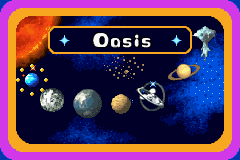
This is the departure point to each planet and level. You can also check on the condition of each planet here.
•
If you see a planet selected with orange, it means you need to save it.
•
If you see a planet selected with blue, it means you have already saved the planet.
Select a planet by using the + Control Pad, then press the A Button. This will bring you to the Level Selection screen for that planet. At first, you can only play the 1st level of a planet. After you clear that stage, you will be able to play the 2nd level.
Be careful, you will face a powerful Boss character in the 4th level of each planet. If you beat the Boss, you've saved that planet! After you've cleared all the levels and saved the planet, you can play any of these levels (except the Boss level) at any time. This allows you to find any Mini Bros. you might have missed, or race to see how quickly you can finish each level.
SAVE
You can save up to two played games. Select one of the file folders in which to save your data.
PAUSE MENU
You can pause the game at any time by pressing START. The Pause Menu options are:
•
Mini Bros.: Check the Mini Bros.' special powers. (You need to have collected/selected one to accompany Blender on that level.)
•
Exit: Takes you back to the Level Selection screen.
MINI BROS.
Mini Bros. are mysterious creatures that are hidden in the levels. If you find one, that Mini Bros. will help Blender. You can bring one Mini Bros. with you on a level. Each Mini Bros. has a unique ability to help Blender. You can use its ability by pressing the R Button.
Note: Some Mini Bros. unleash their abilities automatically, or when Blender spins.
EVOLUTION
Some Mini Bros. will evolve (become different Mini Bros. with different powers) when they listen to certain pieces of music. You can buy music in the shop at Cosmo Heaven with the bones you collect on the levels. You must

.png)
.png)
.png)
