Starting Up
•
Set up your Sega Saturn™ system as described in its instruction manual. •
Plug in Controller 1 for a one-player game, or a second Controller for two players.
•
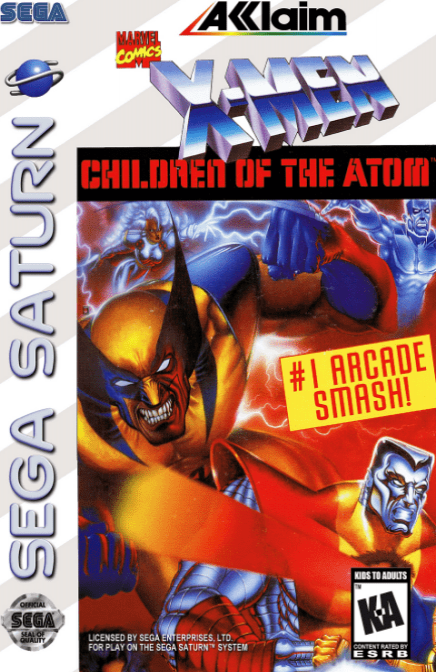
Place the *X-Men: Children of the Atom™* disc label-side up in the CD tray and close the lid.
•
Turn on the TV or monitor and the Sega Saturn™. The logo should appear on screen. If nothing happens, turn the system off, check the setup, and try again. Important Note on Disc Care
Your Sega Saturn™ CD contains a security code that allows the disc to be read. Keep the disc clean and handle it carefully. If the system has trouble reading the disc, remove it and wipe it from the center straight out toward the edge. To stop the game or display the Control Panel at any time, press the Reset Button on the console. Other Button Functions
•
Throws: Get close to your opponent, then press LEFT or RIGHT on the D-PAD + Y or Z.
•
Guard: Press the D-PAD as shown on screen.
The Rules of the Game
The following rules apply to Arcade Game Mode (see page 10 for other modes).
•
Each stage consists of 3 rounds. The fighter who wins two rounds wins the stage.
•
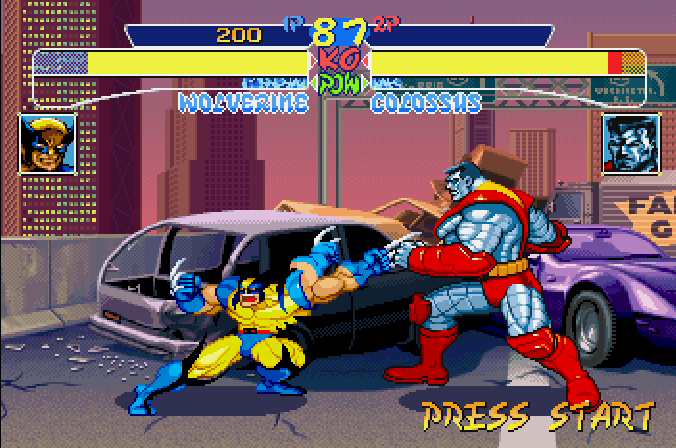
Both fighters start with 99 vitality points. Losing all points results in a K.O.
•
If time runs out, the fighter with the most vitality wins the round.
•
If no winner emerges after 3 rounds, a final round begins. If there is still no winner, the match is a draw.
Getting Started
Press Start on the Title Screen to view mode choices. Highlight Arcade Mode and press Start to begin.
1. Select your X-fighter and the game speed on the next screen.
2. Select the guard system.
*Note: You do not need to set game speed if you have already configured it in Option Mode. The guard system is explained on page 15.*
Versus Mode
*(Two-player match)*
This mode pits you against a friend using fighters of your choice. Two players can even use the same fighter.
•
Select VS Mode to access the character select screen.
•
Pick a fighter, then set the game speed and guard system.
•
Set the handicap levels and stage location.
•
The battle begins immediately.
After the battle, fighter information is displayed. Select Continue to keep playing or Exit to return to the Game Mode screen.
Survival Mode
*(One-player match)*
Take your chances against randomly chosen opponents in a series of one-round, win-or-lose battles.
•
Select Survival Mode, pick your fighter, set the game speed, and prepare for action.
•
Fight one round; if you are still standing at the end, you win and face the next opponent.
•
You regain some vitality between battles.
•
If you lose all your vitality, the game ends with no second chances.
Group Battle Mode
*(Two-player match)*
Each player selects from one to five fighters for a set of elimination matches.
•
Select Group Battle and choose your fighters (1 to 5 per player).
•
Set the game speed, guard system, handicap levels, and stage location.
•
Fighters compete in one-round matches. The game ends when one player's fighters are all defeated.
•
A victory screen appears, displaying the fighting stats for both winner and loser.
The Option Mode
Select Option Mode from the Mode Select screen and press Start. Use the D-Pad Up or Down to cycle through options, and Left or Right to highlight choices. Press Start to return to the Title Screen.
•
Difficulty: Choose from 8 levels of difficulty.
•
Time Limit: Set ON to use a timer, or OFF for no-time-limit battles.
•
Game Speed: Choose Turbo 1 (slow), Turbo 2 (medium), Turbo 3 (fast), or Free Select.
•
Button Configuration: Customize button functions to fit your style. You can assign light, medium, or hard kicks and punches to Buttons A, B, C, X, Y, and Z. Special functions for Buttons L and R are set on the next page.
•
Sound Mode: Select Monaural or Stereo.
•
Data Reset: Delete all saved records and reset button functions to default.
Mid Match Challenge
If one player is battling in Arcade Mode, a second player can press Start on Controller 2 to join the action.
Continue and Auto Save
In 3-Round matches, a tie in the tie-breaking 4th Round ends the battle as a draw. When the continue screen (or scores screen in two-player games) appears, press Start before the timer reaches zero to continue.
The *X-Men: Children of the Atom* game automatically saves game data, statistics, wins/losses, and D-PAD configurations. To erase all saved data and reset button functions, choose Data Reset in Option Mode.
What is X-Power?
X-Men and X-Villains possess mutant powers that allow for special techniques during battle.
•
The current X-Power level is shown on the X-Power Gauge, located below the vitality gauge.
•
The amount of X-Power depends on how you attack and defend.
•
As you gain power, an aura appears.
Using X-Power
•
The gauge has various levels



.jpg)