Getting Started
Turn the power OFF on your Super NES®. Make sure a Controller is plugged into the #1 Port on the Super NES® System.
Insert the Game Pak into the slot on the Super NES®. Press firmly to lock the Game Pak in place.
Turn the power switch ON.
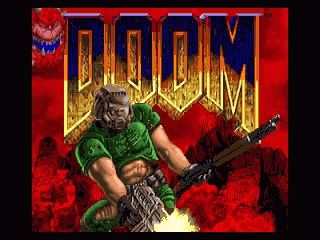
After the Title Screen disappears you will be at the beginning of the first level. Press START to bring up the Main Menu.
This product is not designed for use with the Super NES® Mouse, Super NES® Super Scope or Super NES® Multi-Player Adapters.
Using the Main Menu
If you hit START from game play, you will bring up the Main Menu. Press up/down on the Control Pad to move the skull icon next to your desired selection. Then press the A Button to activate the selection.
If you're in a game, you can bring up the main menu at any time by pressing START. To exit the menu press START again. The B Button will also exit the menu.
•
RESTART LEVEL: Use this if things aren't going your way.
•
NEW GAME: If you want to jump into the action select this. First, DOOM™ will ask you which Difficulty. Then DOOM™ will ask you which Level. To make the levels more challenging, you will need to select a harder difficulty level. Each difficulty level differs in the toughness of the enemies you'll face. Press the A Button to toggle between ON and OFF. When you're finished customizing, push START.
Messages
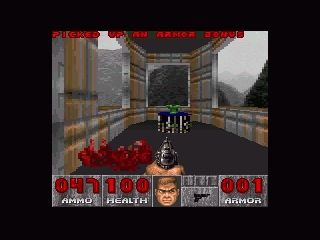
Often you'll find yourself running over various bonus items and evil artifacts. DOOM™ tells you what you're picking up by printing a message at the top of the game screen.
Automap
To help you find your way around DOOM™, you're equipped with an Automap Device. By pressing SELECT, you replace your normal view with a top-down map of everything you've seen to date. The green arrow represents you AND points in the direction you're looking.
Pay Attention! You can zoom in and out by pressing X or Y.
Moving in the Automap
Using the control pad, you can move yourself while viewing the Automap. Keep your wits about you because this is dangerous - you can't see or shoot the enemy while viewing the Automap.
Doors & Switches
To open most doors and operate switches, stand directly in front of them and press the A Button. When you successfully operate a switch, it will change in some way (lights up, flips a handle, etc.). If a switch does not change after a couple of tries, it is probably assigned to do a task that cannot yet be accomplished.
Security Cards & Skull Keys
Some doors have security locks and require you to have a color coded (red, yellow, blue) security card or skull key to open them. Other locked doors are operated by a switch on a nearby wall. Rather than walking up to the door, you'll need to operate the switch.
Hidden Doors
Some doors are hidden. Many of these can be opened by finding a switch. In some cases you just need to walk up to the wall and press the A Button.
There are clues that will reveal a secret door--a wall that's shifted down or a different color, a flashing light on the wall, etc.
Elevators & Teleporters
You'll see platforms that raise and lower. Some platforms operate continuously, while others must be activated. Some of them sense your proximity and lower automatically. Others have a nearby switch.
Those without a switch can usually be operated by walking up to the platform and pressing the A Button.
Teleporters
Teleporters are identified by a gray or red square on the floor beneath them. To use a teleporter, walk over the symbol.
Completing an Area
At the end of each area in DOOM™ there is an Exit Chamber, generally marked by a special door or an “EXIT” sign. Enter this chamber, press the switch inside to exit the area and head onward.
When you finish an area, an ACHIEVEMENT SCREEN tallies your performance - hidden regions located, ratio of kills, percentage of treasure found and your completion time.
Eternal Life After Death
If you die (better luck next time), you restart the level at the beginning. The game remembers what you had when you started the level, so when you choose “restart level” you won't lose anything you've gathered from previous levels.
You have no “lives” limit--you can keep restarting the level as often as you're killed. The entire level is restarted from scratch, too. Monsters you killed before are back again, just like you. Whoa, deja vu.
Health
Even for a tough hombre like you, DOOM™ can be a deadly place. Whenever you are injured, the screen will flash red and your health will decrease. Keep an eye on your health or you'll end up face down.
Healing
When you're hurt, you'll want to get healed as soon as possible. Fortunately, you'll find an abundance of Medkits and Stimpacks littering the base. Grab them if possible.
•
Stimpacks: Give you a quick injection of booster enzymes that make you feel like a new person--at least to some degree.
•
Medkits: Are even better and include bandages, antitoxins and other medical supplies ready to make you hit the ground running.
.png)


.png)