Before Starting a Game
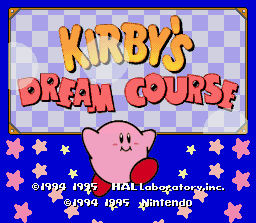
Insert the Kirby's Dream Course Game Pak into your Super Nintendo Entertainment System and move the "POWER" switch to the "ON" position. When the Title Screen appears press the START Button to move to the next screen. Press the START Button. Select either 1-Player, 2-Players or Demo Play then press the START Button to start the selected game mode.
1-Player Game
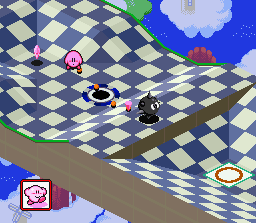
The basic rule is to complete all eight rounds using the least number of shots in each 8-hole course (8-holes per course x 8 rounds).
2-Player Game
Players take turns at hitting balls and compete for points. After playing all 8 holes, the player with the best score becomes the winner for that course.
Demo Play
This gives you an explanation of the techniques you'll need to play this game.
Selecting Game Modes
When you select a game mode, the screen changes in the following order:
•
1-Player Game: Press the A Button to move to the next screen. Press the B Button to cancel your selection.
•
Members List: Press the A Button to move to the next screen. Press the B Button to cancel your selection.
•
Course Selection: Press the A Button to move to the next screen.
•
Course Demo Screens: Press the A Button to move to the next screen.
•
2-Player Game: Press the A Button to move to the next screen. Press the B Button to cancel your selection.
•
Course Selection: Press the A Button to move to the next screen. Press the B Button to cancel your selection.
•
Handicap Settings: Press the A Button to move to the next screen.
•
Demo Play: Press the A Button to move to the next screen. Press the B Button to cancel your selection.
Member Registration (1-Player Game)
The Members List screen contains the following items:
New Member Registration
When you play this game for the first time, you must write your name and register it on the Name Entry screen. Press ↑ or ↓ on the +Control Pad and select "New Member," then press the A Button.
Writing Your Name
•
NAME ENTRY Screen: SELECT, CLR, OK, ERASE, WRITE
•
Press the A Button and move the pencil using the +Control Pad to write your name.
•
When you are through, move the pencil to the OK icon and press the A Button to register your name.
Erasing Your Name
•
Press the B Button to change the pencil into an eraser and erase using the +Control Pad.
•
To erase your name completely, move the pencil over to the CLR icon and press the A Button.
Selecting a Member
You are now registered in the Members List as an official member. The next time you want to play a game, select the Members screen and press the A Button. Press the B Button to cancel your selection.
You can register up to five member names. Each member's name appears in a list. The course number being played and the number of medals won appears to the right of each member's name.
Select your name from the list by pressing either ↑ or ↓ on the +Control Pad. Press the A Button to activate your name and move to the Course Selection screen.
Deleting a Member's Name
If the Members List is full and you want to register a new name, you must delete one of the registered names. Select a name and delete it using the Erase command. Press the B Button to cancel your selection.
Select the name you want to delete and press the A Button. A Yes or No window appears when you press the A Button. Select the Yes command with the +Control Pad. Press the A Button to activate your selection and delete it from the list.
Rankings
This lists the top players and shows who had the best score for each course and the types of medals won by them. If you select the Ranking command, the ranking for course one will appear. Press the B Button to cancel your selection.
If you want to see the scores of the top six players, press ↓ on the +Control Pad. To see other course rankings, press ← or → on the +Control Pad. Press the A Button to see player's score for the selected course.
Demo Play Mode
This lets you see a demonstration and gives you technique tips during game play. Select this screen using the +Control Pad then press the START Button to activate it. Press the B Button to cancel your selection.
This lets you see the Demo Play Selection screen. Select an icon using the +Control Pad. To get more information on your icon, press the START Button. To return to the Title Screen, highlight the Exit command and press the START Button.
•
To scroll through the message text, press either the A or START Button.
•
To return to the Demo Play Selection screen, press the B Button.
Basic Rules
You must complete all eight courses before you can battle against King Dedede. Each course has eight holes and the total number of shots you took for every eight-hole round becomes your score for that course.
•
Course Progression: Course 1 -> Course 2 -> Course 3 -> Course 4 -> Course 5 -> Course 6 -> Course 7 -> Course
.png)

 (Virtual Console).png)




.png)
.png)



.png)

.png)



.png)



.png)

