Prepare for Launch
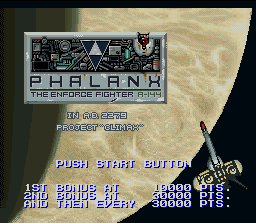
When the PHALANX Game Pak is inserted into the Super Nintendo Entertainment System and the power is turned on, the opening demo will appear on your display monitor. Wait to receive your pre-mission briefing, and allow for the countdown and systems check of your strikefighter. When the systems check is completed and countdown reaches zero, PHALANX will launch you into the maelstrom. You may press the Start Button to bypass this sequence and proceed directly to the Select Screen.
When the Select Screen appears, choose "EXECUTE MISSION" and press the Start Button to start the game.
Select Screen Options
•
EXECUTE MISSION: To start the game, move the cursor using the Control Pad to "Execute Mission" and press the Start Button.
•
SYSTEM CONFIGURATION: To enter this mode, move the cursor with the Control Pad to "System Configuration" and press the A Button. After selecting "Exit," press the A Button to return to the Select Screen.
•
SOUND TEST: Move the cursor with the Control Pad to "Sound Test" and press the A Button. By pressing right or left on the Control Pad, select the music setting. Press A, B, X, or Y to play the selected music. Press the Start Button to return to the Select Screen.
Strikefighter Icon
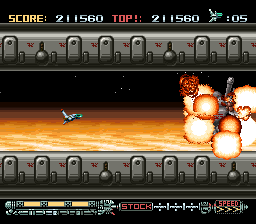
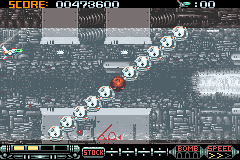
The number of strikefighters remaining. When it indicates zero and the player's last strikefighter is destroyed, the game is over.
Armor Power Level
PHALANX can withstand three direct hits before it is destroyed. When the ship is hit, one of the three bars will disappear. When the third bar disappears, that ship will be destroyed.
Stock
This area shows what Weapon System power ups the player has collected. The system presently activated is indicated by a yellow box around it.
PHALANX can hold three weapon systems at a time. If a fighter is shot down, or a Special Weapon is activated, the currently active weapon is lost.
Speed
The speed of the player's fighter is indicated with the lighted yellow arrows. The more arrows that are lit, the faster PHALANX can maneuver (maximum levels: 3).
Power Up
The Transforming Weapons Systems on the PHALANX enables the player to select and power up the ship's weapons in mid-battle.
A weapon cannot be used until the weapon icon is collected, but once it's picked up it is automatically stored, and can be activated at any time. If the player's strikefighter is destroyed, or a Special Weapon is activated, the currently active weapon is lost until another icon is collected.
Power-Up Items
Picking up one of these Icons will add the following weapons to your arsenal. Multiple icons of the same type may be stored, though only one will be in use at a time.
•
Homing Beam: These track and chase enemy vessels automatically. Initially this 'fire and forget' weapon's strength is low, but when powered up, it can be an awesome tool of destruction.
•
Needle Laser / Spiral Attack: Uses the power of the Laser unit to rotate the ship rapidly while rapid-firing beams in all directions. The Spiral can operate for 10 seconds before system shut-down. Defeat the Enemy
Your mission will take you screaming through the sky above Planet Delia IV, underground, under-water, and deep into the planet's core. 8 stages will push your fighting skills to the limit!
1st Mission: Assault
First Mission / Enter the Atmosphere of Delia IV: In the expanse between the planet atmosphere and the planet surface the alien invader will attempt to intercept your strikefighter. Upon entering the Defense zone around Delia IV, you'll be cut off from MIDAS. You're on your own, PHALANX, good luck.
.png)


.png)