Handling Your PlayStation Disc
•
This compact disc is intended for use only with the PlayStation game console. •
Do not bend it, crush it or submerge it in liquids.
•
Do not leave it in direct sunlight or near a radiator or other source of heat.
•
Be sure to take an occasional rest break during extended play.
•
Keep this compact disc clean. Always hold the disc by the edges and keep it in its protective case when not in use. Clean the disc with a lint-free, soft, dry cloth, wiping in straight lines from the center to the outer edge. Never use solvents or abrasive cleaners.
Console Top View
Console Front View
Setting Up the Game
Set up your PlayStation game console according to the instructions in its Instruction Manual. Make sure the PlayStation power is off before inserting or removing a compact disc. Insert the ZERO DIVIDE disc and close the CD door. Insert game controllers and turn on the PlayStation game console. Follow on-screen instructions to start a game. Game Objective
These units were originally under the control of XTAL, however the first stage of the operation has successfully allowed us to take control of a select few. Now the second, final stage is at hand.
One of these units must make its way through the virtual rooms of the XTAL Tower system to find XTAL himself. Your mission is to assume the virtual identity of the unit of your choice. Delete other units who may stand in your way. Finally, you must crash... wipe... erase... XTAL.EXE. before time runs out!
Main Menu
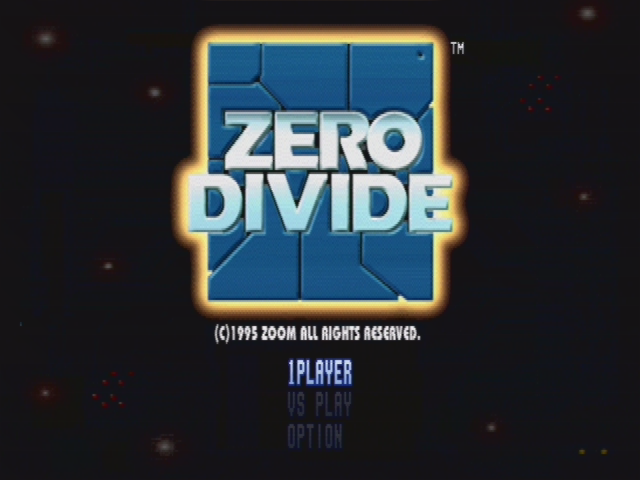
Browse through the game modes using the direction pad. Select your option by pressing the X and START Buttons. Cancel using the O Button.
1 Player Mode
In this mode, you will face computer-controlled opponents. Highlight the characters using the D-Pad, then press the START Button to select the character you want. Select your opponent in the same manner.
As the game proceeds, the difficulty level will increase, so strategically, it may be a good idea to deal with the tougher opponents at an early stage.
VS Play Mode
This mode will let two human players fight against each other separate from the one player mode. Both players highlight the characters using the D-Pad, then press the START Button to select the character they want.
VS Play Post Match Options
•
Continue: This option lets you have a rematch of the last fight with no character changes.
•
Unit Change: Select this option to change characters at the Selection Screen.
•
Reset: Returns you to the Main Menu.
2 Player Join in Game
A second player can join the game during a 1 PLAYER game by simply pushing the start button on the controller that is not in use. This causes the original 1 PLAYER game to halt and a character selection screen will pop up for the second player.
The winner of the following two player game chooses whether or not to continue the one player game mode. This selection screen will appear when the match is over. Highlight the characters using the D-Pad, then press the START Button to select the character you want.
2 Player Post Match Options
•
Continue: Select this option to have a rematch of the last fight with no character changes.
•
Unit Change: Change characters and go at it again.
•
Give Up: The winning player returns to 1 PLAYER mode and continues play.
Options
These screens allow you to customize your game options. Highlight the items by pressing the D-Pad Up or Down. Browse through your options by pressing the D-Pad Left or Right.
Some options lead to sub menus. These can be accessed by pressing the X Button. The O Button will take you back to the title screen.
Com Level (Easy/Normal/Hard)
Set the difficulty level of the computer-operated opponents.
Match Point (2/3/4/5)
Set the number of rounds required for a character to win a match.
Time Limit (30/45/60/75)
This option sets the time limit per round.
View Mode
This option sets the view during game play.
•
Normal: The default view; generally a camera angle from the side.
•
Switch: Switch between views. Different angles for throw moves.
•
Rolling: A continuously rotating view around the ring.
•
Player: View from the back of the character operated by Player 1.
VS Handi(cap) (25/50/75/100%)
Set the handicap setting for each player in the 2 PLAYER VS mode. Each player can set their handicap using their individual controllers.
DJ (On/Off)
Turns the announcer's voice commentary during game play on or off.
Unit Break (On/Off)
This option selects whether or not graphical changes will be shown on the character units as they receive damage during battle.
Record (Time / Score / Unit)
This is for viewing performance records and rankings. Browse by pressing the D-Pad Left or Right and select by pressing the X Button.
Best Time Rankings
Press the X Button to switch screens. Press the O Button to return to the options screen. The top 16 rankings are displayed.
Highest Score Rankings
Press the X Button to switch screens. Press the O Button to return to the
.png)


.png)





.png)
.png)