Begin the Quest
Place the Run Saber Game Pak into your Super NES and turn the machine on. Press Start to get to the main menu screen. Here you can choose either 1 or 2-players, or the Option menu.
Use the control pad to toggle between choices and press Start to select them.
Option Menu
•
Players: This mode allows you to select the number of players you will use per game.
•
Level: Choose the level of difficulty from easy to hard, depending on your skills as a player.
•
Sound: Select the background music (BGM) of your choice: Stereo, Mono or off.
•
Config: This mode is used to customize the arrangement of the functions of the controller buttons.
•
Exit: Return to the Main Menu.
Standard Button Configuration
•
Y Button: Use the sword in an attack.
•
X Button: Use the special attack.
Game Summary
Run Saber is a five stage action game that uses swords and special attack weapons to destroy enemies in solo or tandem play. Special Attack Weapon
All action on the screen freezes as you detonate this device. All enemy characters that are on the screen when you use this item take damage. Each player starts the game with 2 Special Attack Weapons. •
Player one's Special Attack Weapon: "Thunder Dragon"
•
Player two's Special Attack Weapon: "Ice Cyclone"
Status Bar
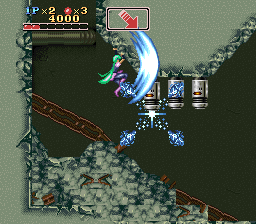
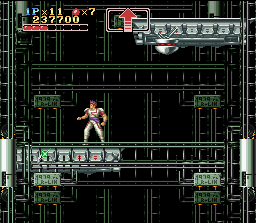
Information about the Run Sabers appears at the top of the screen in the status bar. The information shown includes:
•
Number of players lives remaining
•
Number of Special Attack Weapons remaining
•
Hit Point (HP) Life Gauge
Life Gauge
The Life Gauge starts with 3 HP's. It decreases by one every time you are hit by an enemy character. You can increase the Life Gauge to a maximum of 8 HP's by collecting items capsules.
Progress Display
The Progress Display assists you as you travel through the levels. Since you can go in nearly every direction, this will come in handy to keep you from getting lost. A direction arrow is the most commonly found message; use it to guide your actions. Other messages include:
•
ALERT: This flashes whenever a Boss character is near. It continues to flash this message until you defeat the Boss.
•
GO DOWN!: When this appears, try to move down as quickly as possible.
•
GO UP!: When this appears, press the jump button and move up as quickly as possible.
Continues
In the 1-player mode, if you lose all of your lives you may continue from where you ended by selecting Continue. You can only continue three times. This is the same for the 2-player mode.
Second Player Join-in
If the game is begun with only one player, a second player may join in by pressing the Start button on Controller #2. This action, however, counts as one continue and decreases the continues. If the number of continues is zero, a second player cannot join in. Character Color Change
If the Select Button is pressed during Pause, you may change the color of your character. There are a total of eight colors to choose from. Cancel the Pause to continue your game.
.png)

.png)
.png)
.png)



_1.png)


_1.png)


.png)
