Getting Started
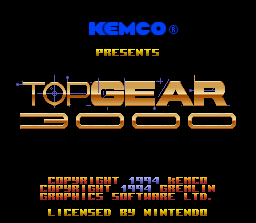
Insert the Top Gear 3000 game pak into your Super NES and turn on the power switch. The Top Gear 3000 title screen will appear with two choices. •
Championship Mode: Choose this for 1 or 2 Player racing. •
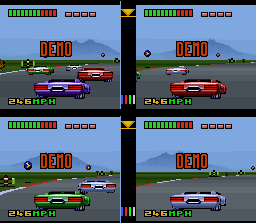
VS Mode: Choose this for 1 to 4 Player competition.
Championship Mode Options
When you choose Championship Mode, the following options will appear on the screen:
•
Options: Choose this to turn the BGM (Background Music) on or off, and to select the Game Difficulty Level.
•
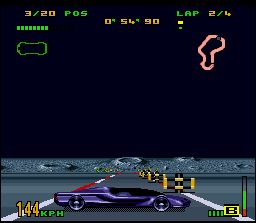
1 Player Full: Choose this to start racing in 1 player full screen. •
1 Player Split: Choose this to start racing in 1 player horizontal split screen. •
2 Players: Choose this to start racing in 2 player horizontal split screen. •
Password: Choose this to enter a password and continue racing from where you last received a Star System password. •
Exit: Takes you back to the Title screen.
Once you have selected what mode to race in, the Player Options screens will appear.
Championship Player Options
Player 1 enters information on the upper half of the screen, while Player 2 enters information on the lower half of the screen. Both players can enter information on their screens at the same time.
Player Options consists of the following screens:
•
Name: Allows you to enter your name in the game.
•
Control: Customize your controller function layout to suit your personal racing style. •
Speed: Set up your speedometer to display Miles per Hour (MPH) or Kilometers per Hour (KPH).
•
Race: Select this option to start your engines and begin the race.
After you choose the Race option, the Track Description and the Parts and Body Shop screens will appear.
Track Description
This screen describes the Star System and planet you are racing on, the length of the race circuit, and current weather conditions. The number of races in each Star System of the Galactic Conglomerate of Unified Planets varies depending on the Game Difficulty Level that you have chosen to race in.
Parts and Body Shop
This is where you can purchase upgrade equipment for your vehicle with your prize money.
Starting at the outer fringes of the Galactic Conglomerate, you begin racing in the technologically least developed planets of the system, otherwise known as the "Boonies". Initially, there won't be as many equipment upgrades available while you race in this sector of the Conglomerate. As you race further into the heart of the Galactic Conglomerate of Unified Planets, you will encounter more technologically advanced planets. These worlds offer state of the art weapons and vehicle enhancements as they are developed.
These radical new developments in technology will revolutionize your racing capabilities, but the exorbitant black market prices for these untested devices will almost bankrupt you. VS Mode Player Options
Player 1 enters information on the upper left quadrant of the screen, Player 2 on the upper right quadrant, Player 3 on the lower left quadrant, and Player 4 on the lower right quadrant. All players can enter information on their screens at the same time. The Artificial Intelligence will enter information for the computer controlled vehicles.
Player Options consists of the following screens:
•
Name: Allows you to enter your name in the game.
.png)

.png)

.png)
.png)


.png)


.png)
 (En,Fr,De,Es,Nl) (Proto).png)
.png)