Getting Started
Please follow the instructions below before attempting to play this game. Make sure the POWER switch is in the OFF position. Insert the Nintendo GAME BOY® ADVANCE Game Pak into the slot on the back of the Game Boy Advance, label facing AWAY from play side. Slide the POWER switch to the ON position to turn ON the power. Follow gameplay instructions throughout this manual.
Linking Up
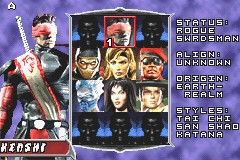
Up to two Game Boy® Advance systems can be linked using the Game Boy® Advance Game Link® Cable. If necessary, review your Game Boy® Advance Game Link® Cable instruction manual for set-up information. Once connected, two players will have access at the Fighter Selection Screen.
NOTE: Both players must have a Mortal Kombat: Deadly Alliance Game Pak to play in Link Mode.
Game play options like the ROUND TIME and the ROUNDS TO WIN are taken from Player 1's Game Boy Advance settings. If either player has unlocked hidden characters or alternate palettes, they may be used in a link mode match. You'll select a fighter just as you do in Arcade Mode.
Betting in Link Mode
If both linked players have a profile loaded, a betting screen will appear after both players have selected their fighters. Both players can raise or lower the bet by pressing the CONTROL PAD UP or DOWN. To lock the bet, both players must press the A Button, and the match will begin.
If a player presses the B Button, the bet will be unlocked, and both players will be able to adjust the bet again. The maximum bet is equal to the lower of the two players' Koins. No player may bet more than 50,000 koin. If one or both of the players has zero Koins, you will be unable to bet.
The winner of the match will receive the amount bet, and the loser of the match will lose that amount. If the match is interrupted or quit, the bet will be nullified, and neither player will win or lose koins.
REMEMBER: The Betting option will not be displayed unless both players have player profiles loaded.
The Krypt
The Krypt is an enormous room filled with many coffins. Using the coins you've earned, you can "purchase" coffins to open and reveal the hidden content. Sometimes you'll discover big items like new characters or backgrounds to fight in, and other times you'll find something small.
You can only win and spend coins if you have a profile loaded. Win Coins by playing Arcade Mode, Survival Mode, Mini Games (Test Your Might or Test Your Sight) or by betting in Link Mode. The higher the difficulty level, the more coins you'll win. In Arcade Mode and Survival Mode, you can get bonus coins for performing Flawless Victories.
There are a few coffins in the Krypt that display "???" instead of a price. These items cannot be purchased with Coins and must be unlocked another way! You can view all of the secrets you've unlocked with any profile by going to the Load Profile screen.
If a Special Mode is unlocked, go to the Advanced Options screen and highlight the now-available "Select Mode" option. Press the A BUTTON or press the CONTROL PAD LEFT or RIGHT to select the mode (or turn special modes off).
Options
Press the CONTROL PAD UP or Down to highlight an option, then press LEFT or RIGHT to make adjustments to SFX and Music Volumes and screen Brightness. To restore these options to their default setting, press the L Button and R Button simultaneously. Press the A Button to select Advanced for more available game options.
The Advanced Options menu lets you adjust:
•
CPU Difficulty: Very Easy, Easy, Normal (default), Hard and Very Hard.
•
Round Timer: Set the round time (seconds) at 30, 45, 60 (default), 75, 90 or Infinite.
•
Rounds to Win: Set rounds to win a match at 1, 2 (default) or 3.
•
Sound Test: Select a number, then press the A Button to listen to the game's sound effects or songs.
•
Auto Load Profiles: The autoload feature will automatically reload the last profile used when the system is turned on. (Default setting is ON).
•
Mode Select: Only available if you've unlocked Special Mode in the Krypt.
•
Default: Restore default options.
Player Profile
Create Player Profile
The first step you'll encounter is to enter a profile name. Press the CONTROL PAD UP, DOWN, LEFT or RIGHT to highlight a character, then press the A BUTTON to make a selection. Repeat this process to spell your name.
•
Select “SPC” to place spaces between letters.
•
Select “the arrow” to delete letters.
•
Select “END” when you're finished.
Load Profile
View and load any available profile. Press the CONTROL PAD LEFT or RIGHT to select which profile to view. Press the A BUTTON to load that profile. Press the L BUTTON to display the profile's stats, and press the R BUTTON to display a list of all the secrets that profile has unlocked. Scroll through the list of secrets by pressing the CONTROL PAD UP or Down.
Erase Profile
Press the CONTROL PAD LEFT or RIGHT to select a profile. Press the A BUTTON to erase that profile (you'll be prompted for a confirmation).
Health Bars
In all Mortal Kombat battles, HEALTH BARS in the upper portion of the screen measure each warrior's diminishing health. The meters begin each round reflecting health at 100%, but the amount of health is reduced with each blow taken. The reduction amount depends on the type of contact and

 (En,Fr,De,Es,It).png)
 (En,Fr,De,Es,It).png)


.png)
.png)
_1.png)
_1.png)

 (En,Fr,De,Es,It).png)
_1.jpg)