GETTING STARTED
Set up your PlayStation®2 computer entertainment system according to its Instruction Manual. Ensure the MAIN POWER switch (on the back of the console) is turned on.
Press the RESET button. When the power indicator lights up, press the open button to open the disc tray. Place the Mortal Kombat: Deadly Alliance disc on the tray with the label side facing up. Press the open button again to close the disc tray. Attach game controllers and other peripherals as appropriate. Follow on-screen instructions and refer to this manual for information on using the software.
MENU/SUB-MENU NAVIGATION
Throughout this manual, ↑, ↓, ← and → signify pressing up, down, left, and right on the directional button. To navigate through game menus (e.g., Options), use the directional button to highlight a selection.
To activate a selection or access the next menu, press the Ⓧ button. To go back to the previous menu or cancel a selection, press the △ button.
STARTING UP
•
DUALSHOCK®2 analog controller
•
RESET button (L3 button when pushed down)
•
right analog stick (R3 button when pushed down)
QUITTING A GAME IN PROGRESS
To quit a game in progress, press the START button during the game. The Pause Menu will appear.
Select Main Menu, then confirm by pressing the Ⓧ button to select YES. You'll then return to the Main Menu.
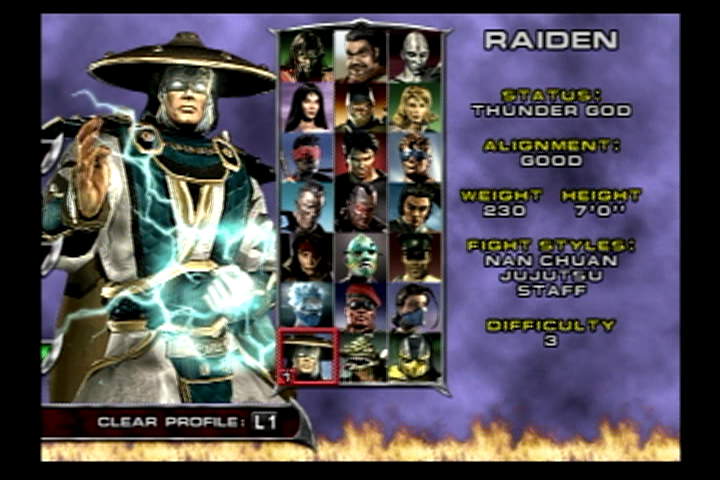
You can also use the same process to select PLAYER SELECT and return to the Fighter Selection screen.
MAIN MENU
KONQUEST
This mode teaches you how to play the game. You'll face hundreds of challenges, receive instruction, and learn various moves and fighting styles.
Along the way, you'll earn Koins to make purchases in the Krypt. Once you've started your Konquest, read on-screen instructions to learn necessary Mortal Kombat skills. Before starting Konquest mode, you need to enter your saved player Kode created using the Player Profile option. Konquest mode requires a memory card.
THE KRYPT
The Krypt is a large room with 676 koffins. Use your earned Koins to "purchase" and open koffins to reveal hidden Kontent.
You might discover big items like new characters or backgrounds, or sometimes something small or nothing.
Before entering the Krypt, you must enter your saved player Kode created using the Player Profile option. The Krypt can only be accessed with a memory card.
Once in the Krypt, press the directional button ↑, ↓, or → to move between koffins. Press the Ⓧ button to open a koffin. The number and Koin on the koffin indicate the amount of color-coded Koins needed to open it.
Purchased items, such as sketches and photos, are saved to your profile name. You can view them using the KONTENT option on the Main Menu.
A Krypt Reference Table is available on pages 22-23 of this manual and online at www.mortalkombatdeadlyalliance.com to help you find items.
PLAYER PROFILE
With a memory card inserted in MEMORY CARD slot 1 or 2, you can create a Player Profile and earn Koins to purchase items in the Krypt. The following options allow you to create and manage your saved profiles.
CREATE A PROFILE
Profile Name
First, give your profile a name. Press the directional button ↑, ↓, or → to highlight a character, then press the Ⓧ button to select. Repeat to spell your name.
Select "SPACE" for spaces, "BACK" to delete letters, and "DONE" when finished.
Choose Icon
Press the directional button ↑, ↓, or → to highlight an icon that will represent your profile, then press the Ⓧ button to select.
Enter a Kode
Use your controller to select a sequence of button presses to create a Kode, which will be your password. As you press buttons, the Kode Window will display asterisks until you've finished.
After entering a Kode, you'll be asked to confirm it by repeating the sequence. It's recommended to write down your Kode on the Krypt Reference Table (pages 22-23) to avoid forgetting it. If you forget your Kode, you won't be able to access your saved profile.
Select Save Location
Your memory card offers 8 slots for saving individual profiles. Select the appropriate MEMORY CARD slot, then press the Ⓧ button to save the profile. After saving, your icon and profile name will be displayed for future reference.
VIEW PLAYER PROFILE
Once you've created one or more profiles, you can view your statistics and accumulated Koins. Press the directional button ← or → to select saved profiles (if you have more than one).
When finished, press the △ button to exit the option.
.png)

.png)
.png)
.png)
