Getting Started
To begin play, insert the Star Wars® Trilogy: Apprentice of the Force™ Game Pak into your Game Boy® Advance system and flip the POWER switch to the ON position. After the title screen comes up, use the Control Pad to select a language, and press the A Button to confirm. Now press the A Button to begin a new single-player game. Use the Control Pad and press the A Button to select a slot in which to save your game and enter your initials with the Control Pad. Press the A Button when you're done. You can press the B Button at any time to go back. The adventure now begins…
Progression and Status
1. Progression Bar: Displays Luke's progression from a simple farm boy towards becoming a true Jedi.
2. Jedi Abilities Icons: Displays the Jedi abilities Luke has learned so far. Use the Control Pad to view the different abilities learned.
3. Jedi Powers Icons: Displays the Jedi Powers Luke has learned so far. Use the Control Pad to view the different powers he has learned. 4. Mission Display: Displays the current mission name and objective.
Here you can alter the setup of your game:
•
Brightness: Adjust the brightness to increase clarity for non-SP users.
•
SFX: Turn the volume of the sound effects on or off.
•
Music: Adjust the volume of the game's music.
Lore and Background
The Republic thrived and grew over the centuries, the Jedi came to serve it as guardians of peace and justice. To become a Jedi requires the deepest commitment and most serious mind. It is not a venture to be undertaken lightly. Jedi instruction is rigidly structured and codified to enforce discipline and hinder transgression.
The rank of the Jedi Master is reserved for those who have shown exceptional devotion and skill in the Force. Just like my father, I was destined to become a Jedi.
Luke's Actions
Here are some of Luke's basic actions. Master them to move smoothly through the game.
•
Jump: Press the A Button to jump.
•
Hanging from ledges: Jump toward ledges to reach out and grab them.
•
Climbing: Jump and press Control Pad Up to grab a climbable surface. You can use the Control Pad to move in any direction along the surface. Double tap Control Pad Down to drop down.
Jedi Powers
Jedi Powers are special moves that Luke will need Force Power to perform. Each time Luke uses a Jedi Power, Force points are used up. To regain his Force, Luke must defeat enemies and pick up Jedi Potions.
•
Force Push: Allows Luke to push objects or enemies from a distance (press and hold the R Button, then press the B Button).
•
Force Speed: Allows Luke to move twice as fast as enemies around him (press and hold the R Button, then press the L Button).
•
Force Heal: Luke can use the Force to heal his wounds (press and hold the R Button, then press Control Pad Down).
•
Jedi Slash: Allows Luke to destroy all enemies in a single slash (hold the B Button and release).
Interactive Elements
•
Wall Switch: Luke must hit it with his blaster or lightsaber in order to open doors, activate beam bridges, use elevators, etc. •
Yellow Computer Plugs: Act as switches that only R2-D2 can unlock. •
Blue Power Plugs: R2-D2 regains energy by using these switches. •
Card Reader: Acts as a switch, but needs a keycard to be unlocked.
•
Keycard: Unlocks a card reader.
•
Elevator: Helps Luke reach higher places. Some need to be activated by card readers or by switches.
•
Beam Bridges: Luke can use these to cross over large holes. Some need to be activated by card readers or by switches.
Multiplayer Setup
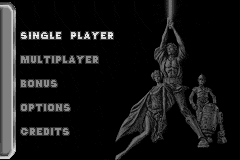
Make sure your two Game Boy Advance systems are properly connected. From the Main Menu, select Multiplayer using the Control Pad, and press the A Button to confirm. Next select the type of game you'd like to play. There are three options:
All matches end after a player scores 10 points. Next each player must select the type of ship he'd like to play. Once decided, press START to begin the game.
•
Life Bar: Once the red bar is empty, Luke's ship is destroyed.
•
Boost Bar: The amount of boost power available.
•
Flag: The Flag icon appears when the player has possession of the flag.
•
Torpedoes: The number of torpedoes the player is carrying.
Multiplayer Game Modes
•
Contraband Run: Grab the flag and bring it back to your enemy's base to score a point. Destroy your enemy's ship to collect the flag while it is in his possession.
•
Capture the Flag: Capture your enemy's flag while simultaneously defending your own (preventing it from being taken by your enemy). When your enemy's flag is brought back to your base and your own flag is still in its original position at your base, your team scores a capture. If your enemy has your flag, destroy his ship and pick up your dropped flag to reset its position at your base.
•
Dogfight: Destroy your enemy as many times as you can to collect points.
Multiplayer Items
•
Laser Upgrade: Makes your lasers deadlier for a few seconds.
•
Invincibility: Makes you invincible for a few seconds.
•
Torpedo: Adds one torpedo to your inventory.
•
Booster/Sublight Reload: Reloads your booster capability.


 (En,Fr,Es).png)
 (En,Fr,De,Es,It,Nl).png)
