Overview
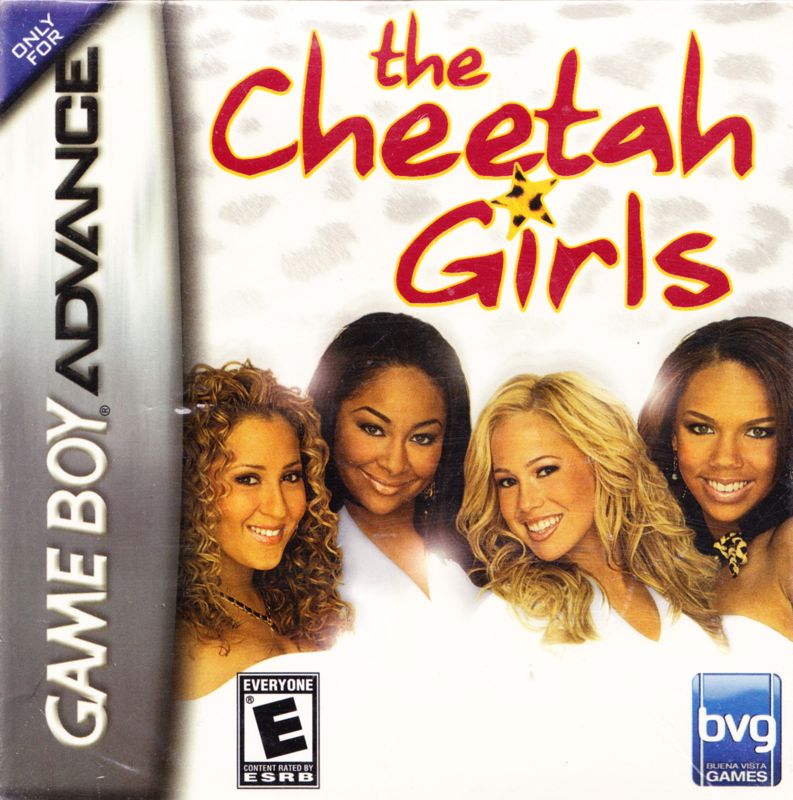
In this Cheetah-style, task-based adventure, become a star when you play as Galleria, Chanel, Aqua, and Dorinda. Work your way to success, diva-dom, and ultimately Barcelona, Spain for a fierce competition. Begin by taking an exciting adventure through Manhattan.
Explore locations like the park, uptown, fashion cents, the radio station, and the subway. Look for opportunities to get your career on track. Meet key people that will help you, find an agent, learn new dance moves, mix and match outfits, and perform gigs live.
First things first, it is time to create some original demo tracks for your press kit. Cheeta-licious!
Main Menu
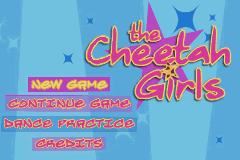
Press the Control Pad Up or Down to highlight any option and then press the A Button to select it. The menu options are:
•
New Game: Start a new adventure.
•
Continue Game: Load a saved game and pick up where you left off. Note: If you save a game during this mode, any old game data will be lost and replaced with data from the new game.
•
Dance Practice: Enter a number into Galleria's cell to call up a practice gig. See "The Cheetah Cell" for details on how to enter a number. Exit dance practice by pressing the B Button.
Note: You must earn enough Prestige Stars during regular gameplay before certain gigs are available in Dance Practice.
Dance Practice
You must already be qualified for the gig before you can practice it here. However, there is a basic gig you can practice regardless of your experience (gig #0000).
Note: Choreography lines are generated on the fly, based on moves that you have already learned. This may result in a different choreography line when replaying a gig during Dance Practice.
Note: Several characters have cell phone numbers that you can make a note of. You might think about calling them during Dance Practice.
To practice any gig:
1. Enter the four-digit gig number into Galleria's cell and then press the A Button.
Playing the Game
The Cheetah Girls live, work, and perform their way through three Acts: Makin' Tracks, Ready for Freddy, and The Spotlight, with a final Act to finish the game. Each Act has an ultimate goal, but all of them share similar sub-goals such as completing tasks, performing gigs, auditioning, and learning new moves.
The girls know by now they can't leap into stardom; they'll need to get there the old-fashioned way: prowl'n' and growl'n'.
The Block
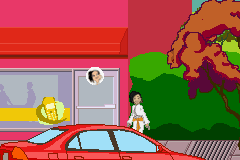
The Block consists of the street level and locations. Getting around is made easier via The Map.
Street Level
The first thing you need to do is take control of a Cheetah Girl.
To activate a Cheetah Girl:
1. Press the R or L Button. An icon display of each girl appears.
2. Press the Control Pad Left or Right to scroll through the icons.
3. Press the A Button to activate the highlighted girl and move to the location of the chosen Cheetah Girl, or press the B Button to cancel and return to the street level.
4. Press Start anytime to open up the Pause Menu screen.
Note: Walk to the right edge of a street to move to the left edge of the adjoining street (and vice versa).
Locations
Unlock locations by completing certain tasks or by making it to certain levels. Certain locations may allow you inside, but require that you cash in Gold Hearts to use their services.
Location Menus
Once inside a location, a menu appears with one or more options. Any option that is grayed out must be unlocked or is simply unavailable to that particular Cheetah Girl. Menu options are unlocked by completing other tasks or by earning enough Gold Hearts and/or Prestige Stars.
Acquiring Agents
The girls must compete in the Rizing Starz Competition at the Convention Center in order to acquire an agent and continue on to the next level, the New Voices Competition.
The right agent can help the girls get nicer stage equipment, learn better dance moves, or earn Gold Hearts. With an agent, the Cheetah Girls can take on more challenging gigs.
Moving Around with the Map
The map helps you find locations, tasks, and of course, the Cheetah Girls. The Map shows color-coordinated buildings on each street.
To bring up the Map:
1. Press SELECT at any time while on the street level.
2. Press SELECT again to exit the Map. When you exit the Map, the active Cheetah appears on the street level at the point she was positioned while on the Map.
Note: You can switch between Cheetah Girls within the Map by pressing the R or L Buttons.
Note: The Map is not available from inside a location.
Note: Whenever a new task is assigned within the street level, a star-shaped icon appears at that location on the map. Check the map after the task for clues on where to go next.
The Cheetah Cell
Press Start any time while on the street level to open up the Pause Menu screen. Choose “make a call” then press the A Button to use the phone. Use your Cheetah Cell to call any number that you have come across during gameplay.
To enter digits:
1. Press the Control Pad Left, Right, Up, or Down to highlight a digit on the cell phone pad.
2. Press the A Button to enter that digit.
3. After







 (En,Fr,De,Es).png)

.png)
