Loading
Follow these instructions to keep your Game Boy Color and Game Pak in top operating condition.
•
Always make sure the Game Boy Color's POWER is OFF before inserting or removing the Game Pak.
•
Don't try to take your Game Pak apart.
•
Keep your Game Pak safe from direct sunlight, high heat, and extreme cold. Don't bend it or let it get wet. Store it in its protective package at room temperature when not in use.
•
Never touch the contact points on your Game Pak. Before using it, check it for dust. If your Game Boy Color is dirty, clean it with a soft dry cloth.
Introduction
As all of Ord's friends know, he's always been extremely fond of Dragonberries. From the clumps of them that grow wild all about Dragon Land to the delicious Dragonberry muffins that his mother bakes for him. He loves them in every form.
Note on Characters
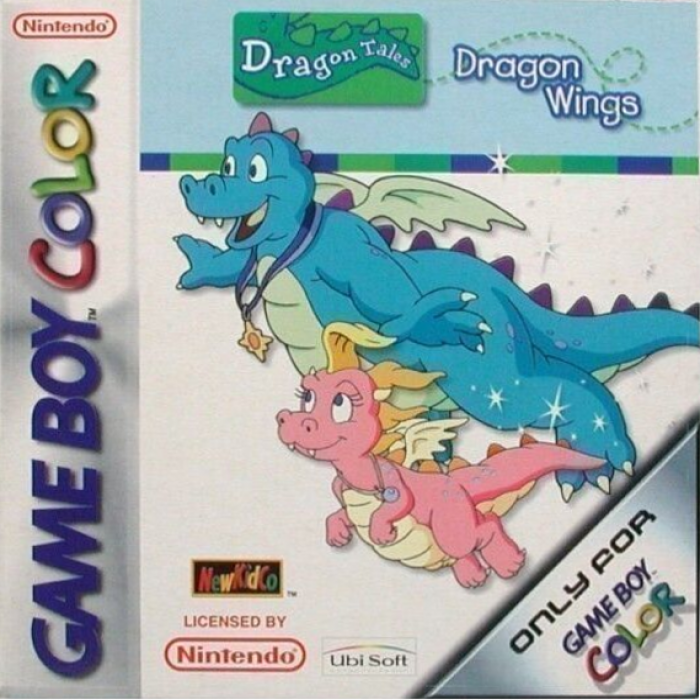
Although the introduction text refers to "Ord" as the main player in Dragon Tales: Dragon Wings, your child can select to play the game as either Ord or Cassie, depending on his or her preference. For the purpose of this manual, whenever Ord is referred to, it is understood that the same holds true for Cassie as well. All game objectives and tasks are the same for both characters.
A Note To Parents
Dragon Wings has been designed for children ages 3 to 5. As the skills of three, four and five year olds vary greatly, Dragon Wings includes varying difficulty levels or "Skill Levels" that take into consideration the varying manual skills of children in this age group.
Skill Levels
Easy
The easy level assists younger children with a reduced interface and a simpler game play model. At this level, controlling the dragon is very easy. The dragon will hover automatically when the + Control Pad is released.
Medium
The medium level introduces a new dynamic for the player, it is inertia. Using the + Control Pad you can accelerate the dragon and when the + Control Pad is released the dragon will gradually slow down, but will not stop completely. This will add significant challenge to the later more complex levels.
Hard
The hard skill level is the most advanced control scheme available in Dragon Wings. It gives you greater control over maneuvering the Dragons and features more sophisticated physics.
Control is similar to the Medium level, in that the dragon will move when the + Control Pad is pressed, and slow down when it is released. On the HARD level, the dragon will slow down a little slower than on other level settings, but the dragon will also be able to move faster at top speed.
Game Progression
Game play in Dragon Wings begins in the School in the Sky. Here you will see a number of schoolrooms through which you can access each game lesson or level. In order to enter a level, simply move Ord or Cassie over the open door and press the A Button.
If a door remains closed, you may not enter that level - you must try and complete the previous levels first. Each lesson room will show you your:
•
Best lesson time (shown as the number of seconds you have remaining in your best try)
•
The percentage of Dragonberries collected in your best attempt (only if you have completed that level)
•
The winning trophy cup you have collected (bronze, silver, gold).
You have to complete a level with 100% of the Dragonberries found in order to collect that level's gold cup, so good luck!
Playing the Game
Each of the levels in the game is completed by successfully carrying out several tasks or waypoints. During play a large red arrow will always guide the player to the next task, and depending upon the type of waypoint pointed to, one of several actions will have to be taken.
Normal Waypoint
This appears as a floating Dragonberry with twinkling stars flying out from it. Simply fly into it to collect it and advance the arrow onto the next waypoint.
Hover Waypoint
This appears as 2 bracketed blue arrows and will require the player to hover over it for a number of seconds while not straying too far. Successfully doing this will result in a countdown appearing above the player that gradually counts down to 0, when the arrow will move to the next waypoint.
Pickup Waypoint
When you see the arrow pointing to a rock you have to hover over it for a few seconds and the dragon will pick it up. Be warned that even on the easier control settings the dragon will be pulled down by the extra weight so you'll have to modify your flying method.
Dropoff Waypoint
This appears as a dotted line outlining the shape of the carried object and acts as a target point onto which you should drop off the rock. Simply hover over the point and press the B Button to release the object. If you miss the target, the object will shatter on the ground and you'll have to collect another from the previous waypoint.
Torch Waypoint
On some levels you have to light your way (often resulting in the level becoming brighter and more visible). To do this, fly over to the torch and press the B Button - this will trigger your Dragon Breath and allow you to activate the torches.
Person Pickup Waypoint
Quite often you'll find that you have to give a lift to either Emmy or Max or another character. To pick them up, hover to the left of them with your back facing them for a few seconds and they'll hop on. Like the rock they will weigh you down, meaning that you'll have to modify your flying method.
Person Dropoff Waypoint
This will appear as a dotted line outlining the
.png)

.png)
.png)
.png)
.png)

.png)



.png)


_1.png)


