Getting Started
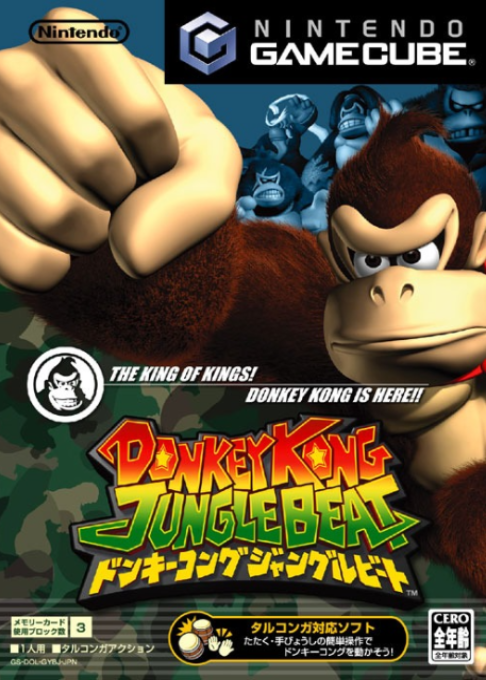
Insert your Donkey Kong Jungle Beat Game Disc into your Nintendo GameCube and insert a Memory Card into Slot A. This game will not use Memory Card Slot B. Close the Disc Cover and turn the power on. The title screen will appear.
Playing for the First Time
Follow the on-screen instructions to create a Donkey Kong Jungle Beat game file on the Memory Card in Slot A. Saving the Game
The game saves automatically after you clear a kingdom. A Memory Card with space for 1 file and 3 blocks is required to save this game.
To continue playing from your saved data, be sure that the Memory Card with your Donkey Kong Jungle Beat game file is inserted in Slot A when starting. To learn how to erase game files from Memory Cards and reformat Memory Cards, refer to your Nintendo GameCube Instruction Booklet. Do not touch the Memory Card or the POWER Button when saving data.
Continuing
As you play, the number of kingdoms you can explore will increase. Choose the kingdom you want to visit and begin playing.
•
Hit the left or right drum to make your selection
•
Press START/PAUSE to confirm.
Options
Choose Options from the kingdom selection screen to adjust the sound and Clap Sensor settings. Settings will be saved after you return to the title screen.
Set sound to stereo or mono.
Set the volume at which the Clap Sensor picks up sound. There are two ways of setting the sensor: Auto or Manual.
•
Auto: Clap Sensor sensitivity is adjusted automatically while you play.
•
Manual: You adjust sensitivity manually. When choosing the Manual setting, look at Donkey Kong in the bottom-right corner of the screen. If he is moving even though you aren't clapping, the sensor is reacting to background noise. Adjust the setting until Donkey Kong stops moving when you aren't clapping. Game Flow
Each kingdom is made up of two stages and a fight with the regional king.
The Opening Ceremony
The first time you play the game, you'll enter the first course after the opening ceremony.
Getting Through Stages
Work DK through the two stages, gathering as many beats along the way as you can.
Fighting Kings
A powerful king awaits DK at the end of the two stages.
Clearing the Kingdom
Once DK has toppled the king, he's cleared the kingdom. The number of beats he has after defeating the king determines how many crests he'll be awarded. The adventure will then be saved up to that point.
If you replay a kingdom you've already cleared, your game will only be saved if you record a new high score.
Select a Kingdom
The kingdoms you can visit will increase as you earn more crests. You cannot play new kingdoms until you have earned the number of crests required for that particular region.
The Crests
Crests increase in value from bronze to silver and so on. Earning crests of higher value will allow you to visit more kingdoms.
DK's Moves
Walk/Run
•
Hit the left or right drums to make DK walk left or right.
•
Rapidly hit the same drum and DK will run in that direction.
Clap/Reach
When you clap your hands, DK will make a noise that affects things around him, sometimes allowing him to reach nearby bananas.
Clap Grab
DK can reach out to grab bananas that would normally be just out of reach.
Sound Wave Attack
Use this attack to briefly stun enemies and prevent them from moving.
DK's Reach and Sound Wave Range
When the Clap Sensor reacts, you'll see green and red rings.
•
The spreading green ring marks the range of the sound wave.
•
The red ring indicates the range of DK's reach.
Jump
•
Hit both drums to make DK jump up from his current spot.
•
To make DK jump diagonally, run left or right then hit both drums while running.
Swim
Hit the left or right drum to make DK swim in the direction you're tapping.
Slow Hits
If you take breaks between each hit, DK will swim in a horizontal line underwater.
Rapid Hits
If you hit one drum rapidly, DK will swim in a downward direction. The faster you hit, the sharper his downward angle will be.
Alternate Hits
Rapidly alternate hitting the two drums and DK will swim straight down.
Simultaneous Hits
Repeatedly hit both drums at the same time to make DK swim up toward the surface.
Fighting the Kings
The Fight Screen
The King's Energy
As DK's attacks hit a king, the king's energy will decrease. When it reaches zero, DK wins the fight. Try using a variety of attacks.
Donkey Kong's Energy
As DK gets attacked by his opponents, his energy decreases. If he takes damage after it reaches zero, the game ends. The more beats DK collects in the two stages leading to the king, the higher DK's energy will be.
Controls
Punch
•
Hit the left and right drums to make DK throw left and right punches.
Dodge Attacks
•
Clap (or tap the sides of the drums) with just the right timing and DK may dodge the attack.
DK will encounter other kings and different ways of fighting them in the matches that await.
Jungle Buddies
Several jungle buddies will aid DK in different
.png)

.png)




_1.png)

.png)