Egg Driver
Hold down the Button while jumping with an egg.
Bounce Jump
Press and release the Button while jumping with an egg.
Hatching Eggs
•
First, find an egg. There are many different kinds of eggs containing items and Egg Animals. The content of the egg is determined by the design.
•
Feed the egg by rolling it over fruit and watch it grow. When fully grown, it will start glowing. Now is the time to hatch the egg.
•
Stand facing the egg and press the ⒮ Button to use the Rooster Call. This will cause the egg to hatch releasing an Egg Animal or item.
STARTING THE GAME
Setting Up
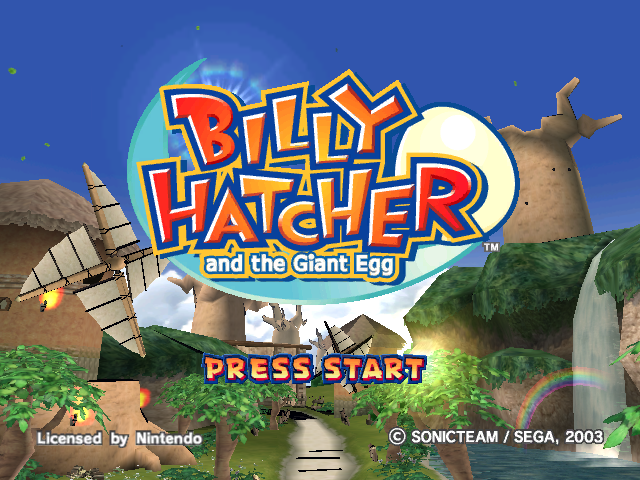
Press START/PAUSE during the Title Screen to access the Game Data screen.
The Game File contains three Game Slots. Use the Control Stick or + Control Pad to select the Game Data you wish to play and press the Ⓑ Button to bring up the Game Data Menu.
Game Data Menu
Use the Control Stick or + Control Pad to select START to begin/continue the game, COPY to make a copy of the Game Data, or DELETE to erase the Game Data and press the Ⓑ Button to enter.
When copying, select another Game Data slot to save the copied data into and press the Ⓑ Button to enter.
Mode Select Screen
After you have chosen a Game Data, the Mode Select Screen will be displayed. Use the Control Stick or + Control Pad to select from the following and press the Ⓑ Button to Enter.
•
STORY: Play the game to reveal the story.
•
BATTLE: Multiplayer game in a split screen environment.
•
OPTIONS: Change settings for sound and Rumble Feature.
To save a Game File onto a Nintendo GameCube™ Memory Card, at least 2 Blocks of free space must be available. Egg Animals
Within certain eggs hide mysterious egg animals that hold power over elemental forces. The egg animals can be befriended and given commands to help Billy and his friends tackle situations that would otherwise be impossible to overcome.
•
Name: Richie, Power: Ice
•
Name: Cipher, Power: Fire
•
Name: Clippen, Power: Water
•
Name: Recky, Power: Lightning
•
Name: Peliwan, Power: Wind
There may be others waiting to be released too, so hatch as many as you can!
BATTLE MODE
Battle Mode lets you challenge friends in a split screen display.
Character Select
Each player must select the character to play as using the Control Stick and then press the ® Button to enter. Each player must choose a different character.
When all players have been selected, press START/PAUSE on any controller.
Battle Select
Once the characters are selected, the Battle Select screen will be displayed. Use the Control Stick to select the game rules as detailed below and then press the ® Button to begin the game.
•
RULE: Select either Survival, Time or Hatch.
•
STOCK: Select either 1, 3 or 5 lives per character.
•
TIME: Select either 1, 3 or 5 minute time limit.
•
POINT: Select the points needed to win.
•
STAGE: Select from stages previously unlocked.
There are three kinds of Battle Mode game.
TIME BATTLE
The player that topples the most opponents within the time limit wins.
STOCK BATTLE
Players fight each other until zero lives remain.
HATCH BATTLE
Hatch egg animals to receive points. The player with the most points wins.
In Battle Mode, additional Controllers are required for each player.
.png)

.png)


.png)





_1.jpg)