STARTING THE GAME
Using Progressive Scan TV
This software is compatible with progressive scan video output, using the Component Video Cable (sold separately). Please refer to the instruction manual of Nintendo GameCube™ for directions on how to connect. •
Connect your TV set and Nintendo GameCube™ with Component Video Cable. •
Place the Sonic Adventure 2 Battle Game Disc, close the Disc Cover, and press the POWER Button. •
After the Nintendo GameCube™ logo is displayed, press and hold the B Button. •
You will be asked whether to display in Progressive Mode. Select "Yes" and the game will be displayed with Progressive Scan output.
Once Progressive Mode is selected, the Display Mode Select screen will be displayed each time the power is turned on, without pressing the B Button, unless the video cable is changed. Depending on your television set, the horizontal/vertical ratio of the screen may change.
Memory Card Screen
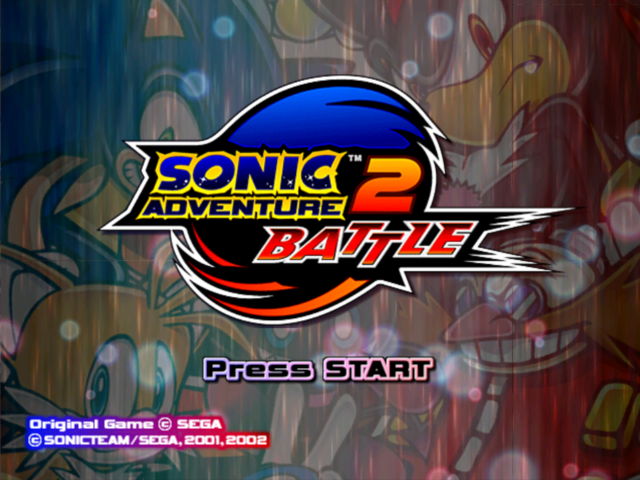
Press START/PAUSE during the Title Screen to access the Memory Card Screen. Use the Control Stick/+Control Pad to select a Memory Card, and press the A Button to enter.
Note that data will not be automatically saved if you press the B Button to cancel.
SAVE FILE SELECTION
After selecting a Memory Card, a Save File Select Screen will be displayed. If there is no Game Data, make a new one.
To make a new file, a Memory Card with 3 Blocks of free space for the Main Data and 8 Blocks for the Chao Data is required. Selecting a file and entering the selection enables you to save the game progress on this file.
Save File Types
There are 2 kinds of save files to use in this game.
Save File Information
•
Free Blocks in the Memory Card
•
Total Number of Collected Emblems
•
Player's Character (The last character played)
The same amount of data as the Free Blocks can be saved. Once the file is selected, the data will be saved automatically on the file until the game is finished. Please do NOT turn the power off or unplug the Memory Card during saving. See Options on P.49 for how to change the game file during the game.
MODE SELECTION
If the file to be used for saving is selected, a Mode Select Screen is displayed. Use the up and down of the Control Stick/+Control Pad to select a mode and press the A Button to enter.
•
1P PLAY: Play a one-player game. You can play either HERO side or DARK side stories.
•
2P BATTLE: Play battle mode. Connect Controllers to Controller Socket 1 and 2.
•
EXTRA: Extra features such as the game tutorial by Chao.
•
OPTIONS: Change various game settings.
1P PLAY MODE
STORY
Play the game to advance the storyline. In the Story Mode, select either HERO side or DARK side and play the game to reveal each story.
The Game Data in the Story Mode will automatically be saved onto the Main Data when each stage is cleared. The game ends if the remaining lives is 0.
STORY SELECT
INTRODUCTION
The objectives of the stage as well as the mission to clear the stage are displayed.
ACTION STAGE
Clear the assigned mission for each stage.
CHAO WORLD
If you find a Chao key, you can visit Chao world.
•
Advance to the Next Stage
HOW TO PLAY THE ACTION STAGE
How to play the Action Stage depends on a player's character, and there are 3 types of action scenes assigned for each group of characters.
Sonic & Shadow
•
3 Number of collected rings/Chao key •
5 Chaos Drives and small animals collected
There are many tricks set in the stage. Use various actions and get Level-Up Items. Get technique points and increase your score by gaining rings or destroying enemies. The stage is cleared when you reach the Goal Ring. The total score, the time in which the game was cleared, and the number of rings you obtained will determine the rank displayed after clearing the stage. •
Advance to the Next Stage
THE RULES IN THE ACTION STAGE
Learn about the basic rules in the Action Stage. Utilize them and proceed through the game with an advantage.
LEVEL-UP ITEMS
Level-Up Items hidden somewhere in the Action Stages provide an enhanced attacking ability or action. The stage may not be cleared without obtaining these items. Once you obtain them, you have them to use for the rest of the game.
OMOCHAO
Omochao will act as your guide to clear stages throughout the game, and can be found at various locations. If you need some help during the game, go and find them!
RINGS
If the characters are skilled enough to collect 100 rings, they will receive an extra life. Excluding Tails and Dr. Eggman, all other characters can survive damage inflicted by enemies as long as they are carrying at least one ring. When attacked, these characters will lose all the rings they were carrying. CHAO CONTAINER
During the game, there are 3 light blue containers called
.png)

_2.png)

_1.png)
_1.png)