PLAY BALL!
LOADING
•
Make sure the power switch is OFF.
•
Insert the Frank Thomas 'Big Hurt' Baseball™ Game Pak as described in your Nintendo Game Boy instruction manual. •
Turn the power switch ON.
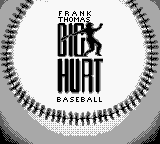
When the Frank Thomas 'Big Hurt' Baseball™ title screen appears, press the START BUTTON. You will then see the Game Setup Screen. This screen allows you to select from 6 game play modes and to set Main Options.
A NOTE ABOUT MOVING THROUGH FRANK THOMAS 'BIG HURT' BASEBALL SCREENS
There are several different sets of options and settings to consider in the various game modes.
•
Press UP or DOWN on the CONTROL PAD to scroll through/select options, lists/rosters.
•
Press LEFT or RIGHT on the CONTROL PAD to change various option settings within a screen.
•
Press any button to select a player.
BASE RUNNING
Advancing Runners
Base runners are advanced by pressing the B BUTTON and the direction of the desired base on the CONTROL PAD. To return to a base, press the A BUTTON and the CONTROL PAD in the direction of the base.
Advancing Multiple Runners
When the game situation forces base runners to advance, they do so automatically. Otherwise, each one must be manually advanced by the player.
To move multiple base runners, first advance one player, then advance any remaining base runners by again pressing the CONTROL PAD towards the desired base while pressing the B BUTTON. To return multiple base runners to a base, press the A BUTTON plus the CONTROL PAD in the direction of the base. In each case, you must move each runner separately.
Advancing Multiple Bases
Once a ball is put into play, the batter automatically advances towards first. Any additional bases must be manually taken by the player by using the B BUTTON and the CONTROL PAD.
To make a player advance without stopping at a base, press the control for the next base before he arrives at the one he is currently headed for. For example, if you think you can stretch a double into a triple, you would press LEFT on the CONTROL PAD + B before your runner reached second.
Leading Off
To lead off a base a step, press and hold the B + A BUTTONS and the CONTROL PAD towards the base you are leading off from.
Stealing Bases
To attempt a stolen base, press and hold the START BUTTON + CONTROL PAD towards the base the runner is on.
Run Downs
You may find yourself in a rundown if you're caught off base and the ball arrives at your intended base ahead of you. Try to evade pursuing infielders by using the CONTROL PAD and the B BUTTON to advance or the A BUTTON to return to base, toggling between the two as needed. You'll seldom escape from a bone-headed base running error, but what have you got to lose?
Pick off throws
To execute a pick off throw press the A BUTTON and the CONTROL PAD toward the base at any time during your selection of Pitch Location, Pitch Type and Pitch Speed.
Strike Count/ Balls/ Strikes/ Outs
The current count appears in a display box at the bottom left corner.
Pitch Speed/ Radar
You can see how fast a hurler is tossing the horsehide each pitch by checking the radar gun, which appears in the center of the screen once a pitch is completed.
Throwing
When in control of the ball, press the B BUTTON and the CONTROL PAD in the direction of the base.
MAIN OPTIONS
Frank Thomas "Big Hurt" Baseball™ allows you to customize game play in many exciting ways. See Pause Options for additional in-game options.
Difficulty
Choose between Pro and All-Star skill levels. All-Star players run faster, throw harder, and are tougher to strike out than Pro players.
Auto Fielding
You can choose to play with or without Auto Fielding. When the Auto Fielding feature is ON, the computer automatically controls fielders during gameplay, taking responsibility for fielder movement and catching the ball. You will only have to control the timing and direction of the throw once the ball has been handled by an Auto-controlled fielder.
When the Auto Fielder feature is OFF, you are completely responsible for controlling all fielder movements, including shifting position to field hit balls, catching balls, and throwing the ball to the proper position at the proper time. Highlight the desired option, then press any button.
Play Modes
Regulation Play follows the established big league rules.
Sound Effects
This option allows you to play with Sound Effects OFF or ON.
GAME TYPES
You're ready to choose from among the 6 exhilarating game types available in Frank Thomas 'Big Hurt' Baseball™! This is big league ball!
To select a particular game mode, press UP or DOWN on the CONTROL PAD to select the desired game type, then press any button. Once you've selected a game mode, the options for that game type will appear.
EXHIBITION GAMES
An Exhibition Game is a one game event. Exhibition games do not count in the standings. It's a perfect chance to hone your skills.
SELECTING TEAMS
To select a team, use the CONTROL PAD to highlight a team, then press any button. You select both the team you wish to control and then your CPU opponent.
SEASON MODE
In Season mode, you will play as one team for an entire season as you battle towards a conference title, and, if you're good and get some breaks, the Championship! Once Season Mode is selected, you will select the season length.
RESUME GAME/ PASSWORD
This option will
.png)

 (SGB Enhanced).png)
.png)
.png)
.png)










.png)