Introduction
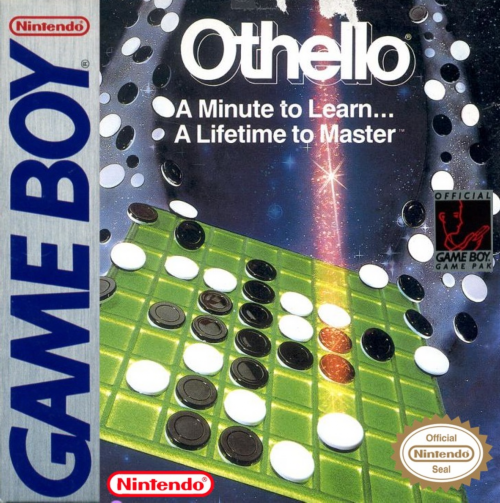
Othello is a board game played with checkers that have a black and a white side. The goal is to sandwich your opponent's checkers to trap them. Trapped checkers are flipped to your color and become yours. The player with the most checkers at the end of the game wins. This Game Boy™ version of Othello allows you to play against four computer players. You can also observe all-player or all-computer games. The game includes a time limit setting and a replay mode.
Game Controls
Control Pad
•
Select items on the Menu screen.
•
Move the cursor on the Game or Edit screens.
A Button
B Button
•
Press with START Button to pause the game.
START Button
•
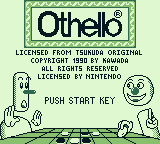
Advance to the Menu screen from the Title screen when "PUSH START KEY" appears.
SELECT Button
•
Call up the Sub-menu during a game or replay.
Reset
•
Press A, B, START, and SELECT Buttons together to return to the Title screen.
Menu Screen
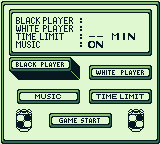
Setting Status
The current game settings are displayed here.
Player Settings
Displays setting screens for black (first player) and white (second player).
Background Music (BGM) Setting
Turns BGM ON or OFF.
Time Limit
Sets your time limit.
Game Start
Starts the game.
Setting Status Details
Check the currently selected settings displayed on screen.
Player Settings Details
Set black and white players separately.
•
COM 1: Introduction-level computer player
•
COM 2: Beginner computer player
•
COM 3: Intermediate computer player (ability fully demonstrated with time limit > 10 minutes)
•
COM 4: Expert computer player (ability fully demonstrated with time limit > 20 minutes)
To swap black (first player) and white (second player), press SELECT and A Buttons together at the Menu or Sub-menu screen.
Name Input Screen
When "YOU" (human) is selected as a player, input your name.
•
Use the Control Pad to select alphabet characters.
•
Press the A Button to complete the setting.
•
Press the B Button to go back one alphabet character.
•
A player is not set until a name is input.
Background Music (BGM) Selection Screen
Sets the BGM ON or OFF. Turning BGM OFF will not stop the current tune. To turn all sound off, adjust the volume on your Game Boy™.
Time Limit Screen
Set the time limit for single games. Options are: 5 min, 10 min, 20 min, and NO (no time limit).
Game Start
The game cannot start until both black and white players are set.
How to Play the Game
The first player's name is shown at the top, and the second player's name at the bottom.
The clock displays remaining time if a time limit is set. If "NO" (no time limit) is selected, the clock will not be displayed.
Necessary messages appear on the message screen during the game.
Use the Control Pad to move the cursor and place a checker in the desired position.
•
A hand cursor pointing up appears for human players.
•
A hand cursor pointing down appears for computer players.
When it's your turn, press the A Button to position a checker. If the position is invalid, "TRY AGAIN" will appear, and you must choose another spot.
To undo previous turns, press START and B Buttons together during your turn. You can undo as many turns as you like.
Game Over
The game ends when all checkers are moved, or both players can only pass. The checkers will freeze.
Press the A Button to display the result. If you run out of time, you lose 64 to 0.
Pressing the A Button again will show a screen where you can select "END" or "REPLAY".
•
Selecting "REPLAY" restarts the current game from the beginning.
•
In Replay mode, press A to display the next move, or B to display the previous move.
Sub-menu
Press the SELECT Button during a game or replay to display the Sub-menu.
•
1 Player Change: Change player settings.
•
2 BGM Change: Change background music.
•
3 EDIT: Enter Edit mode.
•
4 Game Restart: Restart the game.
You can change players or BGM even if you call up the Sub-menu during a game. Press SELECT and A Buttons together to swap the first and second players. After making changes, select "GAME CONTINUE" to restart the game.
Edit Mode
This mode allows you to freely position checkers for handicap challenges and checkmate scenarios.
•
Press the A Button to position black checkers.
•
Press the B Button to position white checkers.
•
Press A and B Buttons together to delete positioned checkers.
After positioning checkers, press the SELECT Button to return to the Sub-menu, then restart the game. The game starts in edit mode. When edited, playback will only rewind as far as the edit. Replaying an ended game will start from the edited screen.
The Rules of Othello
A game starts with checkers placed in the center of the board (automatic in Game Boy™).
Checkers are placed alternately, starting with black (first player). You can only place checkers where they will
.png)

_2.png)
.png)
 (SGB Enhanced).png)
.png)
