OPERATION
How to Start
Place the "Echo Night" disk in the PlayStation unit and turn it on. The opening movie begins.
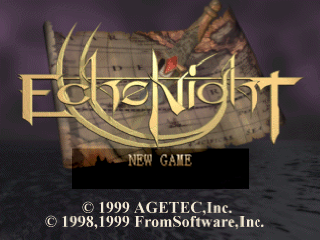
The title screen is displayed after the movie, or when the START button is pressed during the movie. Press the START button at the title screen to proceed to the mode selection menu.
Select a mode using the Directional buttons, and confirm selection with the START button.
•
©1998,1999 FromSoftware, Inc.
New Game
When playing the game for the first time, please select NEW GAME. The opening movie will play, then the game will start.
Continue
Selecting CONTINUE lets you resume the game from where you last saved it.
When you select CONTINUE from the game title screen, the load screen appears. Use the Directional buttons to highlight the data you wish to load, and confirm selection by pressing the button.
HOW TO PLAY
Picking up an Item
To pick up a flashing item, press the button while in front of it. If the item can be picked up a confirmation message will be displayed.
Select YES to pick the item up, and NO to leave it where it is.
Use Item
Press the button to open the Item Menu, which will be displayed under the main screen. Use the Directional buttons to select the item you want to use, and press the button to confirm.
•
Items can also be used by selecting ITEM from the Status Menu.
Examine Item
To see a description of an item, proceed to the ITEM selection in the Status Menu. Some items may have commands available other than "USE," such as "EQUIP".
Investigate
When you come across something you want to investigate, press the button. Keep in mind that you can only investigate something that is flashing.
Some places in the game have a fixed perspective. SELECT, START, L1, L2, R1, and R2 buttons do not work in these places.
•
Place the crosshairs in front of an object to make it flash. When the perspective is fixed, use the Directional buttons to match the perspective with the object.
Conversation
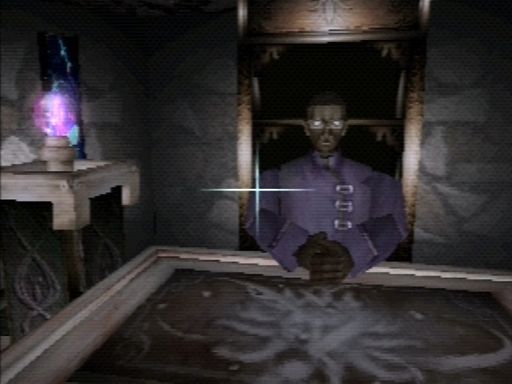
To speak with a character in the game, approach them and press the button when the crosshairs start flashing.
Sometimes you may need to speak to a person several times, or clear certain conditions, to get vital information and items.
Crouch
Some items are located under shelves or on the floor. To reach these items you will need to crouch, do so by pressing and holding down the button.
To return to a standing position press and hold down the button again. Crouching is required in order to access certain passageways in the game.
Move Object
Many objects can be picked up and moved (chairs, footstools, etc.). Press the button when in front of an object. The object will be lifted.
Press the button again to put the object down. Note that you cannot hold objects when you are Crouched.
•
Not every object that flashes can be moved.
Movement
Use the Directional buttons to move your character during the game. Strafing movements to the left/right are possible by using the R1 and R2 buttons.
Physical Conditions
During gameplay, you may be attacked by specific spirits, or become possessed. Your current physical condition will be displayed in the upper-left hand corner of the game screen whenever your condition deteriorates or improves.
Your condition will deteriorate when you are attacked or possessed, and can be improved by using Curing Potions or Holy Water.
When attacked, use Curing Potions. When possessed, use Holy Water. Your physical condition will improve. Possession will wear off after a certain period of time even if you do not use Holy Water.
Saving data
It is a good idea to save your game when you want to take a break, or after you have obtained important items.
Data can be saved at save points throughout the game. Press the button when in front of a save point to display the save screen.
Select the Memory Card slot with the Directional buttons and press the button. Next, select the Memory Block you want to save with the Directional buttons and press the button.
Each data save takes two empty blocks on the Memory Card.
SYSTEM
Load
The game can be resumed from where it was last saved. Select the data to load with the Directional buttons, and confirm with the button.
Key Configuration
Four types are available:
Echo Night Config
•
Cancel/Crouch (hold down button)
King's Field Config
•
Cancel/Crouch (hold down button)
Strafe Config 1
.png)

 (Translated En).png)
.png)

.png)
_1.png)
.png)
_1.jpg)
 (Disc 2).png)
 (v1.0).png)

 (Disc 2).png)