PlayStation 2 Setup
Getting Started
1. Set up your PlayStation®2 computer entertainment system according to the instructions supplied with your system.
2. Check that the system is turned on (the on/standby indicator is green).
3. Press the OPEN button to open the disc cover.
4. Place the UEFA Champions League 2006-2007 disc with the label side facing up in the disc holder, and then close the disc cover.
5. Attach game controllers and other peripherals as appropriate.
6. Follow the on-screen instructions and refer to this manual for information on using the software.
Multitap Connection
When using the multitap (for PlayStation®2), a controller must be connected to controller port 1-A.
•
multitap connector (for PlayStation®2)
Playing the Game
Challenge your biggest rivals in League, domestic cup, and UEFA Champions League games and feel the excitement of European soccer like never before.
Most of the game modes and menu options in UEFA Champions League 2006-2007 are self explanatory and are not covered in this manual. Exceptions are listed below.
Your Profile
Before taking the pitch be sure to create a personal Profile. Your Profile remembers all your game preferences, including your controller configuration, Favorite Team, audio preferences, and more. You can manage Your Profile by pressing the button from the Main menu or via the MY UEFA CL menu.
History Book and Unlockables
The History Book tracks the objectives throughout various game modes. Spend your points in the Store to unlock new items such as official UEFA Champions League balls, stadiums, and more. You can access the Store from the MY UEFA CL menu.
On the Pitch
Make history with UEFA Champions League 2006-2007, the complete and authentic European soccer experience.
Player Fitness and Substitution
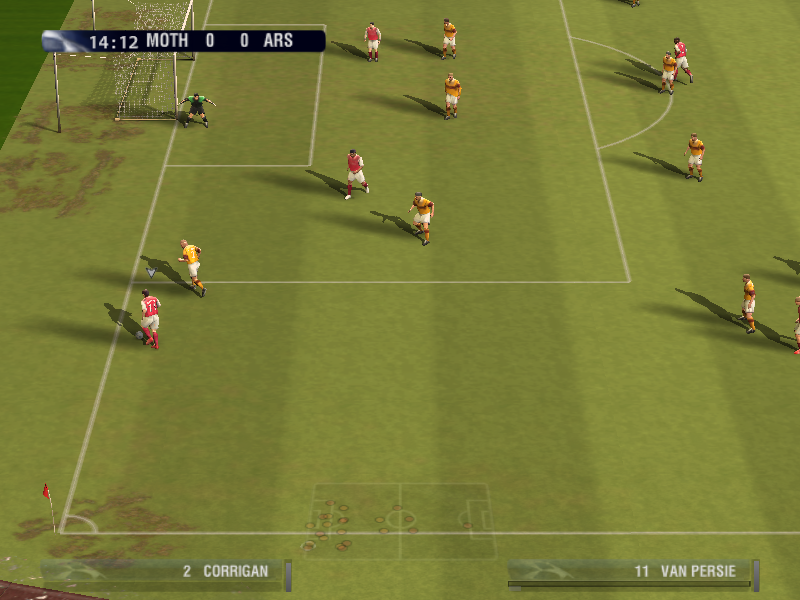
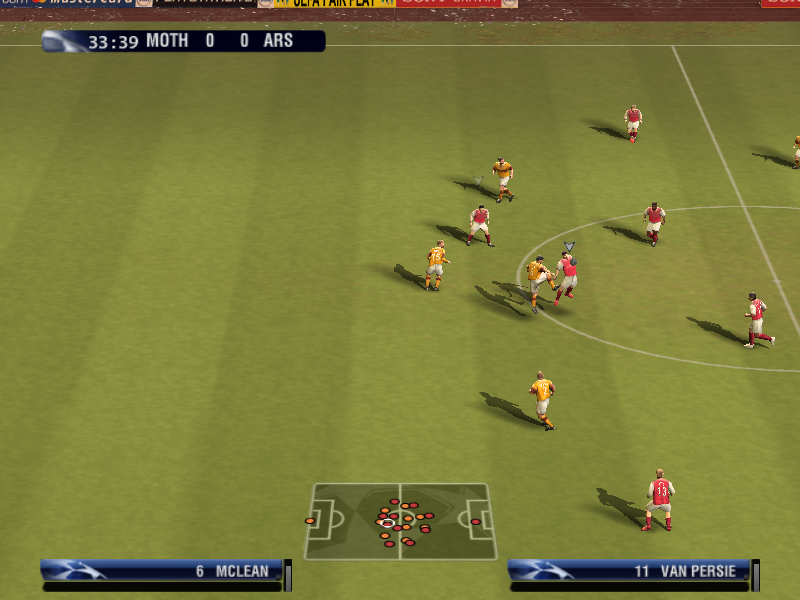
During a match a Fitness Bar of the player in possession of the ball (or nearest player to the ball when defending) appears at the foot of the screen. Lots of activity such as sprinting decreases the amount of energy in the Fitness Bar, but replenishes when a player returns to normal pace. You can sub in a less fatigued player at any point during a match at the Team Management screen (via the Pause menu).
Tactics and Mentality
Press the D-button to make tactical adjustments to your team's attack on the fly. You can also press the L1 button + D-button when playing defense.
Attacking Tactics
Defensive Tactics
Press the SELECT button to show the current Team Mentality, then press the SELECT button to cycle through the options (NEUTRAL/ALL-OUT ATTACK/DEFENSIVE).
Select TACTICS HELP from the My UEFA CL menu for more information.
Saving and Loading
Before exiting a game mode (or a menu where changes have been made), be sure to save your progress to a memory card (8MB) (for PlayStation®2). All unsaved information will be lost otherwise.
You can turn the Autosave feature OFF at the Game Options menu (via MY UEFA CL > Game Settings).
Changes to your game preferences made outside individual game modes are applied to all game modes. Changes made within game modes are specific to that competition (except Game Settings).
Profiles can be loaded whenever UEFA Champions League 2006-2007 is turned ON. To load previously saved files after you've started the game, press the button and select LOAD from the Main menu. Select a file then press the button to load it.
Play Now
Select two top-flight teams and your match preferences then get out of the tunnel and onto the pitch for a one-off match.
•
Press the button from the Team Select screen to access the Game Settings menu and adjust your preferences.
•
Press the R1 button to automatically face-off against your traditional rival.
Jump In
To kick off a Play Now match with your favorite team press the START button from the Main menu.
UEFA Champions League Super Stars
Stars icons listed above the heads of some players help identify outstanding talent on the pitch.
Other Game Modes
Reward yourself with every win. Complete more than 400 objectives in various game modes to unlock official UEFA Champions League balls, official stadiums, and more.
The Treble
You've just one season to battle through your league and cup missions and take on a complete UEFA Champions League campaign to achieve the dream treble.
•
Select MISSION HISTORY from the Season Central menu to keep track of your missions as set by your club to undertake during the season. Keep an eye on the objectives from the Treble Objectives entry in your History Book.
UEFA Champions League Tournament
Lead your team through the demanding rounds of the UEFA Champions League. Select the teams to compete in your customized or real-world tournament groupings, then kick off your
.png)

.png)