SOFT RESET
Press START/PAUSE and the B and X Buttons simultaneously in mid-game to return to the Main Menu.
Do this when you want to quickly restart a game from the last point where you saved.
MAIN MENU
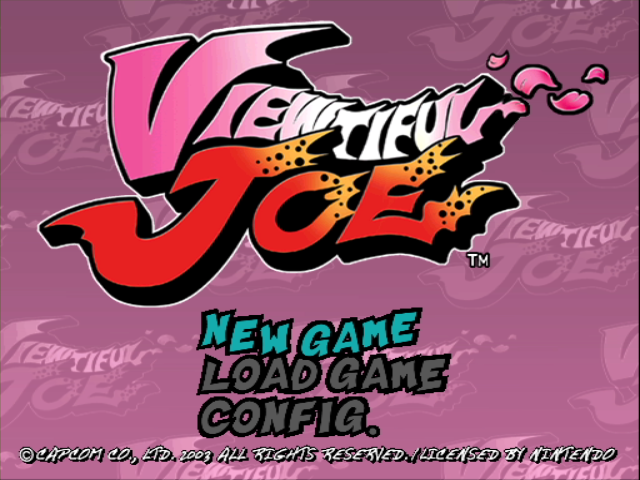
After startup, a demo will begin playing. When the Title screen appears, press START/PAUSE to open the Main Menu.
Highlight your choice with the +Control Pad and press the A Button to confirm.
NEW GAME
Start a new game. First off, you'll choose a difficulty level:
•
KIDS - When you're brand new to the game.
•
ADULTS - When you already have some action under your belt. LOAD GAME
Load and save games and change options. When the sub menu opens, you can choose:
•
LOAD - Resume a game you previously saved. Highlight a game from the list and press the A Button to start from where you previously saved the game.
•
SAVE - After clearing a stage, select this option to save your progress.
Remember:
•
You must have a Memory Card in Memory Card Slot A to save data.
•
Each saved game requires 4 blocks of free space in order to save.
•
You can save up to 10 files on a Memory card, providing it has enough free storage area.
•
OPTIONS - Change the control settings.
GAME SCREEN
LIFE MARK
Joe's energy level. When the markers disappear, it counts as one miss.
V-MARK
Appears when you defeat enemies with any special attack. When you get enough V-Marks, they're converted to V-Points.
ENEMY
Pounding enemies earns V-Medals. You need these for power-ups. You might also earn Bonus Points for felling your foes.
BOSS LIFE GAUGE
Appears during a Boss fight to monitor the Boss's energy level. When all the markers disappear, the Boss is finished!
VFX GAUGE
When Joe transforms and starts to use VFX power, this gauge monitors its strength. When the gauge finally empties, Joe returns to human form.
The gauge's power recovers during the time Joe is in his human state.
V-FILM
Collect 50 V-Films and you'll earn 1 Mass Unit, which sets the VFX Gauge to its highest level.
The gauge resets to its initial level at the beginning of the next stage.
V-POINT
Your V-Points. Use these to power-up on the Power-up screen after clearing a stage.
TASK
Each scene has a mission you must fulfill to clear the stage. The mission task is explained here.
ITEMS
Pulverising objects and enemies causes valuable items to appear spontaneously. Find out how these can save your bacon! Some of them are:
•
CHEESEBURGER ...Restores a life.
•
BLUE BOTTLE ...Pumps up your VFX power a bit.
•
RED BOTTLE ......Makes VFX power infinite - while it lasts!
•
CONTROLLER Knocks out enemies for awhile.
GAME MISSIONS
Joe's mission in life is to fight the movie villains and solve riddles.
Each scene has a special mission. You'll find out what it is when you start the scene, and you can also see it on the game screen. The task can be anything from punching out a certain bully to finding hidden loot.
When you finish a task, you get a scene score. You might even get Bonus Points if your performance was up to snuff. The faster you clear the scene, the higher your bonus will be. So get the lead out...!
JOE GOES!
BASIC ACTIONS
•
RUN - Use the +Control Pad to crisscross the scene at a sprint!
•
JUMP - Press the A Button to jump. Want a higher jump? Hold down the button longer.
•
DOUBLE-JUMP - You can do this during Joe's Transformation. Just press the A Button for a gorgeous two-level jump.
•
JUMP DOWN - If you're in a narrow spot, press the +Control Pad to leap down.
ATTACKS
•
PUNCH - Press the Y Button while Joe is standing, in midair, or crouching (use the Control Stick). A midair punch sends 'em up, up and away! A crouching punch lets 'em fly!
.png)


.png)
_1.png)
.png)
