Before Starting the Game
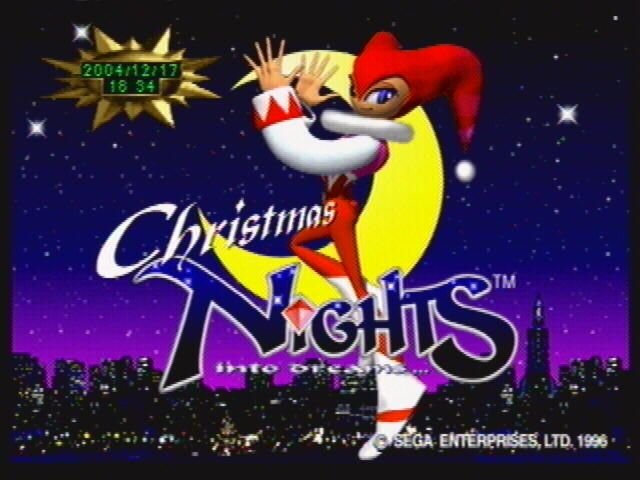
The initial screen depends on whether save data exists. If there is no save data, the game proceeds to the Clock Setting Screen, then to the Title Screen. If save data exists, it goes directly to the Title Screen.
Setting Date & Time [Clock Setting Screen]
If starting without save data, you must set the date and time. Use the direction buttons to change items: use ▲ to increase values and ▼ to decrease them. Select "OK!!" to confirm.
•
Once set, this screen will not appear again. To change settings later, use "Date/Time Setting" in the Sega Saturn's main user settings. •
Ensure a lithium battery is properly installed in the console, as date/time data cannot be backed up without it.
Game Start [Title Screen]
The game proceeds to the Select Diary or Select Screen based on play history. First-time players are directed to "LOAD" in Select Diary. Returning players go to the Select Screen.
Choosing a Play Diary
Pressing Start on the Title Screen brings up the Select Diary 'LOAD'.
•
First-time play: Use ▲▼ to select 'NEW GAME', then press A, C, or Start to open the text input screen. The default diary name can be changed using direction buttons for letters/numbers and A/C to input. Press B or Start to move to 'END', then A, C, or Start to confirm and proceed to the Select Screen.
•
Continuing play: Use ▲▼ to select a saved diary, then press A, C, or Start to load it and proceed to the Select Screen.
•
If a Power Memory (sold separately) is connected, use ▲▼ to choose between Console RAM and Cassette ROM.
SELECT [Select Screen]
Use ▲▼ to select an item and press A, C, or Start to confirm.
•
CHRISTMAS DREAM: Adventure in 'SPRING VALLEY' with a Christmas atmosphere (→P.16).
•
CHRISTMAS PRESENTS: Access Christmas present bonus content (→P.23).
•
OPTIONS: Change various game settings (→P.14).
OPTIONS [Options Screen]
Use the D-pad Left/Right to select an item and Up/Down to select the setting. Press A or C to confirm and B to cancel.
•
SELECT DIARY: Changes to the Select Diary screen.
•
SOUND TEST: Listen to music and sound effects. Select BGM or SE, then choose a track name to play.
•
AUDIO: Select STEREO or MONO output.
•
TV SCREEN: Select NORMAL or WIDE TV size.
•
DREAM DATA: Changes to the Dream Data screen.
•
LINK DATA: Changes to the Link/Time Data screen. This cannot be selected if "LINK ATTACK" or "TIME ATTACK" items do not appear in the Christmas Present.
DREAM DATA [Course Data Screen]
This screen displays the progress route and best scores for Dream courses 1-4. Toggle the display using the D-pad Left/Right.
•
Press L to display Elliot's Dream Data.
•
Press R to display Claris's Dream Data.
•
Press B to return to the previous screen.
SELECT DIARY [Record Management Screen]
Diaries record player scores and play results. Select a command with ◀▶, a diary with ▲▼, and confirm with A or C. Press B to cancel.
•
DELETE: Select a diary to delete and confirm.
•
COPY: Select a diary to duplicate (overwrite) and confirm.
•
RENAME: Change the name of a saved diary via the text input screen.
•
LOAD: Select a diary to resume from. Selecting NEW GAME creates a new diary.
•
OPTIONS: Changes the screen to the Options menu.
LINK DATA [Link Data Screen]
Displays data for the top 5 scores in "LINK ATTACK" and "TIME ATTACK" from the Christmas Present. Toggle between data types using ◀▶.
About Point Acquisition
In Night Pia, items like Color Chips and Wreaths add points when taken or passed through. Continuous item collection displays 'LINK', doubling points by the chain count.
•
Remaining time after clearing the Nightmare further increases points.
•
Clearing courses or Dreams evaluates points in stages from A to F.
ONE POINT!
High scores require focusing on specific actions:
•
Complete Christmas Tree decorations (Idea Capture) quickly for a high bonus.
•
Recover Ideas to double points for all items.
•
Maintain continuous item collection chains.
•
Defeat enemy bosses quickly.
Night Over [Game Over]
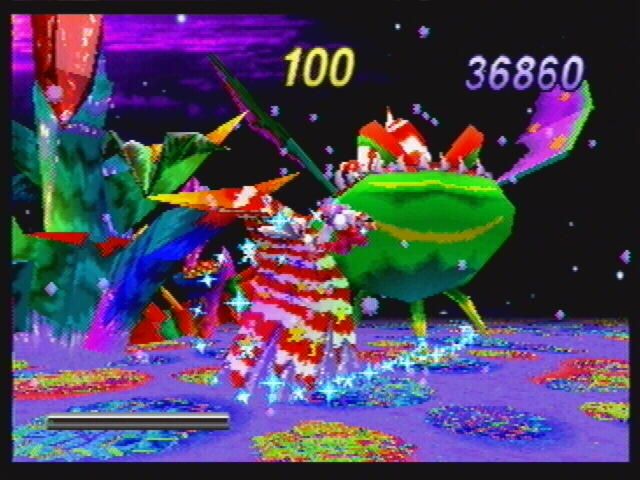
A Night Over occurs if your character is caught by the Alarm Egg in Night Pia or if the time limit in Nightmare reaches '0'.
CHRISTMAS DREAM Flow
The game flow involves choosing a character, playing through Nightpia and Nightmare, and viewing results.
1. Choose CHRISTMAS DREAM → Mode Selection
2. Choose Elliot or Claris → Play Character Selection
3. SPRING VALLEY (Nightpia) → Confront Gilwing! (Nightmare)
4. Overall Score Screen → Ranking Screen
5. In case of NIGHT OVER, return to the selection.
Choosing a Character
Use the D-pad up and down to select Elliot or Claris, then press C to start. Press B to

.png)




.png)