FINISHING MOVES
As you deal out punishment, your Superstar's SmackDown!™ meter will fill up. When the meter is completely full, one of the empty slots to the right will fill up. You can perform one Finishing move for each full slot.
Make sure you have at least one full Finishing move slot. When you are ready to deliver the final blow, the word "SmackDown!" will appear over the meter - press the L1 Button to complete the Finisher.
You must know each specific situation for a Superstar's Finishing moves. For example, the People's Elbow would be performed with your opponent on the mat - approach his upper body and press the L1 Button. Conversely, the opponent would have to be standing to complete The Pedigree - again, press the L1 Button.
OPTIONS MENU
Here, you can completely customise SmackDown!™ 2. First, highlight a set of rules by pressing the Directional Buttons ↑/↓, then press the X Button. These options can also be changed from the Pre-Game Menu.
RULES
These are the primary rules that deal with match specifics. Highlight an option by pressing the Directional Buttons ↑↓. Press the X Button to select an option, then ↑/↓ to change it. Press the X Button again to confirm the option change.
•
KO: Allows a win by knockout.
•
Give Up: Select ON to allow a win by submission.
•
Rope Break: When ON: you can escape a pin attempt or submission hold by touching the ropes. When OFF: the ref will not stop a submission hold or pin for a rope break.
•
Ring Out: Toggle ON/OFF. Decide whether or not the Superstars can leave the ring.
•
Ring Out Count: While they are outside the ring, determine whether the Superstars can be counted out by 10 or can go anywhere without being disqualified.
•
Entrances: Toggle the entrance videos ON or OFF.
•
Default: Reset all Rule 1 options to their original settings.
•
Decision: Confirm the settings and return to the Options Menu.
RULES 2
These are the secondary rules and settings to further customize your game. Highlight an option and press the X Button to select it. Press the Directional Buttons ↑/↓ to change the setting, then press the X Button again.
•
Interference: Determine whether you will allow run-in characters or not. Select RANDOM to let the CPU decide on a per match basis.
•
Match Length: Toggle the time limit between 10, 15, 20 or 30 minutes, or select NO LIMIT.
•
Charge Speed: Toggle between NORMAL, FAST and FASTEST. The quicker the charge speed, the faster your SmackDown™ meter will fill up, allowing you to perform a Superstar's Finishing move more quickly than usual.
•
Arenas: Determine which Arena or Backstage area will be the main stage for your brawl.
•
Mats: Decide which Ring will accompany the Arena.
•
Default: Reset all Rules 2 options to their original settings.
•
Decision: Confirm the settings and return to the Options Menu.
OPTIONS
Aside from the Difficulty and Vibration function settings, you can also make the following selections in the Options Menu.
•
Camera Angles: Toggle ON to view TV-style camera angles.
•
Players' Indicators: A different coloured icon will appear beneath each Superstar.
•
Sound: Choose STEREO if you're listening through two or more speakers.
•
BGM: Find the background music track of your choice.
•
BGM Volume/SE Volume: Determine how loud the background music and sound effects will be.
SYSTEM DATA
Save, Load and Copy your Season mode, created Taunts, and created Superstars.
•
Copy Created Superstar: This will copy your created Superstars from one Memory Card to another.
•
Copy Created Taunt: This will copy your created Taunts from one Memory Card to another.
SAVE & EXIT
Select EXIT and press the X Button to return to the Main Menu.
EXHIBITION
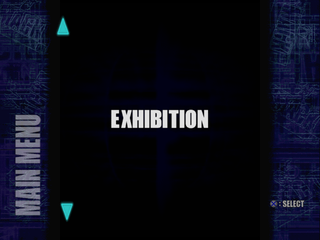
The quickest way to jump into the ring. EXHIBITION allows you to play any style match with any of the options and created Superstars you want. Choose from the following game modes:
SINGLE
Compete, head-to-head, against a CPU or a friend. Select WITH MANAGER to allow one Valet to enter the ring with each Superstar.
TAG
Have two Tag Teams compete in a NORMAL TAG TEAM match with one legal member from each team in the ring at a time. Choose TORNADO TAG to allow each team member full access to the ring and the opponents at any time.
HARDCORE
Think you can take a chair to the head and still win a match? Each Hardcore match is a no-rules brawl, littered with weapons.
ANYWHERE FALL
Backstage brawls are the only matches you'll find here! Choose a MATCH STYLE, then head for the largest set of backstage areas to ever grace the PlayStation game console. To head to a different backstage area, move near a door with a red arrow on the floor. Wait until the arrow turns to blue, then walk through the door. HANDICAP
If the One-on-One matches aren't hard enough, try a Handicap match against two or three opponents. Eliminate one of the opponents to win the match.
KING OF THE RING
Move through





 (v1.1).png)
.png)
.png)
.png)

 (Rev 1).png)
_1.jpg)


_1.jpg)