PAUSE MENU
•
Continue: Takes you back into the current game.
•
Restart: Restarts the current race.
•
Vibration: Turn the DUALSHOCK™2 analog controller vibration on or off.
•
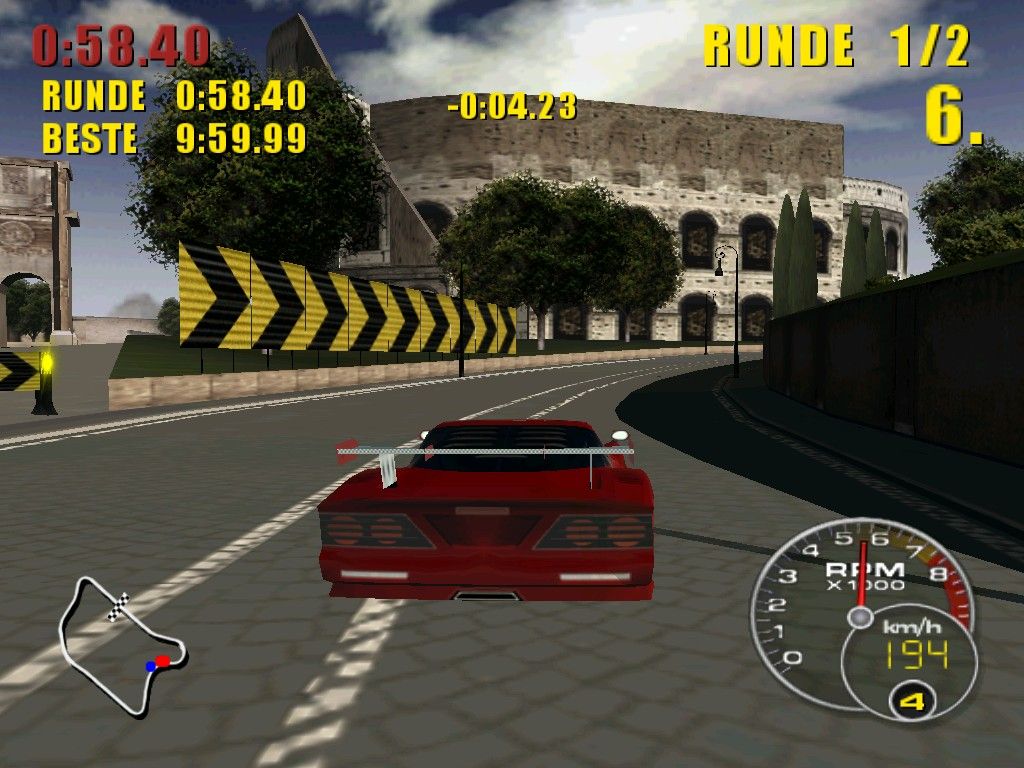
HUD Options: Here you can toggle on or off individual parts of the HUD, including the mini map, times, tachometer/speedometer, laps/position, and the enemy indicator arrows.
•
Sound: Here you can toggle the sound or music off or on. You can also select between stereo or mono sound.
•
Exit Race: Quit the current race and return to the Main menu.
GAME MODES
Championship
Design Series
Design, build, and race your own Concept Car as you take it through its paces in the Design Series. Eight challenging courses await you, along with the unique challenge of developing your own Concept Car in the Steve Saleen™ Styling Studio.
Manufacturers Cup
Select your path from the three available driving styles. Grip offers a more forgiving race experience and is a good place for beginners. Balance is a step up from Grip, and while it presents its own set of challenges, it is still relatively forgiving.
Drift is the hardest of the styles to master. Faster than the other cars, but tough to handle through the turns, the Drift Series will push your skills to the limit. Each style offers eight races across three classes of vehicles, and a special prize at the completion of each one.
Quick Race
Compete in a custom race against A.I.-controlled opponents. Select your track, race options, and car, and hit the road.
TIME Attack
In this mode, you can set the number of laps to learn the course and perfect your time.
Head to Head
Compete head-to-head in split-screen competition using cars unlocked in championship mode. You can also race your own concept cars against each other in this mode.
CHAMPIONSHIP DETAILS
Championship is the main mode of the game. By winning a variety of races, you'll earn new cars and Design Studio parts and increase the number of tracks on which you can compete.
Qualifying Position
Each class has a minimum position the player can finish in to move on to the next race. This is called the "Qualifying Position."
For example: If the QP is second place, and you finish in fourth place, you must run that race again, trying to finish in second place or above. Check the QP before starting your race on the Race Preparation screen.
Design Series
When you start the Design Series, you are given access to the Steve Saleen™ Styling Studio. The Steve Saleen™ Styling Studio allows you to not only create your very own racing machine, but also customize it with various accessories, name it, paint it, and upgrade it along the path of the Design Series.
STEVE SALEEN TM STYLING STUDIO
Styling Studio Controls
•
Select Menu Option: directional buttons or left analog stick
•
Accept Menu Selection: X button
•
Cancel Menu Selection/Car Changes: A button
•
Camera Movement: right analog stick
•
Refine Styling: left analog stick or directional buttons
Select Your Parts
Select Front or Rear from the menu. This will bring up a window with all of the unlocked pieces you have attained so far. When the piece you want to use is in the window, press the X button to confirm.
Refine Styling
By moving the left analog stick or the directional buttons left or right, your car will use more or less influence from the piece in the window.
Color
Use the left analog stick or the directional buttons to cycle through the color swatches, confirm your choice with the X button.
Accessories
Here you can change your car's wheels, side view mirrors, headlights, and wings.
Team Name
By selecting this option, you are able to name your racing team. This name will be used to identify your team on the Car Select menu.
Car Name
By selecting this option, you are able to name the vehicle you create.
Load Car
By selecting this option, you can load a previously created and saved concept car.
Save Car
By selecting this option, you can save the concept car you created to the memory card. Up to three separate concept cars can be saved.
Adjusting Stats
Upon finishing the visual design of your vehicle, and prior to entering the first C-class race, you are given the chance to allocate points towards making your car a true supercar. The Styling Studio offers you the chance to give your car more or less ability in the following areas:
Handling
From springs to struts, the more points that are allocated, the better your car will handle the tight turns out there. If this option is left on a lower setting, your car will have more of a tendency to understeer and slide when taking turns.
Brakes
Bigger is better, and the more points you put towards your braking ability, the better you'll be able to stop in any situation. If you neglect this setting, you'll find yourself going faster, but needing much more space to slow down. Remember, some races are won or lost in the turns.
Acceleration
Off the line, how does your car perform? This option allows you to go from zero to one hundred almost faster than you can blink, it's also great for regaining that lost place if you find yourself in the wall on a turn. Lower acceleration settings might be compensated by higher top speeds, but sometimes that burst
.png)


.png)




.png)


_1.png)
_1.png)
