The Free Scenario System
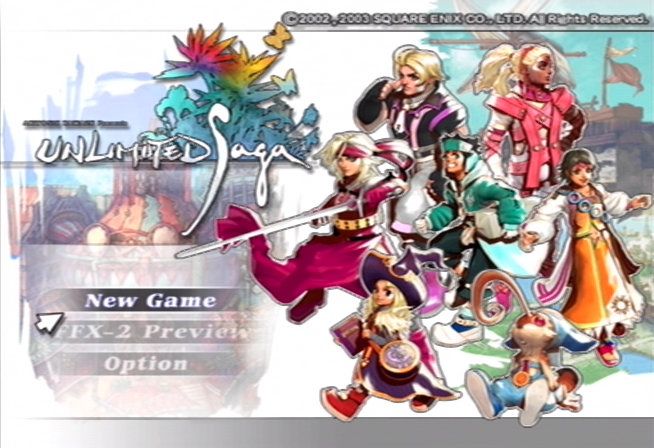
The Free Scenario System allows players to experience adventures through the perspective of various characters. After selecting one of seven protagonists, the player becomes that character. While some protagonists may share adventures, each story is unique.
Players may encounter other protagonists who become supporting characters in their story. There will be several choices to make about the adventure's course, and none of them are wrong. The Free Scenario System is about making your own adventure.
Basic Progression of the Game
•
Select the character you wish to play from the seven protagonists. A picture and brief profile will appear.
•
In inns and villages, obtain equipment and information to prepare for your journey. The story's progression changes depending on your character.
•
Once you acquire the necessary information, you can leave the inn and start your adventure. You may have several scenario options.
•
The adventure begins after selecting a scenario. On the adventure screen (the "moving phase"), you will battle monsters and watch the story unfold.
•
Achieve your goal to clear the scenario.
Towns & Villages
You'll find inns scattered through the towns and villages you visit. Here, you can make preparations for your adventures.
Adventure Inns
•
Shop: Buy, sell, and trade items here.
•
Information: Guests will give you useful information. You may also find new companions.
•
Adventures: Select an adventure and depart. If none are available, you can still gather information and check out the town.
•
Equipment: Change your characters' weapons, armor, and accessories here.
•
Adventure Log: Saves records of your journey onto a MEMORY CARD. From the Inn, select "Adventure Log" and press the button. Select the respective MEMORY CARD slot and save area.
Depending on your location, you may also find magic shops, carriers' guilds, blacksmiths, and divination halls.
Hint: Checking Out the Town
The first time you visit a town, head to the inn (or another establishment) to get information. This may provide helpful tips and, depending on the storyline, open up additional adventures or destinations within the town.
Mythe Works and the Blacksmith
Here you can make and repair weapons and accessories using various materials. You can add abilities or improve the durability of existing items. In Mythe's story, your Weapon level and Accessories processing panel determine the types of items you can make.
Carriers' Guild
When your main character is a carrier, like Ventus, you can get jobs at Carriers' Guilds. As your "Carrier Rank" goes up, new opportunities may arise.
Hint: Come Again Soon
Every shop's inventory changes when you buy or sell items. Check back at shops you've visited before; they might have something new in stock.
Battle System
A Sample Battle Segment
1.
Engage in battle!
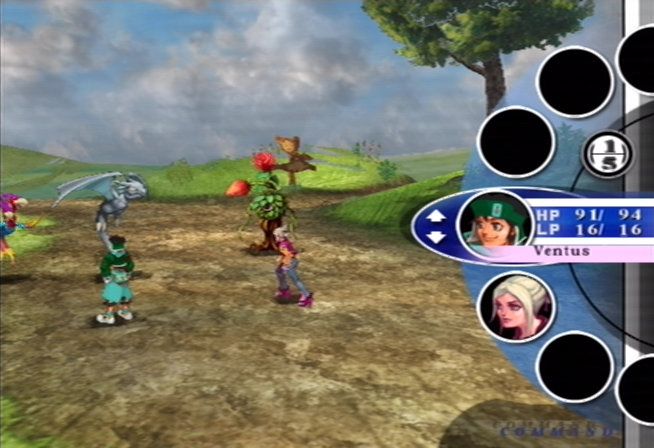
Battles begin when you encounter enemies. Select five techniques to use for this round.
•
Use the up and down directional buttons to highlight a character.
•
Press the button to select.
2.
Choose your techniques and take action!
Once you select a character, choose a weapon or art using the left and right directional buttons. Select a specific technique using the up and down directional buttons. Your party can use a total of five techniques per turn. This allows you to divide attacks between party members, or allocate all five techniques to one character. Remember to consider each member's HP and combat abilities.
3.
Spin the Battle Wheel!
After you have finished choosing your five techniques, the battle wheel will begin to spin. For Elemental Arts attacks, aim for an icon of the same element as your attack to increase its effectiveness. For Melee and Weapons attacks, aim for the more powerful colored panels.
4.
Use techniques or hold and build!
By "holding" techniques and releasing them, you can create powerful combo attacks.
•
Press the button to stop the reel and use the selected technique.
•
Or, press the button to "HOLD" the technique and use it in a combo attack. As your technique improves, more colors will appear on the reel, which have the potential to boost your attacks!
5.
The battle is on! Can you master the combo attacks?
Though extra damage can be inflicted by joining techniques from different characters, the impact may lessen if the enemy interrupts your combo. Keep your opponent's agility in mind when making your battle strategy!
Combo Attacks
When you "HOLD" an attack on the battle reel using the button, it will connect with the next attack. These "combo attacks" inflict more damage on the enemy than when used separately. The more techniques you combine in one combo attack, the more damage inflicted, including damage bonuses. Careful usage of these combos lets you defeat otherwise unstoppable monsters.
Combo attacks are not simply a series of techniques among allies. Your enemies may interrupt your combo attack with techniques of their own. In some cases, this may mean more than a change of momentum; the damage intended for your enemy may double back on you! By mastering the use of high-power techniques and combo attacks, you should be able to control the flow of any battle.
Individual Combo Attacks
A single character can execute a combo attack by selecting multiple techniques with the "HOLD" option. Individual combo attacks are harder for enemies to interrupt, but inflict less damage than allied combo attacks.
Allied Combo Attacks
To execute an allied combo attack, use the "HOLD" option on the battle reel while connecting techniques from multiple characters. Though the enemy may jump
.png)

.png)


_1.png)

.png)






.png)