DATA
Confirms the contents of the FBI modules you pick up during the game. When the contents are displayed, you can scroll up and down the screen by pressing the directional buttons.
SAVE
Save a game in progress. You can save almost anywhere in the game. However, when resuming a saved game, you will be placed at the beginning of the map you last played or at the last key line point.
To save game data, insert a memory card (8MB) for PlayStation 2 into MEMORY CARD slot 1. •
Game data cannot be saved when the memory card is inserted into MEMORY CARD slot 2.
This game requires a minimum of 84KB of available memory to save data. If less than 84KB of free space is available, more data before saving.
A maximum of three game data files can be saved onto a single memory card.
While the game data is being saved or loaded, do not turn off or reset the console or pull out the memory card. Doing this may cause data corruption to the saved game.
You can load saved game data from the same card, or from any memory card containing previously saved EOE: EVE OF EXTINCTION games.
CLIMB UP OR DOWN ON POLES
1. Grab pole
2. Move up/down on pole
3. Rotate left/right with pole as axis
4. Somersault backward off pole
5. Release hold to fall directly below
PUSH BUTTONS OR SWITCHES
1. Push button or switch
•
You can also attack a button with a weapon to activate it.
SWIM
1. Move forward
2. Change direction
3. Grab object
•
Jumping into water with a weapon equipped will automatically unequip the weapon.
STARTING THE GAME
TITLE SCREEN
Press the button at the FILE Screen to display the MAIN MENU. Use the directional buttons to navigate through the menu and press the button to accept your selection.
•
NEW GAME - Start game from the beginning.
•
LOAD GAME - Load previously saved game data. LOAD GAME will not appear if no saved game data exists in the memory card (MB) for (MB) inserted in MEMORY CARD slot (1).
•
OPTIONS - Set game settings for the game. The game settings can also be changed within the game from the MAIN SCREEN.
GAME OVER AND CONTINUES
The CONTINUE SCREEN is displayed when your health meter reaches zero. From the CONTINUE SCREEN, select YES to continue the game at the stage you left. Select NO if you do not want to continue the game. This will take you to the GAME OVER SCREEN and then back to the TITLE SCREEN.
If you do not make your selection on the CONTINUE SCREEN in some time, it will take you to the GAME OVER SCREEN.
•
There may be a limit to the number of times you can continue.
LEGACY ACTIONS
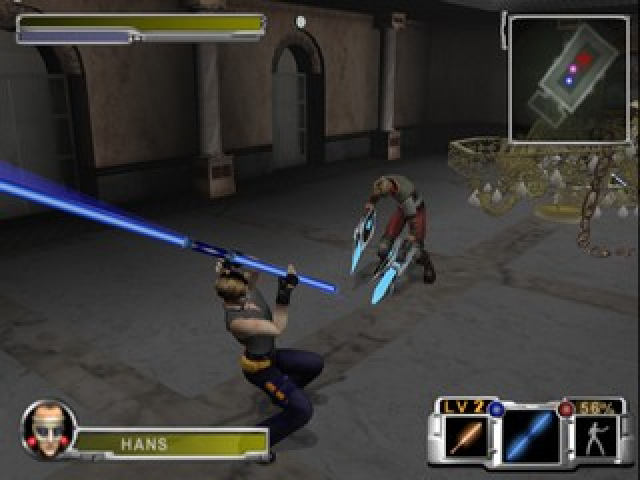
Press the button when a weapon is equipped to execute a move that makes use of the weapon's physical attribute.
By using the Rod like a pole vault, you can jump much higher and farther.
The Snake Sword can shoot out its blade to extend the attack distance. You can use this attribute to anchor the tip of the sword to a wall. When the blade connects, you can pull yourself toward the wall. The same action is possible while jumping.
LEY SEEDS
The Legacy Drive of a weapon can only be executed when two Ley Seeds (blue and red) are set on each Weapon Crystal.
LEGACY DRIVE
If you have two Ley Seeds set on a Weapon Crystal, you will be able to initiate its Legacy Drive providing that you have enough Legacy Drive energy in your Legacy Drive meter.
Push down the button once to initiate the first phase of the Legacy Drive execution. You will then see a Legacy Drive Signature drawn on the screen.
Match your right analog stick, trace the signature inside the circle in the order in which it was drawn. The Legacy Drive is executed once the signature has been traced correctly.
•
The Legacy Drive signature and effect differ depending on the weapon equipped.
.png)

.png)
.png)
.png)



_1.png)


_1.png)
_1.jpg)

_1.jpg)