Starting the Game
•
Turn OFF the POWER switch on your Nintendo Game Boy Color. Never insert or remove a Game Pak when the power is ON.
•
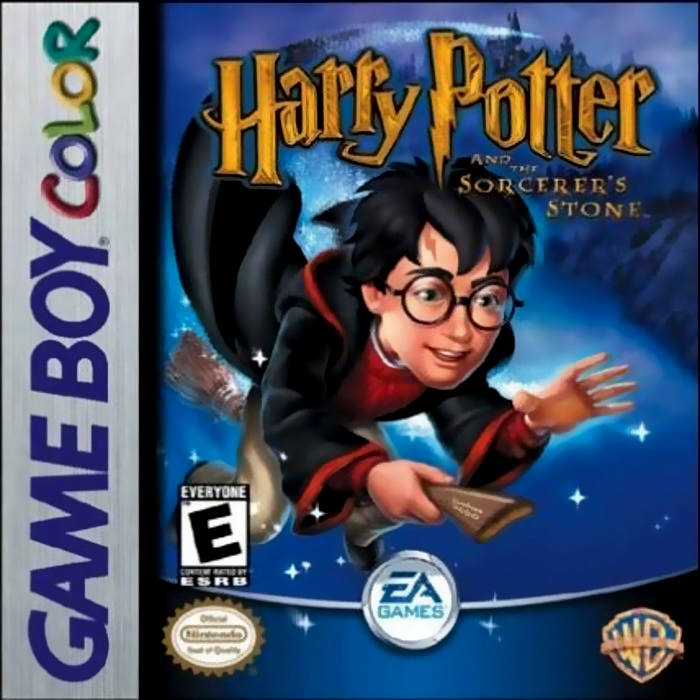
Insert the Harry Potter and the Sorcerer's Stone Game Pak into the slot on the Game Boy Color. To lock the Game Pak in place, press firmly. •
Turn ON the power switch. The Nintendo logo and legal screens appear.
•
Press START or the A Button to advance to the Title screen.
•
Press START to advance to the Main menu screen.
This Game Pak only works with the Game Boy Color and Game Boy Advance Video Game Systems.
Language Selection
From the Main menu, select the Language Select option to choose the language you want for your game. For American English, select ENGLISH US from the Language Select screen.
Getting Started
Your adventure begins at the Main menu. From here, you can start a new game, load a game in progress, select/change a language, or access bonus games.
To get to the Main menu, press START from the Title screen.
Main Menu Screen
•
New Game: Begin your adventure.
•
Load Game: Load a previously saved game.
•
Language Select: Select a new language (for American English select ENGLISH US).
•
Bonus Games: Check out the bonus games you've unlocked so far during your adventure and practice your skills in the magical arts.
Starting a New Game
To start a new adventure, highlight NEW GAME, then press the A Button. The Select A File (New Game) screen appears.
You can start a new game or overwrite a saved game.
•
Select NEW GAME from the Main menu screen and press the A Button.
•
Now, highlight an UNUSED slot and press the A Button. The book opens and the game begins.
To overwrite a game, highlight the game and press the A Button. Select 'YES' and press the A Button.
To move between slots, press the Control Pad UP/DOWN.
Remember that you must save your progress before you switch off your Game Boy Color console.
Loading a Game
If you've saved previously, highlight LOAD GAME and press the A Button. The Select A File (Load Game) screen appears.
Bonus Games
Bonus games become available only after you have unlocked them in the full game.
Default Settings
Default settings in this manual appear in bold type.
Your First Steps into the World of Wizardry
Your first stop is Ollivander's Wand shop, where Hagrid will greet you. A wand is the essential tool for every wizard—without a wand, you are powerless against any creatures you encounter in your adventure.
Magical Encounters
In the game world, you'll notice strange effects spiraling in the surrounding environment. Almost certainly this indicates that a magical encounter is close at hand.
If you encounter a magical creature, you'll have to scare it off with a well-cast spell or two, otherwise they might hinder your progress.
Magical Encounter Options
•
SELECT TO CHOOSE A SPELL
•
SELECT TO CHOOSE THE ITEM YOU WANT TO USE.
•
SELECT THIS OPTION IF YOU CAN'T SCARE A CREATURE AWAY. SOMETIMES WHEN YOU SELECT IT, YOU CANNOT FLEE. IN SUCH CASES, YOU MUST STAY AND FINISH THE ENCOUNTER.
•
SELECT TO CHOOSE A MAGICAL CARD COMBINATION FROM YOUR COLLECTION.
Character Stats
Numbers that appear above each character's head indicates loss of stamina.
Spells
Your spells are your arsenal against the creatures trying to stop you from completing your quest. Early in your adventure, you'll only have two spells to choose from. In time, though, you'll learn many more.
To Cast a Spell
•
Highlight SPELL and press the A Button to choose an available spell.
•
Press UP/DOWN on the Control Pad to highlight a spell, then press the A Button. A cursor appears next to the target of the spell indicating that you're ready to cast the spell.
•
Press the Control Pad to point the cursor at the creature you want the magic to work on. Then press the A Button to cast the spell.
•
If you've chosen an effective spell, the creature's stamina will be reduced and it'll flee. If it hasn't fled, you can try the spell again or try another option.
Spell Casting Notes
•
If more than one creature appears on the screen, you can cast another spell by moving the spell cursor to a different creature.
•
If all creatures flee, the Reward screen appears and you gain useful Experience Points (EXP), money in the form of silver Sickles, and sometimes even magical items!
•
Your Magical Points (MP) drop as you cast spells. When selecting a spell, the cost of each spell is shown to the left of the spell's name.
Famous Witches and Wizards Cards
Aside from being the envy of all your wizard friends, you'll find that with practice (and a little trial and error), you'll be able to use all sorts of powerful magic to get out of tight situations. To successfully use the cards, you must choose a complete combination or they will not produce an effect.
Collecting Combinations For Successful Card Magic
When you find the cards required for a combination, you can unleash some powerful spells indeed.
•
Many characters you meet have card combinations in their possession. Approach them and they might be willing to share with you.




 (Es,It,Pt).png)

_1.jpg)



_1.png)

_1.jpg)






_1.jpg)

_1.png)

_1.jpg)


_1.png)
