Title Screen Commands
When you press the Start button on the 1P or 2P controller from the title screen, you can access the following commands.
Start the game. If save data exists, you can select any stage up to the last cleared stage.
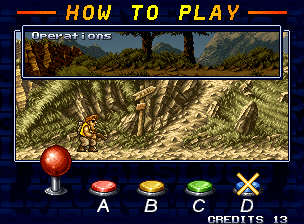
A demo of the operation instructions will play.
Move the cursor to this item and press the A button (or move the lever to the right) to switch to the option screen. Here you can change various settings.
Option Items
Change settings by selecting an item and pressing the A button (or moving the lever to the right).
Set the number of remaining players.
Set the game difficulty.
Set button assignments for the 1P controller.
Set button assignments for the 2P controller.
If "VULCAN FIX" is set to ON in 1P KEY CONFIG (or 2P KEY CONFIG), the shot direction will be fixed while the shot button is pressed.
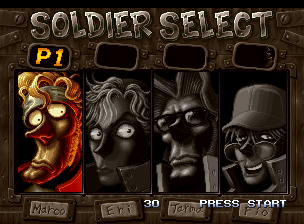
How to Start the Game
About Continue & Mid-game Participation
If you have credits remaining, you can continue even if all players are out. Press the start button before the continue count on the screen reaches 0.
If both 1P and 2P controllers are connected, mid-game participation is possible. Press the start button on the unused controller to join the game.
Metal Slug Good Story / Part 2
Don't lose even if you become a snowman! Escape with lever mashing!
Vehicles
You can board vehicles marked with "IN" by approaching them and pressing the jump button.
Vehicle appearance methods vary. They may be simply placed on the stage, or they might only appear after destroying something nearby or interacting with XXX.
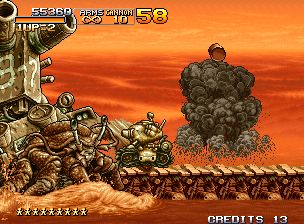
High-mobility small tank.
A classic style.
Humanoid combat mech.
Equipped with two Vulcan cannons.
High-performance V-TOL aircraft.
Equipped with high-speed missiles.
One-person submarine.
This is for underwater.





.png)


_1.png)

_1.png)