MANEUVER CONTROLS
L : R Buttons (Targeting Sight Accelerator)
Accelerates Targeting Sight movement by pressing L or R buttons together with direction pad. More acceleration is available by pressing both L and R buttons together with direction pad.
P Button (Pause/Restart)
Pause or restart the game during play. This button also allows you to skip animations.
Direction pad (Targeting Sight Control)
Moves the Targeting Sight of the Laser Beam Cannon. It is also used to move the cursor in the selection menu.
X Button
Not used in this game.
A : B : C Buttons (Triggers)
Fires the Laser Beam Cannon during play; A, B, and C functions are the same. These buttons are used to choose options in the selection menu and accelerate the countdown at the end of the game.
Note: The A button is used in the rest of this manual to refer to A, B, or C button presses, also referred to as a trigger.
HOW TO GET STARTED
Turn on your 3DO™ Interactive Multi Player™ and ensure the power indicator is on. Open the CD tray and place the Star Blade CD-ROM on the center of the tray with the printed side up. Close the tray and wait for the 3DO Logo mark and Star Blade demo to appear on the TV screen. To open and close the tray, follow the instructions in the manual which comes with your 3DO™ Interactive Multi Player. GET ON YOUR SHIP
Press the P button during the demo to open the start menu. Use the Direction pad to choose a mode from [Arcade mode] and [3DO mode]. Press any of the A/B/C buttons to start the game. •
Arcade mode: Displays filled polygons just as in the arcade version.
•
3DO mode: Offers an enhanced 3DO version with bitmaps to bring new life to the story. GAME SCREEN
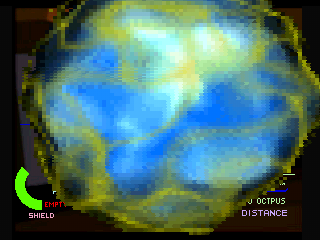
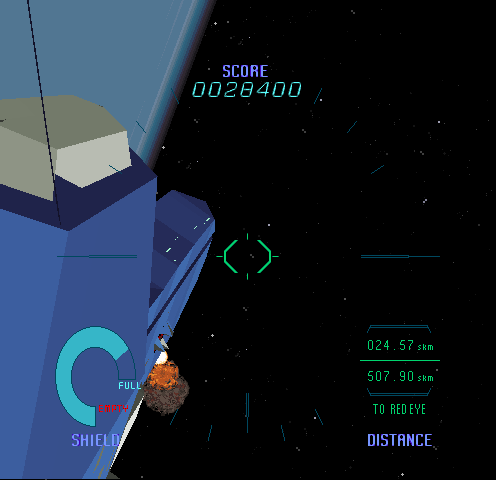
The game screen displays the following information:
•
Distance left to the target
LASER BEAM CANNON
Catch an enemy at the center of the Target Sight using the Direction pad and fire the Laser Beam Cannon with a Trigger. Press the Accelerator buttons (L/R Buttons) along with the Direction pad to move the Target Sight faster. Press a Trigger to fire the Laser Beam Cannon.
Your ship is controlled by the Navigation Computer and you cannot change its course. A hit by enemy weapons decreases your Shield energy. If you have lost all of the Shield energy, you are dead and lose the game.
Try to shoot down all the enemies in your view so they cannot harm you. Aim and shoot them as quickly as possible, as it is the key to survival. Don't forget, a Good enemy is a Dead enemy.
CONTINUE THE GAME
You can continue to play the same game three times. A countdown starts when the game is over. Press the Start button before the countdown ends. You can accelerate the countdown by pressing the A button.
HALL OF FAME
You can have your name listed in the Hall of Fame if you are ranked within the top ten pilots. Enter your name in the name entry field using the Direction pad and the A button.
Choose a letter using the Direction pad and enter the letter using the A button. Use the [back arrow] mark to erase the last entered letter.
.png)


_1.png)


.png)

.png)
.png)