LOADING
1. Make sure the power switch is OFF.
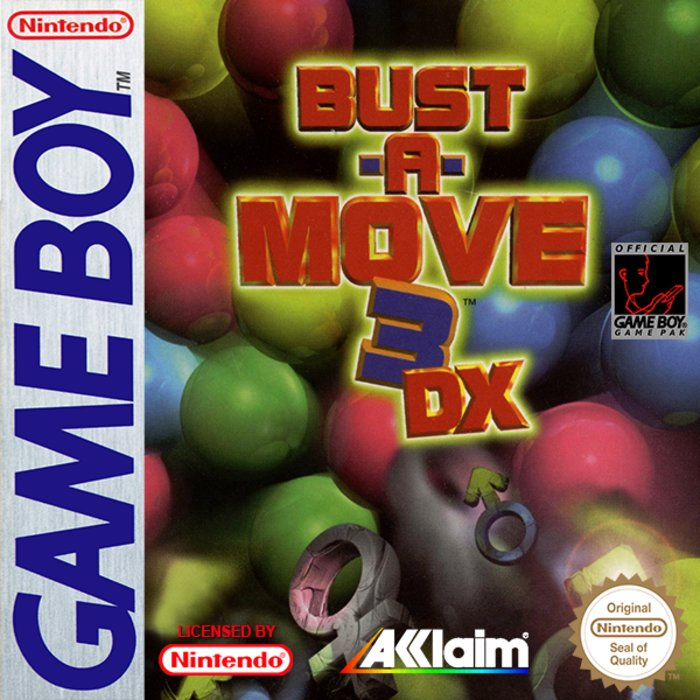
2. Insert the Bust-A-Move 3™ Game Pak as described in your NINTENDO GAME BOY® instruction manual.
3. Turn the power switch ON.
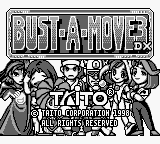
When the Bust-A-Move 3™ title screen appears, press START.
NOTE: Bust-A-Move 3™ is for one player.
THE STORY
One day...
Bubble World's magical master of mischief, DUNK, cast a mysterious spell. And with a sudden flash of light, eight characters from eight other game worlds found themselves suddenly transported to Bubble World.
It's up to you to send them home!!!
THE CONTROLS
REMEMBER...
Aim the pointer with ← or → on the Control Pad.
Fire Bubble with the A Button.
AND DON'T FORGET...
•
← CONTROL PAD + B BUTTON Shifts slightly to the LEFT with each press.
•
→ CONTROL PAD + B BUTTON Shifts slightly to the RIGHT with each press.
•
Keep Control Pad pressed in the UP position to lock pointer in the vertical position.
THE GAME MODES
There are two modes featured in Bust-A-Move 3™.
Press START while the title screen is displayed. Press ↑ or ↓ on the Control Pad to select a mode. Press either the A or START Button to start the selected mode.
ARCADE MODE
This mode offers you the arcade conversion of Bust-A-Move 3™.
CHALLENGE MODE
In this mode, you are given certain conditions for clearing each round. Your gameplay will be evaluated when you clear all stages.
OPTION MODE
This mode allows you to customize your game.
THE SCREEN
•
SCORE: Current total score.
•
DEADLINE: Your game's over once the bubbles on the playfield cross this line.
•
BUBLOCK: When a certain number of bubbles are launched, the whole set of bubbles will drop DOWN with this block.
•
GUIDELINE: Helps you aim your bubbles.
BASIC RULES
Fire bubbles from your launcher and eliminate bubbles before they push past the DEADLINE.
ELIMINATING BUBBLES
Eliminate bubbles by connecting three or more of the same bubble type/hue.
DROPPING BUBBLES
The more you drop at one time, the higher your score!
GAME OVER
The game's over once the bubbles push past the DEADLINE.
CONTINUE
During the Game Over sequence, if you push START while the countdown is being displayed, you can continue the current game.
NOTE: Set the number of CONTINUES in the OPTION MODE.
SPECIAL BUBBLES
The bubbles described below have special properties.
•
STAR BUBBLE: Contact with a bubble will eliminate all bubbles of the same type.
•
RAINBOW BUBBLE: When in contact with an eliminated bubble, it will adopt the color of that bubble.
•
BLOCK BUBBLE: Although blocks cannot be eliminated, you can still clear a round whether they are on the playfield or not.
•
METAL BUBBLE: Once launched, it will continue eliminating bubbles until it comes in contact with either a wall or Block Bubble.
•
BUBLOCK BUBBLE: Similar to Block Bubbles, a Bublock can be removed by eliminating all the surrounding bubbles in contact with it.
NOTE: You cannot clear a round if a Bublock is still on the playfield.
NAME ENTRY
You can record up to three letters. If you achieve a high-ranking score in Player Vs. Computer. Just choose a letter by pressing ← or → on the Control Pad, and execute your selection by pressing the A Button.
All high score entries are saved automatically until you turn off the Game Boy®.
THE CHARACTERS
Depending on the opposing character, bubble-attack combinations will vary.
•
BUBBLOON: A well-balanced character that attacks with a random combination of bubbles.
•
PRETTIO: A very persistent character that guarantees a pretty steady game.
•
TWINKLE: Not very strong on the defensive side. But beware this character's rainbow bubble-attack! Twinkle's tough when the pace of the game gets frantic. •
MUSASHI: Strong and steady character that executes attack combinations from the top and bottom of the screen.
•
MARINA: An unpredictable character that attacks with a combination of bubbles.
•
LUNA: The longer a battle's drawn out, the tougher this character gets.
•
JACK: With an attack combination that includes BlocStar Bubbles, this is probably the most powerful character.
•
SUPER SONIC BLASTERMAN: Mixes block bubbles in his attack combinations. A vicious character that leaves little room for counter-attacks.
ARCADE MODE
Starting up
•
Select the desired mode of play by pressing either ← or → on the Control Pad and start the mode with the A Button.
GAME SELECTION
•
Puzzle (1 Player): Clear a round by eliminating all the bubbles on the playfield.
•
Player Vs. Computer: Compete against the CPU-controlled characters.
DIFFICULTY LEVEL
There are three levels of difficulty from which you can select from. Press either ← or → on the Control Pad and decide your selection with the A Button.
CHARACTER SELECTION
Press either ← or → on the Control Pad to select a character and decide your selection with the A Button.
NOTE: When playing Puzzle (
.png)

_2.png)
.png)
