Casino Navigation
Use the CONTROL PAD to move the cursor throughout the casino.
Game Selection
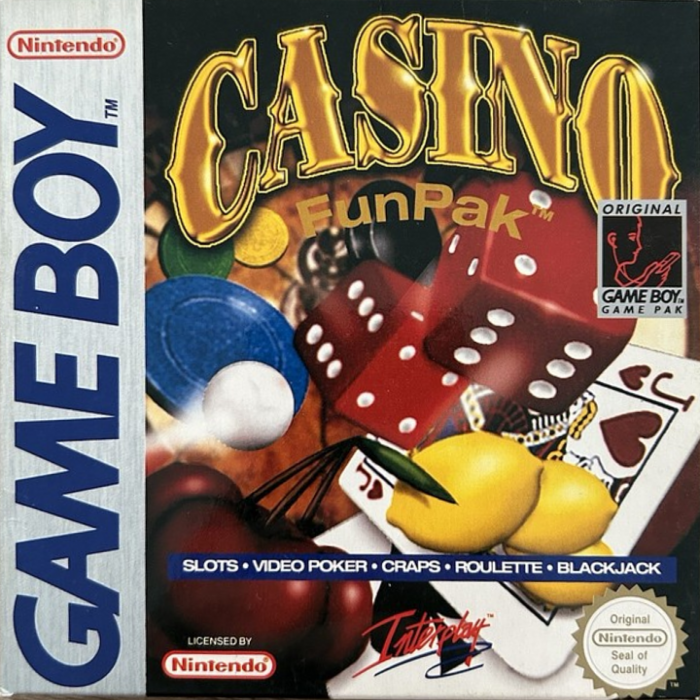
The Casino Fun Pak features five popular casino games: Roulette, Video Poker (5 card draw), Slots, Blackjack, and Craps. A Tournament mode is also available.
•
Access games by moving the cursor to the desired game's location and pressing START.
Options Window
•
Press SELECT at any time during a game to call up the Options window.
•
Perform functions like changing music or quitting a game by pressing B in the Options window.
ROULETTE
How to Play
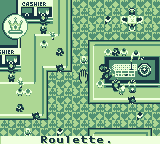
After choosing Roulette, the table appears and you select your bet amount.
•
Use the A button to increase bets.
•
Use the B button to decrease bets.
•
Set the number of chips in EACH column.
Example Bet
To place a bet of 125:
•
Move the cursor to the 1's column and select 5 chips.
•
Move to the 10's column and select 2 chips.
•
Move to the 100's column and select 1 chip.
Chips are deducted only when placed on the table.
•
Press START when ready to place chips.
•
Use the CONTROL PAD to move the cursor around the table.
•
Press A to "drop" the chips.
•
Press A again to undo the previous chip placement.
•
Press B to clear all bets on the table.
When all bets are made and you are ready to spin:
•
Move the cursor to the SPIN space at the top of the screen and press A.
•
Press A again to spin the wheel.
•
Press A one more time to return to the table after the spin is completed.
Betting Options and Payoffs
Winning a bet retains your original bet plus additional chips based on odds.
The Single Bet
•
Place your bet on any individual number (1-36, 0, or 00).
•
Payoff: 35 times your original bet.
The Double Bet
•
Bet on two numbers simultaneously.
•
Place chips on the dividing line between the two numbers.
•
Payoff: 17 times your original wager.
The Triple Bet
•
Place one bet on three numbers.
•
Place chips on the line separating the numbered spaces from the rest of the table (e.g., on the line dividing number 1 from "1st 12" to bet on 1, 2, and 3).
•
You can also place your bet at the top of any of the three columns of numbers to bet on any of the 12 numbers in that column.
•
Payoff: 11 times your original bet.
The Quadruple Bet
•
Place chips on the common corner of four numbers.
•
Payoff: 8 times your bet if one of those numbers comes up.
The Six Bet
•
Similar to the Triple Bet, but positioned to touch both numbers of two columns.
•
Example: To bet on numbers 1-6, chips must be on the dividing line between 1 and 4, and also on the edge of the number field (touching the "1st 12" space).
•
Payoff: 5 times your original bet.
The Twelve Bet
•
Select twelve numbers at once.
•
Place chips on any of the spaces marked 1st 12, 2nd 12, or 3rd 12.
•
Payoff: 2 times your original bet.
Even Money Bets
At the bottom of the Roulette table are six other betting options that pay even money.
•
Two spaces on the outer corners allow betting on 18 numbers at a time (1-18 and 19-36).
•
You can also bet on numbers based on whether they are Even or Odd, or Black or Red (white).
Each of these betting options represents a single bet. You can place up to eight bets on any one spin, provided you have enough chips to cover the wagers.
VIDEO POKER
How to Play
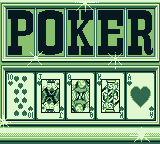
After choosing Video Poker, you will set your bet amount.
•
Use the CONTROL PAD to select either Raise or Lower Bet.
•
Use the A and B buttons to change the amount.
•
Press START once the bet amount is decided; the game play screen will appear.
You can change the bet amount before the start of a hand (when all cards are face down) by pressing START.
•
Use the CONTROL PAD to move the cursor from card to card, the coin slot, and the DEAL space.
•
Move the cursor to the coin slot at the bottom of the machine and press A to deposit coins. A maximum of 5 coins may be deposited.
•
Move the cursor to the DEAL space and press A to deal a new hand of five cards.
If you are satisfied with the hand:
•
Press A again while the cursor is over the SCORE button to display winnings.
To improve your hand:
•
Move the cursor to the cards you wish to keep and press A.
•
If you selected a card by mistake, press A again to deselect it.
•
After selecting cards to keep, move the cursor back to the DEAL space.
•
Press A to deal new cards to replace your discards.
•
Cards that remain face up will be undisturbed by this second deal.
Each hand can have only two deals. The resulting five cards represent the finished hand.
•
After the second and final deal, move the

.png)

.png)
