Welcome to the Tamagotchi Laboratory
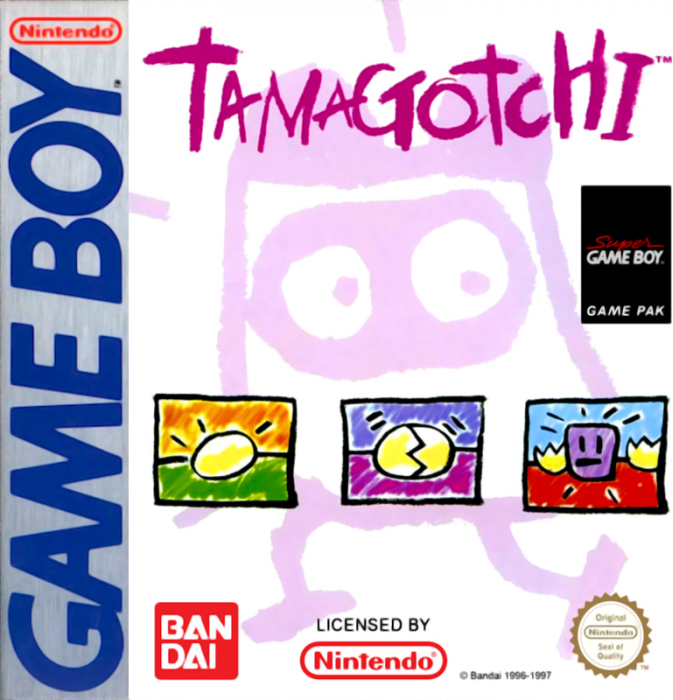
Here are some of the great things you can do with your Nintendo® Game Boy® Tamagotchi Game.
•
You can raise three Tamagotchi at the same time.
•
You can set Tamagotchi's growth rate.
•
You have other ways to care for your Tamagotchi that differ from the toy.
•
You can enter your Tamagotchi in tournaments.
•
The game is saved automatically, so when you restart you can return to your unfinished game.
How To Use The Controller
•
Control Pad: Press to move the cursor up, down or sideways.
•
A Button: Press to make a selection.
•
B Button: Press to cancel and return to the Main Menu.
•
START Button: Press to set the modes for the beginning of the game.
•
SELECT Button: Press to return from the Laboratory to the Options Menu.
Starting The Game
Place the Tamagotchi cartridge in the GameBoy and turn the ON/OFF Switch to the ON position. After a short demonstration, you will see the Main Menu. From the Main Menu, you may choose one of the following:
•
Continue: Restarts the game you were previously playing.
•
New Game: Starts a new game with a new egg.
•
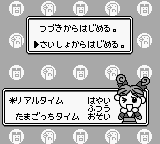
Options: There are three options. "Time Speed" lets you set the growth rate of your Tamagotchi at either Fast, Med, or Slow. "Memory" lets you check the recorded data on your Tamagotchi. "Exit" returns you to the Start Menu.
To make a selection on any screen, press the Control Pad to move the cursor to your desired choice, then press the A Button to enter the selection.
If you want to start a new game, move the cursor to New Game and press the A Button. You will enter the Laboratory. You will be asked whether you want to “Erase Game”. You must choose “yes” to begin a new game. Then, you advance to the Choose Egg Screen.
On this screen you can select either “Choose Egg” or “Explain”. If you select Explain, you will be able to advance to a series of screens that explain various aspects of the game.
If you select "Choose Egg" you advance to the Egg Room where you can choose any one of eight eggs. After you choose an egg, you must name it.
To name an egg, you move the cursor above a desired letter with the Control Pad and press the A Button to select the letter. The name may be from one to six letters long.
When you are done spelling out the name, select "ED" to advance to the Game Screen. You cannot change a name once the game has begun. If you want to take care of more than one egg, choose another egg after you have named the first one. You can raise three eggs at the same time.
Taking Care of Your Tamagotchi
The Icons at the top and bottom of the Playing Screen allow you to take care of your Tamagotchi.
Top of the screen from left to right
•
Clock: Keeps the time of the game.
•
Time Range: Changes with the time on the clock.
•
Call Signal: Appears when a Tamagotchi is calling you.
•
Tamagotchi Selector: Lets you choose which Tamagotchi you want to care for (you can grow up to three Tamagotchi at the same time).
Bottom of the screen from left to right
•
Food: Lets you choose the foods you want to feed your Tamagotchi.
•
Light: After your Tamagotchi goes to sleep, select the A button to turn off the light. Select it again to turn the light back on.
•
Game: Select this to play with your Tamagotchi. You can play three different games which will improve your Tamagotchi's mood, mental powers and physical condition.
•
Medical Care: A skeleton head on the screen means your Tamagotchi is sick. You must provide medicine or an injection to cure your Tamagotchi.
•
Toilet: If your Tamagotchi goes to the bathroom, you have to select this icon to flush the toilet.
•
Check Meters: Lets you check the Life (hunger), Fun (mood), IQ (mental power), Body (physical fitness), and Deed (training) meters of your Tamagotchi.
•
Training: You may praise or scold your Tamagotchi by selecting this icon.
•
The Laboratory: Lets you return to the Laboratory where you can do the following:
•
Get special instructions from the Professor.
•
Enter a Tamagotchi in tournaments.
•
Choose a Tamagotchi to return to the Home Planet.
Tamagotchi Games
You access the three Tamagotchi games from the Game icon. The three games are; the Smile Game, the Study Game and the Sports Game.
The Smile Game
Your Tamagotchi will look to the right or the left. You have to guess which way it will look next. Select the direction using the Control Pad.
If you choose the same direction as your Tamagotchi three times out of five, its Fun Meter will improve. The Fun Meter has 4 hearts on it. When all four hearts are full, your Tamagotchi is in its best mood.
The Study Game
You can help your Tamagotchi study. There are three difficulty levels of math questions: A, B and C. When your Tamagotchi gets two out of three questions correct
.png)

 (SGB Enhanced).png)
 (SGB Enhanced).png)
 (SGB Enhanced).png)


.png)


.png)