GETTING STARTED
1. Make sure the POWER switch is in the OFF position.
2. Insert the Nintendo GAME BOY® Game Pak into the slot on the back of the Game Boy® system, label facing AWAY from play side.
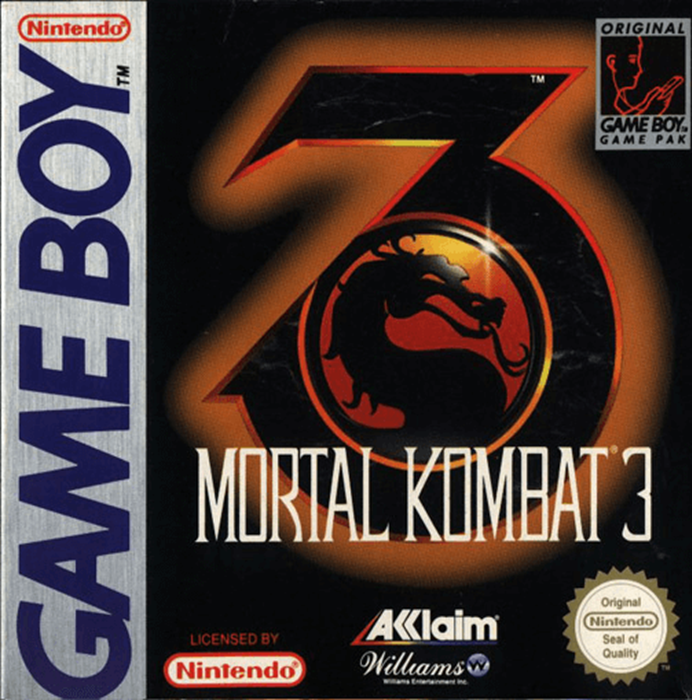
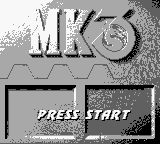
3. Slide the POWER switch to the right to turn the power ON. The game will cycle through an opening sequence giving the storyline, etc. You may bypass at any time after the appearance of the Mortal Kombat®3 Title Screen by pressing START. 4. Press START on the Main Screen and the game will begin.
START GAME MODE
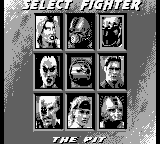
If you select START GAME you will go to the “Select Your Fighter" Screen which has pictures of all the Warriors available.
Use the Control Pad to move onto the Fighter of your choice. Press Any Button to select him/her and begin the Fight at the location shown at the bottom of the screen.
FIGHTING SUMMARY
The Tournament first tests a Warrior's fighting skill by pitting him against the other Tournament Challengers. In all Mortal Kombat battles, meters in the upper part of the screen measure the health of each Warrior. The meters begin each round showing the Warrior's full health, but are reduced with each blow taken. The amount of the reduction depends both on the type of hit and whether or not it was blocked.
When a Warrior's Health Meter runs out, he is knocked out and the round goes to the opponent. Should time run out before either Kombatant is knocked out, the Warrior with fewer injuries is declared the victor.
BASIC MOVES
The best way to begin your training is with the fundamental moves: Kicks, Punches, Crouches, Jumps and Blocks. These moves may seem trivial compared to powerful and acrobatic moves like the Flying Kick, but knowing how to stop, avoid or counteract a Flying Kick can be far more useful than knowing how to land one yourself.
The RUN (A+B) feature is especially powerful. No longer can a foe hide by backing off. Hold the A+B Buttons while pressing towards your opponent on the Control Pad to rush your prey. Combined, these fundamentals are the foundation for both a strong defense and a potent offense!
SECRET CODES
After the VS BATTLE Screen you will see the CODE SCREEN with a row of six boxes with different Dragon Icons in them. You can change the symbols in the boxes by pressing your Control Pad L/R to highlight the boxes and Control Pad U/D to change symbols. The six symbols represent secret codes which can have subtle or dramatic effects on game play.
ICONS
CODE ENTRY
•
LEFT / RIGHT TO HIGHLIGHT BOXES
•
UP / DOWN TO SWITCH ICONS
Pressing Control Pad UP once will change the Dragon Icon in the first box into a “MK” symbol. Pressing it a second time will change it to the third Icon in the sequence (a Yin/Yang) and so on. Pressing a button more than nine times will cause the order of the Icons to start over.
Pressing Control Pad Up when the box is showing a Skull Symbol will change the skull back to the original Dragon Icon.
EXAMPLE CODE
Skull, Shao Kahn, Rayden, MK, Yin/Yang, 3. To enter this code, press Control Pad R to highlight each box in turn. After highlighting, then press Control Pad U nine times for box #1, eight times for box #2, seven for #3, once for #4, twice for #5 and three time for #6. The Code Screen doesn't stay up for long, so you need to punch in the codes quickly.
.png)

_2.png)
.png)


_1.png)