Getting Started
WARNING: NEVER TRY TO INSERT OR REMOVE A GAME PAK WHEN THE POWER IS ON!
1. Turn the power OFF on your Super NES®.
2. Make sure a Controller is plugged into the #1 Port on the Super NES® System.
3. Insert the Game Pak into the slot on the Super NES®. Press firmly to lock the Game Pak in place.
4. Turn the power switch ON. The game will cycle through an opening sequence giving the storyline, etc. After the appearance of the Mortal Kombat®3 title screen, you may bypass at any time by pressing START. 5. Press START to get to the Main Menu. Here you have two choices: START or OPTIONS. Press up/down on the control pad to highlight with the rotating coin. Then press START to select your choice. Good Luck!
This product is not designed for use with the Super NES® Mouse, Super NES® Super Scope or Super NES® Multi-Player Adapters.
Options
If you select OPTIONS at the Main Menu, you will go to the “Choose Your Options” Screen. Press Up/Down on the Control Pad to highlight the various features. Then press Left/Right on the Control Pad to change. All changes showing when you exit the screen will be active.
•
MUSIC: STEREO, MONO, or OFF
•
SOUND EFFECTS: ON or OFF
•
DIFFICULTY LEVEL: Very Easy, Easy, Medium, Hard or Very Hard
•
HANDICAP: A feature that allows two players of different skill levels to battle on an equal basis. Use the Control Pad-RIGHT to raise the amount of damage your character will incur with each hit. Use the Control Pad-LEFT to lower the amount of damage you will incur. Handicap only works in the 2-player mode.
Start Mode
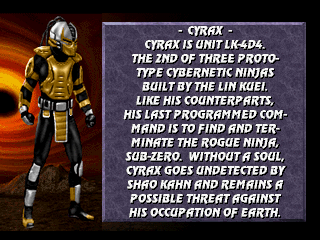
If you select START GAME you will go to the “Select Your Fighter” Screen which has pictures of all the warriors available to a player-Liu Kang, Kung Lao, Jax, Sonya, Cyrax, Sektor, Sub-Zero, Nightwolf, Kabal, Stryker, Kano, Shang Tsung, Sindel, and Sheeva. Use the Control Pad to move the colored frame onto your choice. Press any button to Select him/her and begin the Fight in the location shown at the bottom of the screen.
Once you have chosen your Fighter, you will be taken to the “Choose Your Destiny” Screen. Press the Control Pad Left/Right to toggle between the columns: WARRIOR, MASTER or NOVICE. Press ANY BUTTON to select. You will then see a large column scrolling with the characters' faces.
Should a second player desire to join the fight, he may do so at any time by pressing the START Button. This will then return both players to the “Select Your Fighter” Screen, where they must again choose Warriors. Should both players select the same Warrior, Player Two will be distinguished by a different color.
Fighting Summary
The Tournament first tests a Warrior's fighting skill by pitting him against the other Tournament Challengers. In all Mortal Kombat battles, meters in the upper part of the screen measure the health of each Warrior. The meters begin each round indicating the Warrior's complete health, but are reduced with each blow taken. The amount of the reduction depends both on the type of hit and whether or not it was blocked. When a Warrior's health meter runs out, he/she is knocked out and the round goes to the opponent.
Should time run out before either Kombatant is knocked out, the Warrior with less injuries is declared the victor. The first Warrior to win two rounds takes the match and moves on to his/her next opponent.
NOTE: If four rounds pass without a match winner, both Kombatants will be disqualified from the tournament.
Close Quarters
Additional moves used during close-in combat situations are the Knee and the Throw. They are highly effective and do not require full limb extension, which is impossible in close quarters. Although these moves are potent, they can be used only when directly adjacent to an opponent.
Crouching Moves
Defensively, the Crouching Moves allow one to avoid punches and aerial weapons, to escape from close proximity and to avoid being thrown. Offensively, the Uppercut, executed from the Crouch is one of the most powerful offensive weapons in a Warrior's arsenal. To do the crouching moves, hold the Control Pad DOWN and simultaneously push A or X for Kick or hold the Control Pad DOWN and push Y for Uppercut. The BLOCK (L Button & Control Pad DOWN) can always be used to defend against your opponent's moves.
Secret Codes
At the bottom of the VS BATTLE Screen you will see a row of six boxes with different Dragon Icons in them. Player 1 can change the symbols in the first three boxes by pressing his or her HIGH PUNCH, LOW PUNCH and LOW KICK (default: Y,B,A) Buttons. Player 2 can do the same with the other three symbols. If you hold UP on the Control Pad while pressing Y, B or A, you can reverse the order in which the Icons appear.
The six symbols represent secret codes which can have subtle or dramatic effects on game play. Each Button causes the Icon in the corresponding box to change to the next Icon in a predetermined order (See chart at right.)
.png)

.png)
