Getting Started
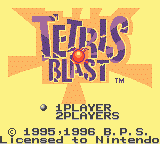
Insert the Game Pak into the GAME BOY, label facing outward, and turn the power ON. The title screen should appear.
Player Selection
•
Select 1 or 2 Player mode by placing the cursor in front of either and pressing the A Button.
•
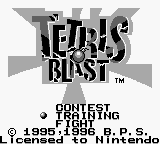
If you select 1 Player, a new screen should appear showing the options CONTEST, TRAINING and FIGHT.
•
If you select 2 Players, the VS menu screen appears.
2 Player Mode Requirements
2 Player mode cannot be selected unless your GAME BOY is connected to another GAME BOY with a GAME BOY Game Link® cable.
Rules - How to Erase Blocks (TETRIS BLAST)
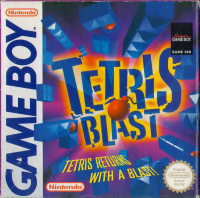
The objective in Tetris Blast is to eliminate all the blocks on the screen. Arrange falling blocks to make complete horizontal lines.
•
If one bomb block is in the horizontal line, all three blocks next to the bomb block (left and right) will explode and disappear.
•
If there is more than one bomb in the horizontal line, each bomb will eliminate three blocks to its immediate left and right.
•
If two or more horizontal lines are completed at the same time, then each bomb will explode and eliminate three blocks to the left and right, as well as one row above and below.
•
If four bombs are combined to make a square, then they will turn into a mega bomb. If a mega bomb explodes, it will eliminate all blocks within a four block radius of the bomb - meaning four blocks to the left and right, as well as up and down, and everything in between.
•
If you complete a horizontal line that does not have a bomb in it, there is no explosion, so none of the blocks will disappear.
Contest Mode Objective
In this mode, there are 100 random blocks which will fall down. Try to eliminate all of the existing blocks on the screen using as few of the falling blocks as possible.
How to Play Contest Mode
•
In the menu screen select CONTEST by using the control pad and pressing the A Button.
•
If you are playing the game for the first time, or want to start from the beginning, select NEW GAME.
•
You can begin on any of the first three stages, select the stage by pressing left and right on the + Control Pad.
•
If you want to continue a previous game, select CONTEST then PASSWORD.
•
Once in the PASSWORD screen, enter the password by pressing left and right on the + Control Pad, and pressing the A Button to select the underlined letter.
Screen Layout
Game Over (Contest Mode)
The game will end if the blocks fill-up the play field. If you want to continue, put the cursor on YES and press the A Button. If you want to quit, put the cursor on NO and press the A Button.
Fight Mode Objective
In this mode, each stage has a different character with a bothersome trait. These characters will move around the play field and try to prevent you from clearing the screen of blocks.
You can damage the character by either hitting it with the explosion of a bomb or by dropping a block on its head. When the life meter reaches 0, you win.
How to Play Fight Mode
•
In the menu screen select FIGHT MODE by using the Control Pad and pressing the A Button.
•
A level selection screen will appear. Select one of the three Levels.
•
Select the level using the + Control Pad, then press the A Button.
•
To return to the title screen, press the B Button.
Bomb Explosion Chart (single bomb)
| Lines | Up/Down | Left/Right | Score | Lines | Up/Down | Left/Right | Score |
|---|---|---|---|---|---|---|---|
| 1 | 0 | 3 | 0 | 10 | 7 | 7 | 400 |
| 2 | 1 | 3 | 0 | 11 | 7 | 7 | 500 |
| 3 | 2 | 3 | 2 | 12 | 7 | 7 | 600 |
| 4 | 3 | 3 | 4 | 13 | 7 | 7 | 700 |
| 5 | 4 | 4 | 10 | 14 | 7 | 7 | 800 |
| 6 | 5 | 5 | 40 | 15 | 7 | 7 | 900 |
| 7 | 5 | 5 | 100 | 16 | 7 | 7 | 999 |
| 8 | 6 | 6 | 200 | 17 | 7 | 7 | 999 |
| 9 | 6 | 6 | 300 | | | | |
2 Players Objective
In this mode, players compete against one another. The first player to clear their screen of blocks wins. If a player's screen fills-up with blocks, they automatically lose. The first player to win three games wins the match.
How to Play 2 Player Mode
•
In the title screen, select 2 PLAYER by using the control pad and pressing the A Button.
•
On the speed selection screen, select a speed (0 through 9) by pressing up and down on the + Control Pad.
•
Select a stage (1 through
.png)

_2.png)
 (SGB Enhanced).png)