Setup
1. Turn OFF the power switch on your Nintendo® Game Boy® Advance. Never insert or remove a Game Pak when the power is on.
2. Insert the Flushed Away Game Pak into the slot on the Game Boy® Advance. To lock the Game Pak in place, press firmly.
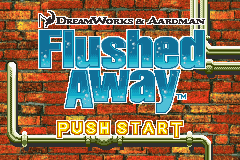
3. Turn ON the POWER switch. The Title Screen will appear (if you don't see it, begin again at step 1).
WARNING: Rapidly switching the POWER may cause a battery-backed Game Pak to lose your stored information.
Getting Started
Press START on the Title Screen to be taken to the Main Menu.
On the Main Menu screen, choose from the available selections by using the +Control Pad to scroll through them and pressing the A Button to make your choice. Pressing the B Button returns you to the Title Screen.
Main Menu Options
•
Start Game: Begin your adventure through the world of Flushed Away.
•
Password: Enter your password to continue your game.
•
Options: Change the game's options.
•
Sound: Toggle the game's sound effects and music ON and OFF.
•
Sound Test: Listen to sound effects and music from the game.
•
Bonus Code: Enter the Special Bonus Codes to unlock special features!



 (En,Fr,De,Es,It).png)

.png)
 (Rev 1).png)
 (Rev 2).png)
_1.png)
 (Rev 1).png)




