Grab, Throw
Flip over an enemy by stomping on it, then pick it up. Hold down the B Button to gather strength, then release it to throw.
•
Press ○ on the + Control Pad to throw higher.
•
Holding the B Button longer increases the throwing distance.
•
Throwing distance varies based on the enemy's weight.
•
Throwing objects at blocks may cause them to crumble.
•
Various items besides enemies can be thrown.
Swim
Use the + Control Pad to swim in the water. Press the B Button to paddle faster.
•
You will automatically float to the surface if you do nothing.
•
Press the A Button to perform a head-butt attack on underwater enemies.
Roll
Stop on a slope and press ○ on the + Control Pad to initiate a roll. You are invincible while rolling.
•
You can break blocks while rolling.
•
Press the A Button during a roll to perform a Rolling Jump.
•
You will stop rolling if you hit a wall.
Jump Attack
While attacking, press the A Button to slam into an enemy in midair. This move is effective for breaking blocks and dealing with high-up targets.
•
Some blocks may not break from a Jump Attack.
•
Useful for clearing enemies and blocks located at height.
The Passages
•
The Entry Passage: Introduces the pyramid and explains character moves.
•
The Emerald, Ruby, Topaz, and Sapphire Passages: Each world contains four stages, one boss, mini-games, and Item Shops before boss fights.
•
The Golden Passage: The door opens only after defeating the bosses from the other four passages.
Stage Goals
The objective is to collect required items and return to the vortex.
•
Goal: Collect jewel pieces to open the boss room door. Find the Keyzer to open the door to the next stage.
•
Time Limits: The vortex closes upon entry. Stepping on a switch reopens it but starts a time bomb. Taking too long results in coin loss, and losing all coins causes loss of treasure or being kicked out of the level.
•
Treasure: Finding a CD allows you to listen to it in the Sound Room. Treasure chests behind the boss disappear over time.
Start the Game
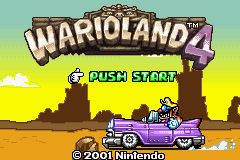
Insert the cartridge into your Game Boy Advance and turn on the power. Press the A Button during the demo to skip to the title screen, then press START.
•
File Select: Choose one of two slots and press the A Button.
•
Mode Selection: Choose Normal or Hard mode to begin.
•
Map Screen: Navigate from the Entry Passage. Clear the Entry Passage to unlock other passages.
•
Stage Select: Select a stage and press the A Button. Cleared stages can be replayed.
•
Stage Entry: The character automatically steps on the switch and enters the vortex.
Game Screen Elements
•
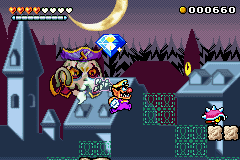
Heart Meter: Represents life; guard these carefully.
•
Heart Gauge: Fills by defeating enemies and gathering little hearts. A full gauge converts to one heart.
•
Switch: Step on this to open the vortex and start the time limit.
•
Time Limit: Appears after hitting the switch. The stage changes as time ticks down.
•
Coins: Collected by bashing enemies and blocks.
•
Vortex: Closes upon entering the level; reopen it by stepping on the switch.
Game Rules
•
Damage: Touching pointy or sharp enemies causes damage, resulting in the loss of a heart and potentially coins.
•
No Game Over: The game does not end when losing all hearts. Instead, you are sent back to the Stage Select screen, losing all collected treasures and coins.
Pause Screen Options
•
Return: Go back to the stage in progress.
•
Quit: Save and quit to the title screen.
•
Give Up: Return to the stage select screen and forfeit all coins and treasure.
Saving Data
•
Auto Save: The game saves automatically upon completing a level.
•
Save and Quit: Use the "Quit" option on the pause screen to save data in the middle of a level. Continue from this point to erase the saved data.
Deleting Data
•
Delete One File: Select "Delete Data" on the file select screen. The cursor turns into a bomb; select the file and choose Yes to confirm.
•
Erase All Saved Data: Turn on the Game Boy Advance while holding both the L and R Buttons. Select "Yes" twice on the Erase All Saved Data screen to confirm.
Wario Hop
A mini-game where you must jump over continuously appearing obstacles.
•
Controls: Jump with the A Button.
•
Rules: Missing a jump results in Game Over.
•
Score: Based on the number of obstacles cleared.
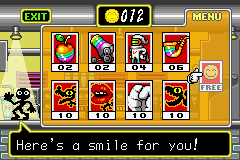
Wario Roulette
A puzzle game involving matching facial features to form a correct face.
•
How to Play: Observe the first face shown. When matching eyebrows and eyes appear, select them using the A Button. Repeat for the nose, mustache, and mouth.
•
Rules: Getting a face wrong ends the game.
•
Score: Based on the number of correct faces completed.

.png)

.png)
 (Rev 1).png)
 (Rev 2).png)
_1.png)
 (Rev 1).png)



