Single-Pak Linking Instructions
Here's all of the information you need to link multiple Game Boy Advance systems using one Super Mario Advance Game Pak. Necessary Equipment
•
Game Boy Advance systems: One system per player
•
Game Boy Advance Game Link® Cables:
•
Three players, two cables
•
Four players, three cables
Linking Instructions
1. Make sure that the Power Switches on all of the game systems are turned OFF, then insert the Super Mario Advance Game Pak into Player 1's Game Pak slot. 2. Connect the Game Link cables.
3. Insert the Game Link cables into the External Extension Connectors (EXT), making sure to insert the small, purple connector into Player 1's game system and the larger, gray connectors into the other game systems.
4. Turn each system's Power Switch ON.
5. Now, follow the controller instructions on page 40.
*When playing with only two or three players, do not connect any game systems that will not be used. Consult the diagram on the right when connecting Game Link cables to Game Boy Advance systems. Note that the Game Pak goes into Player 1's system and that the Game Link cable's small connector is purple and the larger one is gray.*
Troubleshooting
You may be unable to transfer game data or you may experience malfunctions in any of the following situations:
•
When you are using any cables other than Game Boy Advance Game Link cables.
•
When any Game Link cable is not fully inserted into any game system.
•
When any Game Link cable is removed during the transfer of data.
•
When any Game Link cable is incorrectly connected to any game system.
•
When the Super Mario Advance Game Pak is inserted into any system other than Player 1's Game Boy Advance. •
When more than four Game Boy Advance game systems are linked.
Multi-Pak Linking Instructions
Here's all of the information you need to link multiple Game Boy Advance game systems using multiple Super Mario Advance Game Paks. Necessary Equipment
•
Game Boy Advance systems: One system per player
•
Game Paks: One Game Pak per player
•
Game Boy Advance Game Link Cables:
•
Three players, two cables
•
Four players, three cables
Linking Instructions
1. Make sure that the Power Switches on all of the game systems are turned OFF, then insert the Super Mario Advance Game Paks into the individual Game Pak slots. 2. Connect the Game Link cables and plug them into the External Extension Connector (EXT) on each of the game systems.
3. Turn each system's Power Switch ON.
4. Now, follow the instructions on page 42.
*When playing with only two or three players, do not connect any game systems that will not be used.*
*The player who plugs the small, purple connector into his or her Game Boy Advance will be Player 1. Consult the diagram on the right when connecting Game Link cables to Game Boy Advance game systems. Note that the small Game Link cable connector is purple and the larger one is gray.*
Troubleshooting
You may be unable to transfer game data or you may experience malfunctions in any of the following situations:
•
When you are using any cables other than Game Boy Advance Game Link cables.
•
When any Game Link cable is not fully inserted into any game system.
•
When any Game Link cable is removed during the transfer of data.
•
When any Game Link cable is incorrectly connected to any game system.
•
When more than four Game Boy Advance game systems are linked.
Getting Started: Super Mario Bros. 2
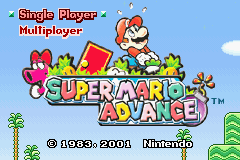
Insert the Super Mario Advance Game Pak into your game system and turn the Power Switch ON. On the Title Screen, select Single Player and press the A Button or START to proceed to the Game Select Screen. Select Super Mario Bros. 2 on the Game Select Screen. Super Mario Bros. 2 is a single-player game. It cannot be used with the Game Boy Advance Game Link cable. Selecting a File
•
Select one of the three files from the File Select Screen to begin.
•
If there are previously cleared levels saved, you can use the ◄► buttons to select a level.
•
When you want to erase a game file, select ERASE and then choose the file you want to delete.
*To delete ALL files at one time, press and hold SELECT, START and the L, R, A and B Buttons at the same time when turning the Power Switch ON. Continue holding all of the buttons for five seconds. Be careful! You cannot restore erased game data.*
Selecting a Character
There are four characters for you to choose from. Their abilities are all different, so choose the one that suits you best.
•
Mario: His skills are the most balanced of the characters. •
Luigi: He's got loads of jump ability, but he's rather slow.
•
Peach: She can float on air for about 1½ seconds when you hold the A Button down.
•
Toad: He has the weakest jump but lots of power.
Each