Starting Up
•
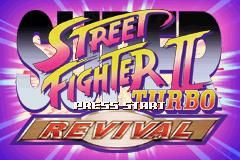
Press START in the Title Screen to display the Mode Select Screen.
•
Select a game mode with the Control Pad and press the A Button. Hidden game modes will unlock as you play.
•
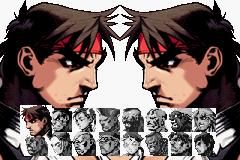
Select your character and press the A or B Button. Some colors on your character will vary depending on which button you press.
•
Select a game speed and press the A Button.
Arcade Mode
Travel and defeat Street Fighters around the world. If you are a great fighter, you will eventually reach the finals. Defeat the final boss to see the spectacular ending.
Rules
•
ROUND: The first fighter to completely drain the opponent's vitality within the time limit wins the round. If time runs out, the fighter with more vitality remaining wins.
•
MATCH: The first fighter to win 2 rounds out of 3 wins the match. You can change the number of rounds in Option mode.
•
DRAW: A draw occurs when both fighters run out of vitality simultaneously (double K.O.) or when both fighters have equal vitality when time runs out.
•
VS POINTS: You gain VS Points based on the moves you use and how fast you win each round. When your VS Points reach a certain amount, get ready for a surprise.
VS. Mode: Connecting the Game Boy® Advance
•
2 Game Boy® Advance systems
•
2 SUPER STREET FIGHTER II: TURBO REVIVAL Game Paks
•
1 Game Boy® Advance Game Link® Cable
Setup Steps
•
Make sure the power of both Game Boy® Advance systems is OFF. Insert a SUPER STREET FIGHTER II: TURBO REVIVAL Game Pak into each system.
•
Connect the Game Link® Cable to the external extension connector on both systems. The unit connected to the smaller plug is 1P.
Link Play
With two Game Boy® Advance systems connected by a Game Link® Cable, two players can play simultaneously. Choose LINK PLAY in the Mode Select screen and select YES simultaneously on both systems.
The game starts after both players select their characters and game speeds. Players can continue unlimitedly in Link Play, selecting new characters and speeds before each match.
Troubleshooting
The Game Link® Cable may malfunction if:
•
It is not for the Game Boy® Advance system.
•
It is not connected correctly or has become disconnected.
•
It is connected to the Communication Cable.
•
More than two Game Boy® Advance systems are connected.
Option Mode
Press the Control Pad up/down to select an option, and left/right to change the setting. When finished, press the A Button to save your settings.
•
LEVEL: Set the difficulty level.
•
TIME: Set the match time.
•
ROUNDS: Set the number of rounds in a match.
•
DAMAGE: Set the attack damage level.
•
GAUGE: Set the Super Combo Gauge level.
•
BUTTON: Reset the button assignments and control settings.

_2.png)
.png)
.png)

.png)
 (Rev 1).png)
 (Rev 2).png)
_1.png)
 (Rev 1).png)




