Getting Started
1. Switch the Nintendo® Game Boy® Advance system OFF. Never insert or remove a Game Pak while the Game Boy Advance is ON.
2. Insert the Terminator® 3: Rise of the Machines™ Game Pak into the slot on the Game Boy Advance. Press firmly to ensure the Game Pak is correctly inserted.
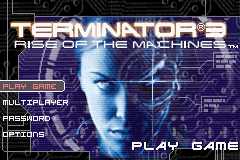
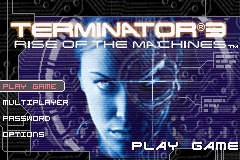
3. Switch the Game Boy Advance ON. The title screen should appear. If the title screen fails to appear, return to step 1.
4. When the Main Menu appears, start a new game or enter a password to continue a game.
For multiplayer games, link two or more Game Boy Advance systems (each with a Terminator® 3: Rise of the Machines™ Game Pak) via a Game Boy® Advance Game Link® cable.
Main Menu
In the Main Menu, press the + Control Pad ▲ and ▼ to highlight each choice and press the A Button to select. Press the B Button to return to the previous menu.
•
Play Game: Start a single-player Terminator® 3: Rise of the Machines™ game from the beginning.
•
Multiplayer: Start a multiplayer game. Up to four players can play simultaneously in Capture the Flag. Two players can play a Cooperative game.
Difficulty Level
There are two difficulty levels in Terminator® 3: Rise of the Machines™:
•
Easy: You start the game with three lives and earn an extra life every 1000 points. When you lose a life, you continue right where you left off. Continues are unlimited.
•
Terminal: You start the game with only one life and cannot earn extra lives. Continues are unlimited, but you will start the continued game at the beginning of the level.
HUD and Status Bars
•
Energy: The blue bar represents the Terminator's Energy level. It slowly depletes over time and while using Terminator Vision mode. You can replenish Energy by collecting blue Energy Packs throughout the game or waiting for it to recharge automatically.
•
Health: The red bar represents the Terminator's Health level. As the Terminator takes damage, this bar decreases. The visual icon of the Terminator's face in the lower left corner deteriorates as Health is lost. The Terminator appears more robotic as his skin melts. You can replenish Health by collecting red Health Packs.
•
Score: Your score is displayed at the bottom center of the HUD. You earn points for terminating enemies and collecting items. In Easy difficulty, you earn an extra life for every 1,000 points earned.
•
Timer: During time-based missions, a timer appears at the top-right corner. Scenarios require you to either complete an objective before time expires or protect something until it expires. Failure results in losing a life and restarting the mission.
Weapons and Ammunition
The Weapon Inventory display at the bottom-right corner of the HUD shows the currently selected primary and secondary weapons, and the amount of ammunition available for each. The Handgun has unlimited ammunition, and melee attacks are always available.
Guidance System
The Guidance System, located at the top-left corner of the HUD, keeps track of each objective. The arrow points in the direction of the next objective, while the number at the bottom displays the distance. The icon in the center represents the objective type, such as a person icon for rendezvous missions.
Terminator Vision
When the Terminator has Energy available, he may enter Terminator Vision mode by pressing SELECT. While in this mode, the Terminator shoots more accurately, causes more damage, views enemy information, and sees hidden objects. This mode drains the blue energy bar; if Energy runs out, the Terminator returns to normal vision. Press SELECT again to exit the mode.
Continuing Games
Terminator® 3: Rise of the Machines™ uses a password system to record progress. At the end of each completed level, you will receive a password. Write this down to return to where you left off.
To continue a previous game:
1. Select the Password option at the Main Menu and press the A Button.
2. Use the + Control Pad to highlight letters and press the A Button to select them.
Note: Level passwords for each difficulty level are not the same. Ensure you enter the correct password for the desired difficulty.
Quitting and Saving
You may quit a game using the + Control Pad and pressing the A Button or START, or by switching off the Game Boy Advance power. To exit the menu and continue playing, press the A Button or START again.
Note: If you quit the game, your progress on the current level will not be saved. The next time you enter a password, you will start at the beginning of the level.
Multiplayer Mode
Terminator® 3: Rise of the Machines™ offers two multiplayer modes:
•
Cooperative: Two players battle through a specially designed level to beat Skynet's horde.
•
Capture the Flag: Up to four players join to battle against each other.
During multiplayer games, the HUD is simplified to display all characters. Terminator Vision is disabled, and each player has one Health gauge. Players use the default weapon or the last picked-up weapon, and all weapons have unlimited ammo.
To link systems:
1. Switch all Game Boy Advance systems OFF.
2. Link the Game Boy® Advance Game Link® cable to each system.
3. Insert a Terminator® 3: Rise of the Machines™ Game Pak into each system.
4. Switch the systems ON.
Cooperative Game
In a Cooperative Game, two players tackle a succession




.png)

.png)


.png)
 (Rev 1).png)
 (Rev 2).png)
_1.png)
 (Rev 1).png)