Getting Started
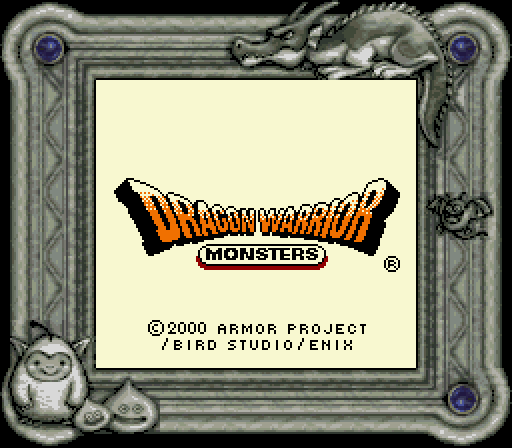
Insert the Game Pak into the Game Boy and turn it on. Stars will shoot across the screen, followed by the Title Screen.
Press the A or B Button or START to begin.
Main Menu Options
Starting a New Game
Select NEW GAME from the Main Menu to play the game from the beginning.
Continuing a Game
If you have a previously saved game, you can choose CONTINUE to start the game from where you last left off.
Saving a Game
Don't forget to save your game in the Journal before quitting the game. Open the Game Menu with the A Button and select OPTN, then choose JOURNAL to save your game.
You can save anywhere in the Kingdom of GreatTree. Be careful - you can't save your games in most places in the Mystic World.
Basic Commands
Press the A Button to talk to people or examine things. Face the direction of the person you want to talk to or the sign boards, dresser, or spots you want to examine and press the A Button to collect important information.
If the message is long, you'll see an arrow pointing down. Press the A Button again to flip through the messages.
Game Menu
Press the A Button to display the Game Menu and check the status of your party. An indicator at the top right displays the amount of Gold you are carrying.
INFO
ITEM
This option displays a list of items you currently carry. Select an item and press the A Button to display USE and DEL options.
If you want to use an item, select USE. To throw away an item, select DEL. A description of each item appears at the bottom of the screen. Press SELECT to organize the items.
SKIL
This option displays a list of magic spells and special skills that the monsters in your current party have learned. When you select a monster that has learned magic spells or special skills, a list of all the magic spells and special skills appears.
All of the learned abilities will be displayed in the list, but most of the abilities can only be used during battles. A description of each skill appears at the bottom of the screen.
OPTN
This option displays a list of game options you can set.
•
TEXT SPD changes the speed of text displayed during battles.
•
CH ORDER changes the order of monsters in your current party.
•
CH PLAN changes the battle plans of each monster.
•
JOURNAL records (saves) the adventure in your Journal.
Battle Commands
The Battle Menu displays the names of monsters in your current party and their amount of HP and MP. Keep your eyes on your monsters' HP and MP! If you don't, it's going to cost you!
Battle Menu Options
FIGHT
This option is for fighting enemies. Battle begins when you select FIGHT. To change how your monsters fight, change their battle plans by choosing PLAN in the Battle Menu.
When you choose FIGHT, the monster fights automatically according to the instructions set in CH PLAN in OPTN from the Game Menu.
PLAN
You can give out basic plans or specific instructions to fight in battles to your monsters. Change your plans or instructions according to the situation you are in.
•
CHARGE – Your monsters attack aggressively at all times.
•
MIXED – Your monsters use magic spells and special skills to help or support themselves in battles.
•
CAUTIOUS – Your monsters use magic spells or special skills to protect or heal themselves.
•
COMMAND – You can instruct each individual monster to do what you want. Train your monsters well! If you don't, they will not listen to your commands!
•
NO SP SK – When you're fighting in the Arena, COMMAND is replaced by NO SP SK. Your monster will not use any magic spells or special skills when this command is selected. You will not be able to instruct each monster to do what you want during the battles in the Arena.
ITEM (Battle)
When it's your turn to attack, you can also use items that you carry into battles. For example, use herbs to heal monsters or feed meat treats to enemy monsters to try to make them your allies. If you have more than five items in the item list, use the Control Pad to flip to the next page.
RUN
This option is used to run away from enemy monsters during battles. However, enemy monsters will not let you escape every time!
When all of your monsters are knocked out, you automatically warp back to the King's Chamber. When this happens, up to half of your Gold and items are lost!
Preparing for the Quest
To begin his quest, Terry is sent up to the Monster Farm to get his first monster. First, Slib joins your party at the Monster Farm.
Then, go see the King a second time and you'll be sent out on a quest to find Hale.
Find Useful Items
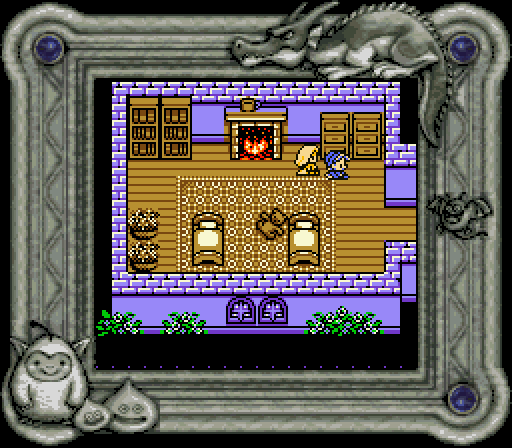
There are two treasure chests in the room to the left of the King's Chamber. You may open them once the King says it is okay for you to do so. Inside each chest is an herb. Take these items with you and prepare for your quest. Talk to People
Before going on the road to start your quest, talk to the people in the Kingdom of GreatTree. You might just be able to gather very important information.
.png)


_2.png)
 (SGB Enhanced) (GB Compatible).png)



 (SGB Enhanced) (GB Compatible).png)


 (SGB Enhanced).png)

.png)

.png)

_1.png)